Follow these steps to dry your filament:
-
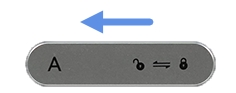
Slide the latch to the unlock position, then open the chamber cover.
-
Place the filament spool on the rollers (refer to Installing and Loading Filament), close the chamber cover, and lock the latch.
-
Plug the power cord into the power port on the device and connect it to a power source. Allow the VDS to complete its startup.
-
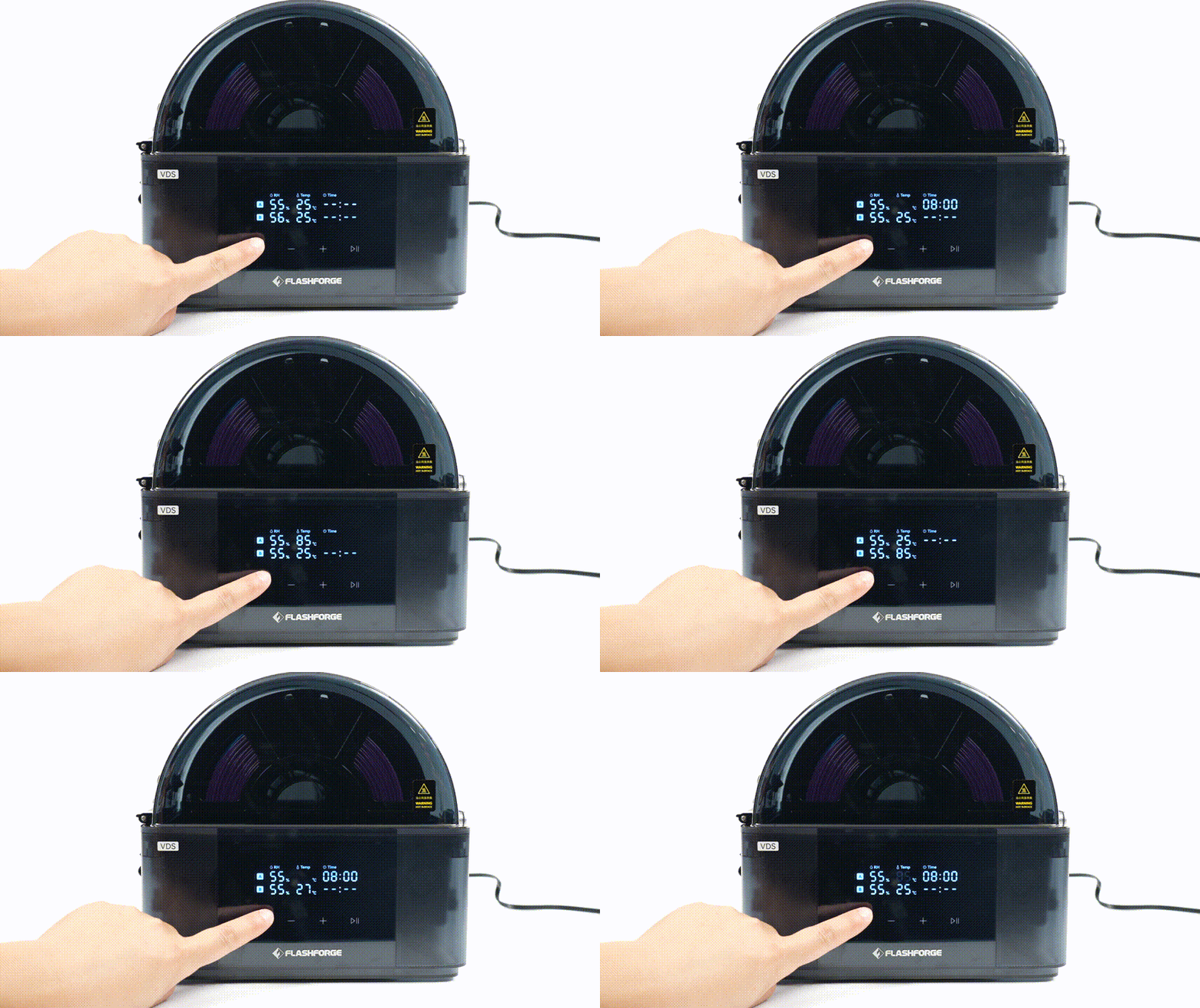
Press
 to enter setup mode. Keep pressing to cycle through the drying temperature and duration for chambers A and B (the selected parameter will flash).
-
Press
 or
or  to adjust the drying parameters. Once set, press
  to start drying for the selected chamber.
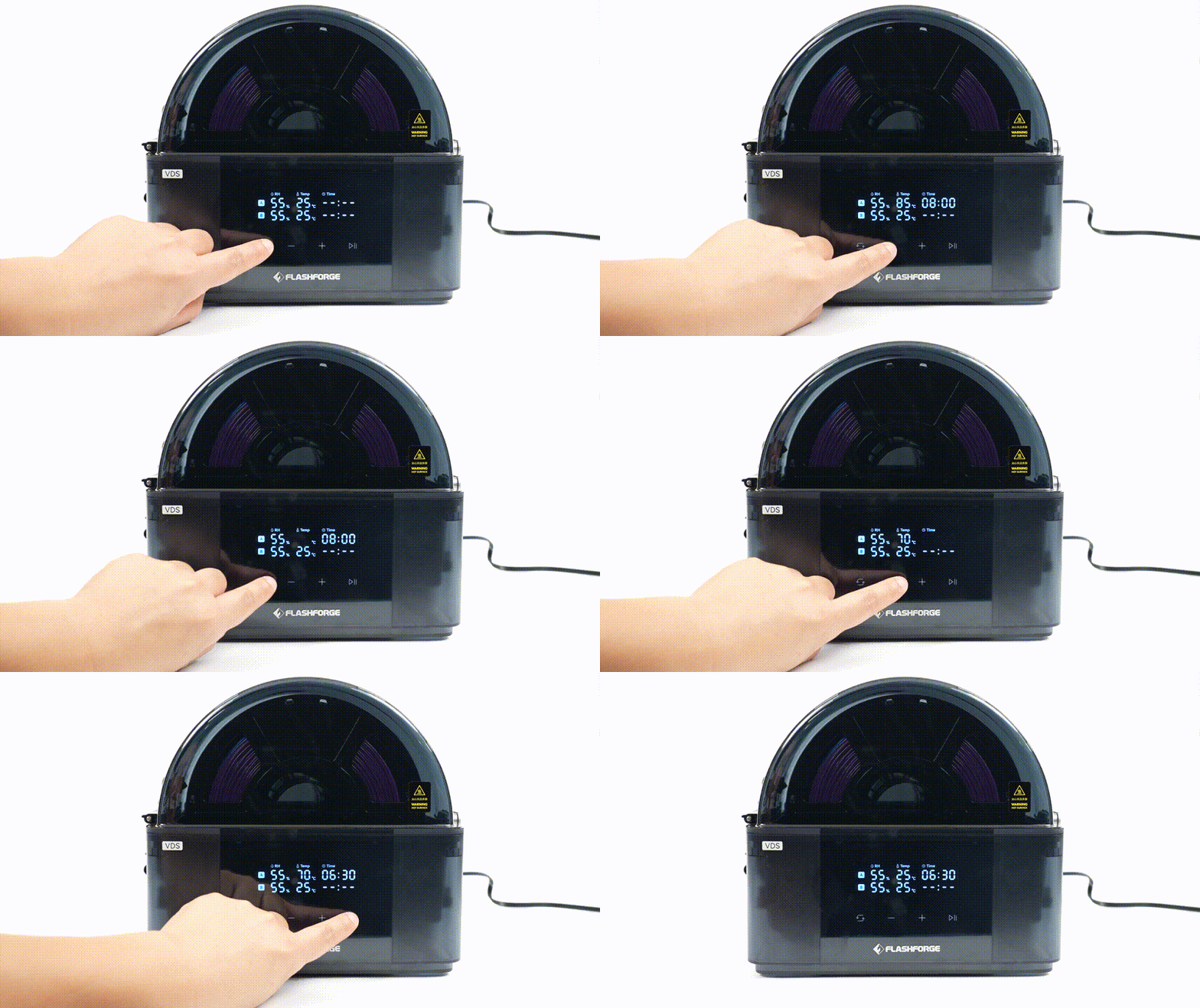
To dry both chambers simultaneously, start them one after the other.
The device signals the end of drying with a chime and a flashing "End", then automatically switches to standby after 10 seconds.
¶ Recommended Drying Temperatures
A sticker is included. We recommend applying it next to the display screen for quick reference.
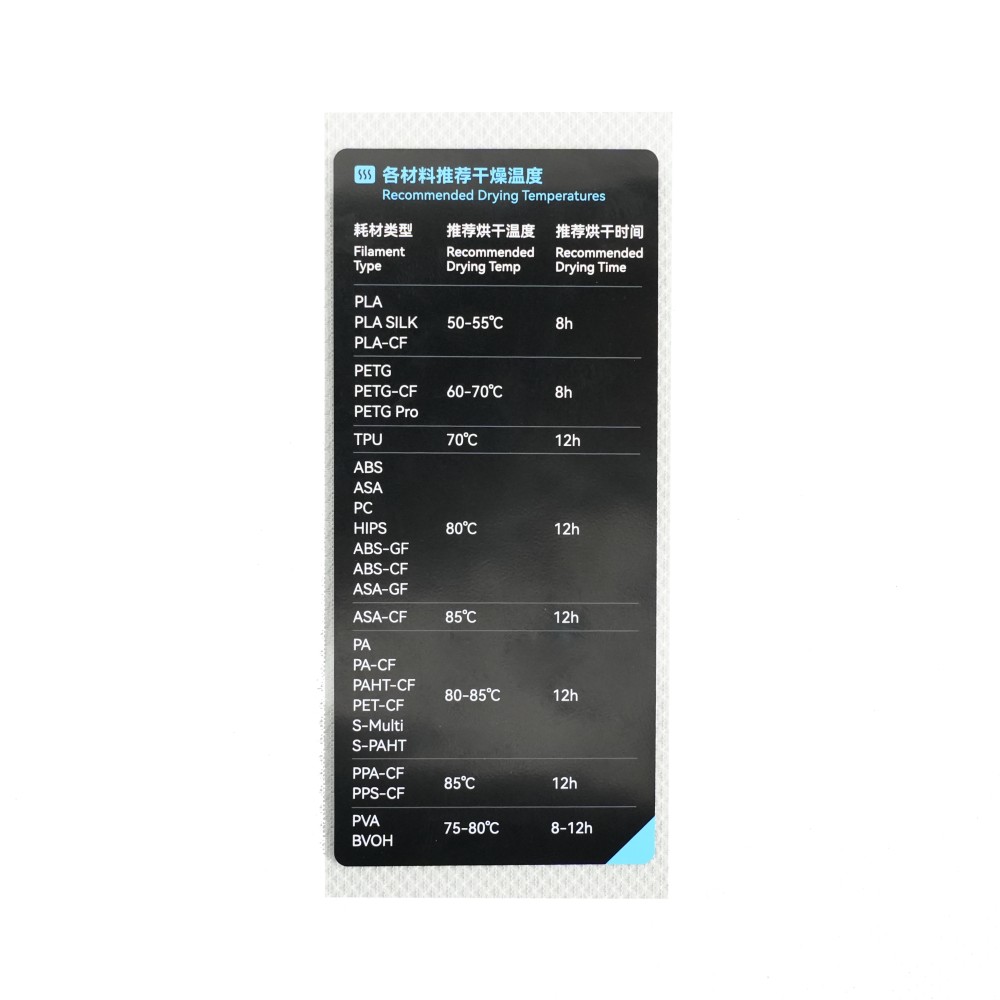
For best results, always follow the specifications provided by your filament manufacturer.
¶ Replacing the Desiccant
The device comes with color-indicating silica gel desiccant. It absorbs moisture to maintain a dry chamber environment.
When the orange beads gradually turn dark green, the desiccant is saturated and must be replaced or dried for reuse. The desiccant can be regenerated (dried) 5 to 15 times. If color changes slow down or the beads begin to crumble, replace them with new ones.
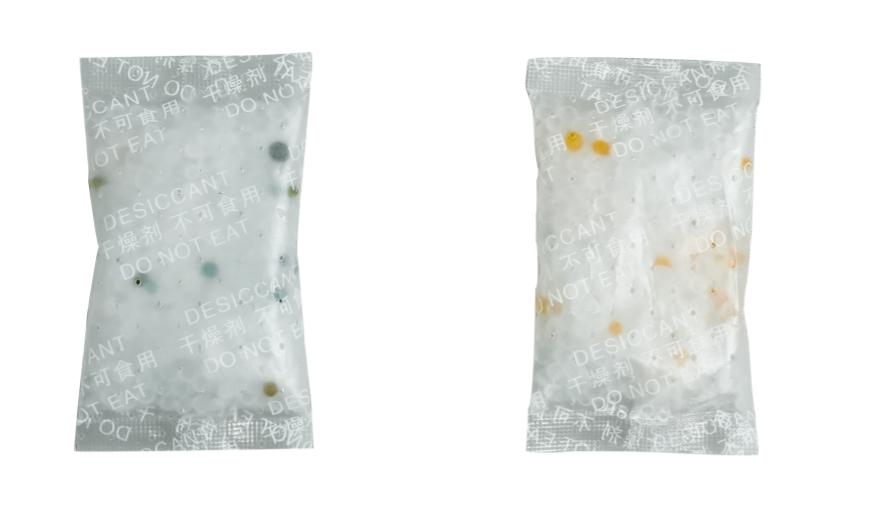
Expired desiccant (left) vs. New desiccant (right)
Store unused desiccant in a sealed bag immediately after drying to prevent it from re-absorbing moisture from the air.