¶ TPU and Carbon Fiber (CF) Filaments
Feed TPU and carbon fiber (CF) filaments through the upper filament outlet to minimize friction and prevent feeding jams.
-
Place the filament spool on the rollers, ensuring it rotates smoothly.
-
Unplug the rubber seal.
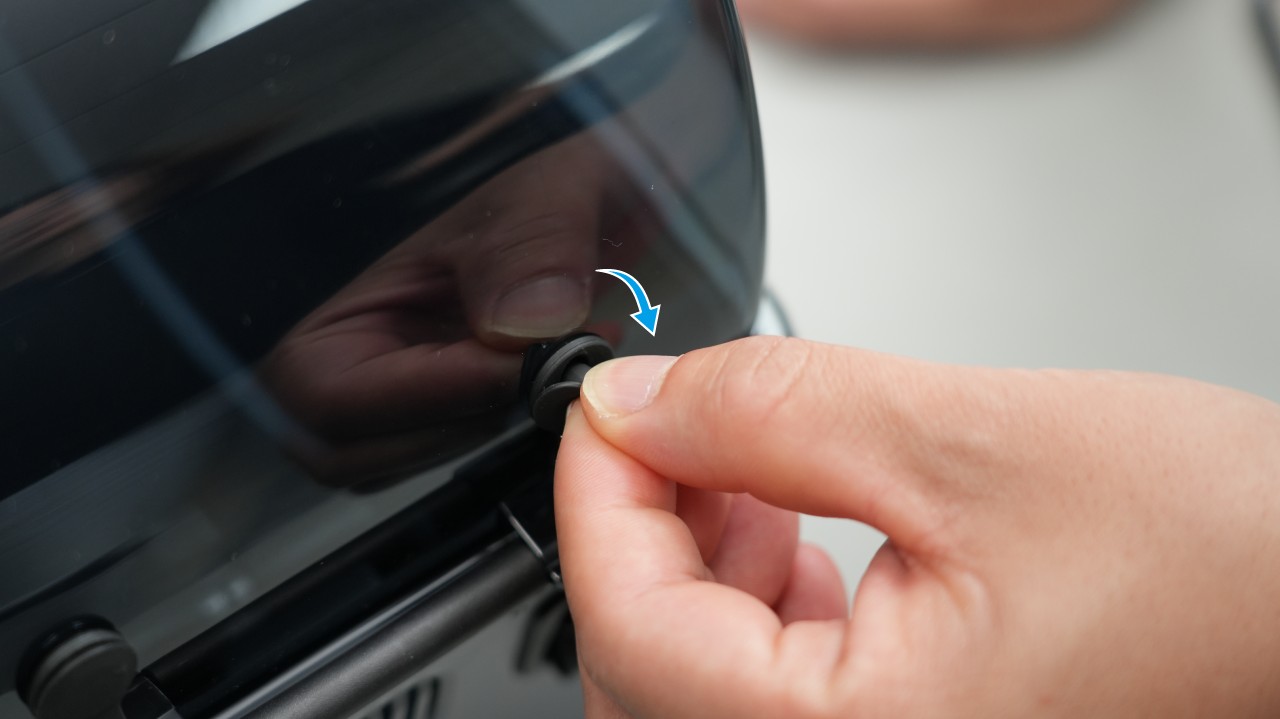
-
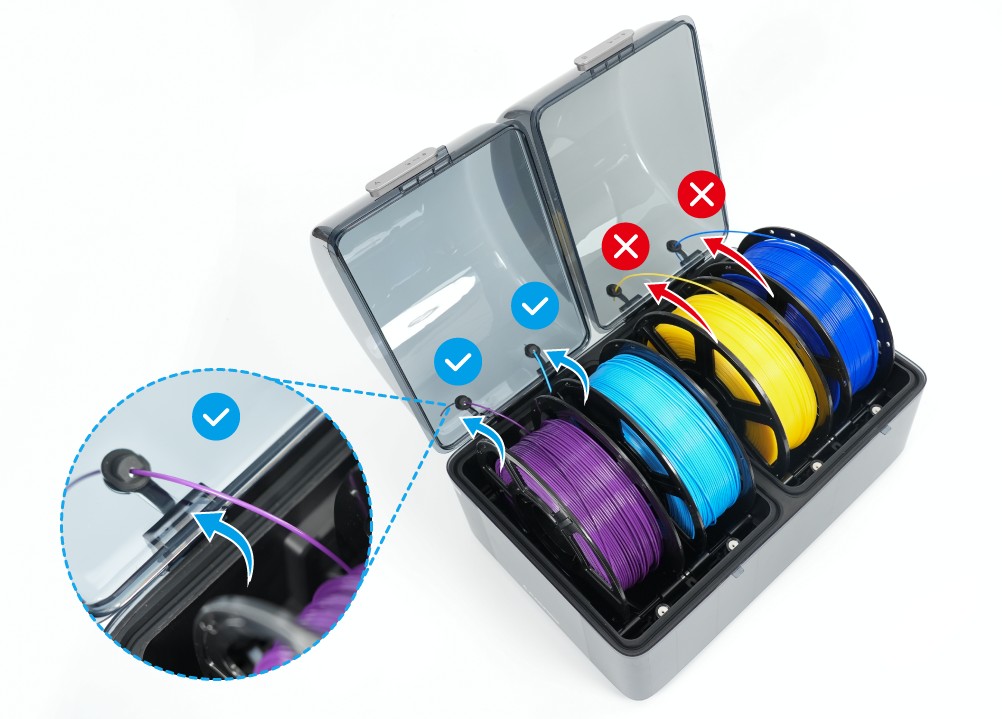
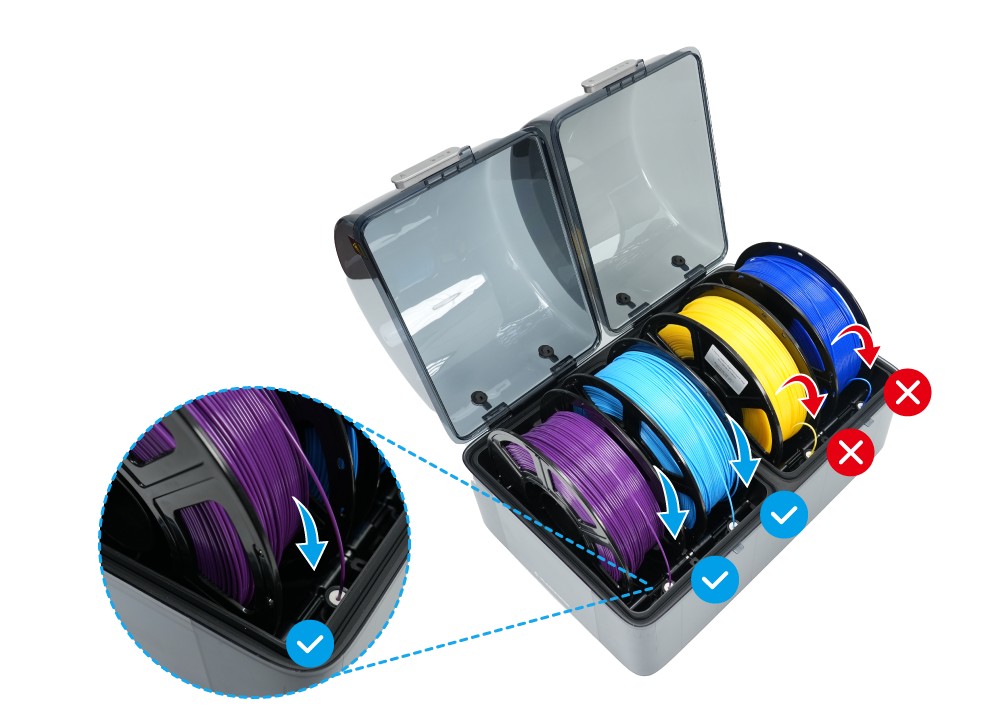
Route the filament through the outlet as shown (incorrect routing increases friction).
-
Feed the filament into the printer inlet.
¶ Other Filaments
Feed all other filaments through the lower outlet.
-
Unplug the rubber seal.
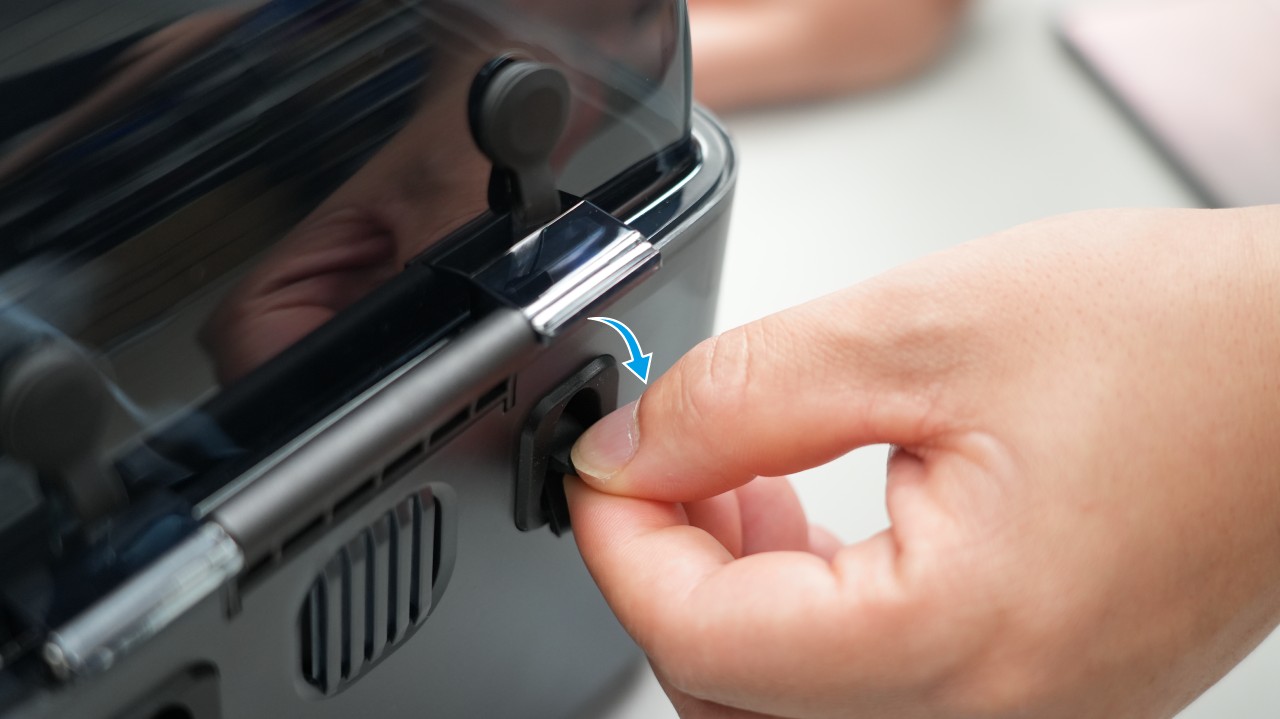
-
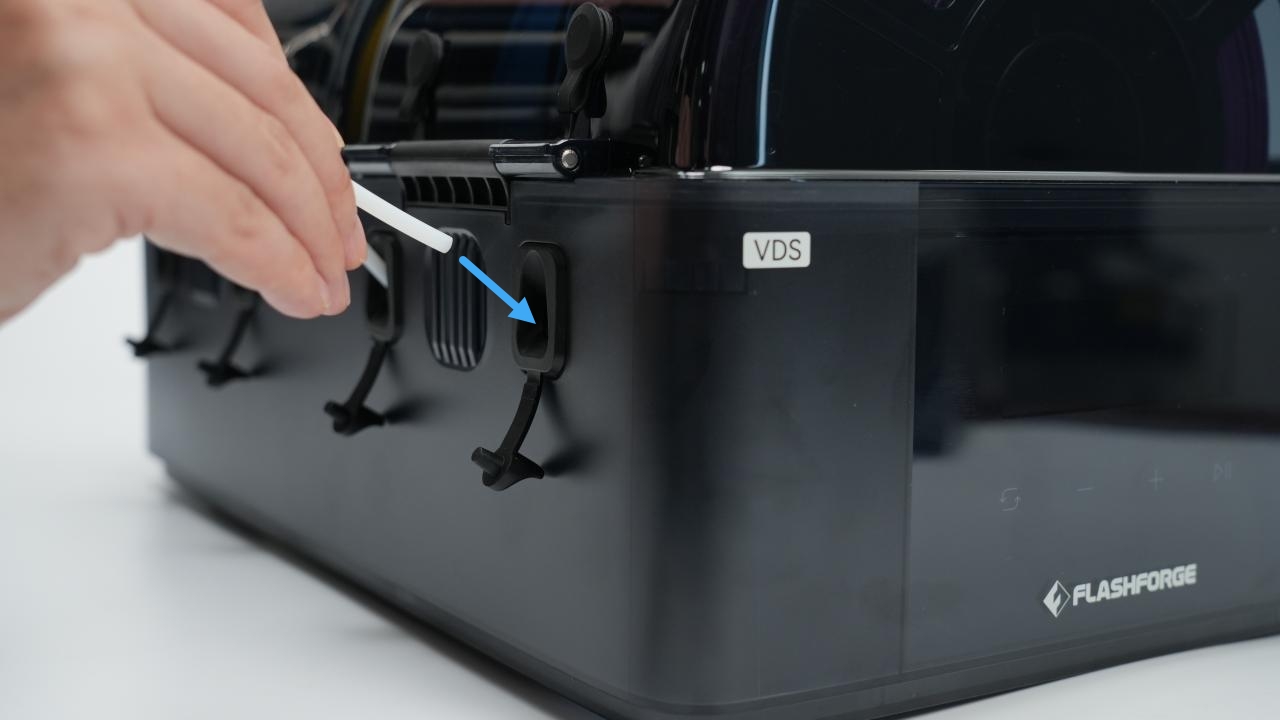
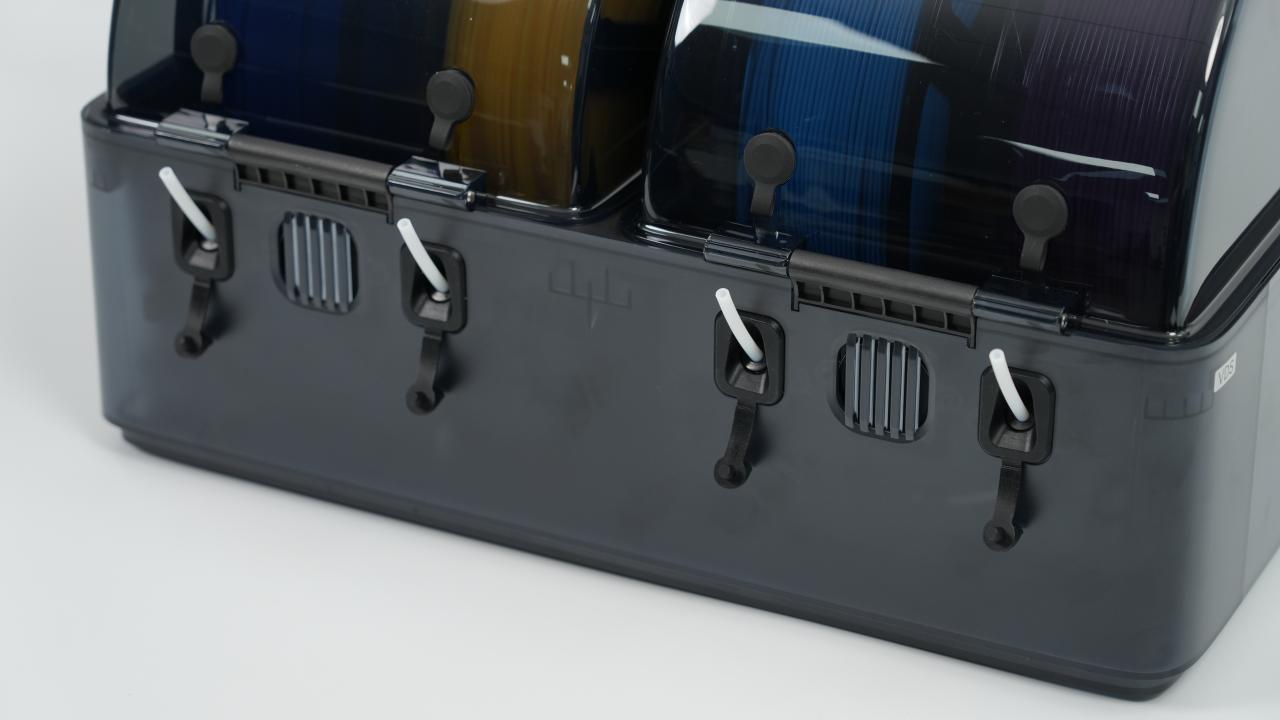
Insert the PTFE tube into the outlet until it stops. Give the tube a gentle pull to ensure it is secure.
|
|
-
Place the filament spool on the rollers, ensuring it rotates smoothly.
-
Route the filament through the outlet as shown until it passes through the PTFE tube.
-
Feed the filament into the printer inlet.
To establish a fully enclosed connection between the VDS and the printer, you can purchase additional PTFE tubes and cut them to your desired length(length:340±20mm).
A filament guide for the printer inlet is required for this setup. You can download the 3D model file .
Keep the rubber seals of the upper and lower outlets firmly plugged when not in use to prevent the filament from absorbing moisture.
¶ Removing the PTFE Tube
To remove the PTFE tube, follow these steps:
- Retract the filament back onto the spool.
- Press and hold the black release ring (①), then pull out the PTFE tube (②).
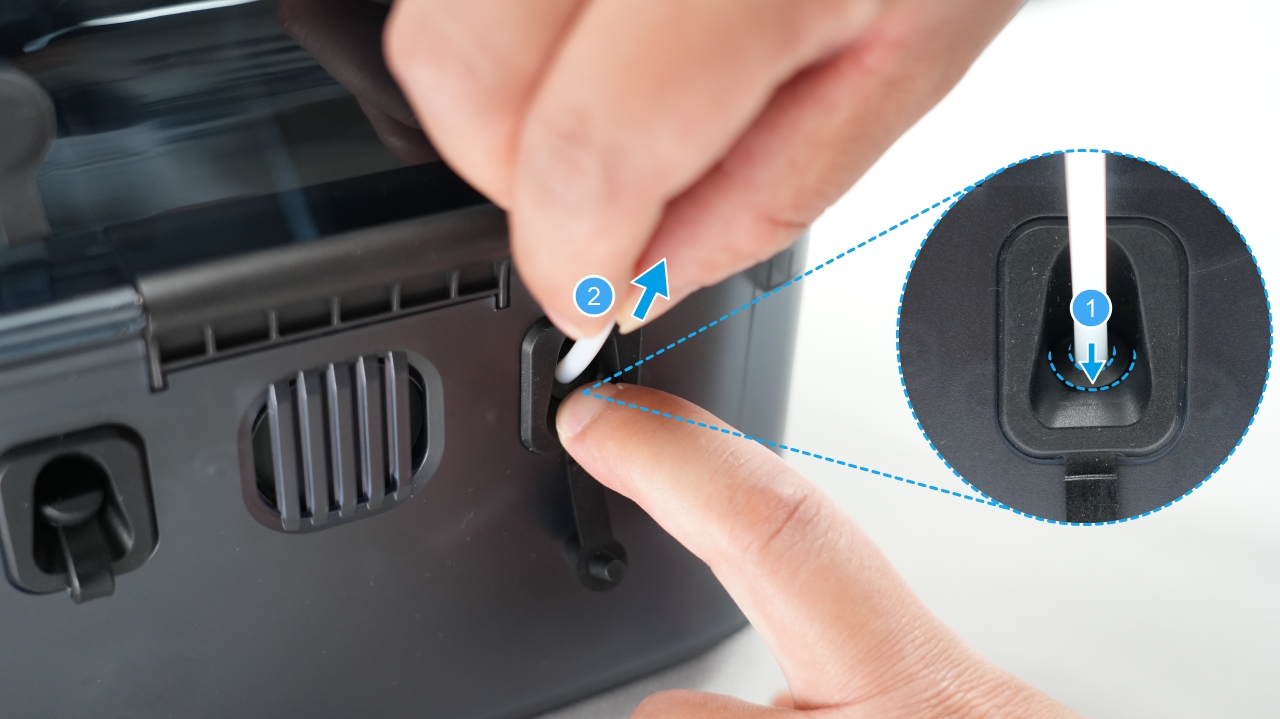
Do not pull the PTFE tube forcefully without pressing the release ring, as this may damage the pneumatic connector.
- Plug the rubber seal.