The VDS control panel consists of a screen and touch buttons.
- Screen (Upper): Displays the drying status, and error codes in the event of a fault.
- Touch Buttons (Lower): Configure device functions and drying parameters.
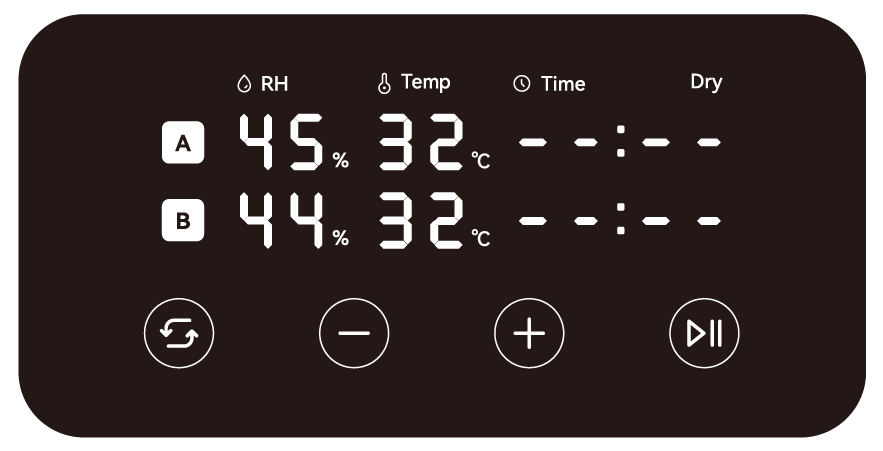
¶ Screen
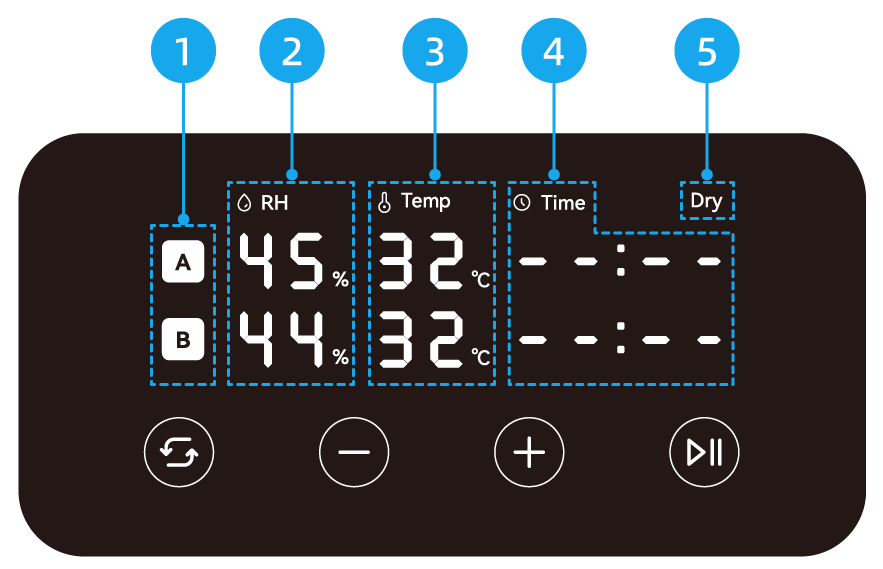
-
Chamber Label
The label of the chamber (A/B). Corresponding letters are also printed on the sliding latches of each chamber. -
Humidity
Real-time relative humidity (RH) inside the chamber. -
Temperature
- Real-time temperature inside the chamber.
- Target drying temperature during setup.
-
Time
- Remaining drying time while drying is in progress.
- Target drying duration during setup. Format: HH:MM (Hours:Minutes).
-
Auto Dehumidification
The "Dry" icon illuminates when Auto Dehumidification is enabled.
¶ Touch Buttons
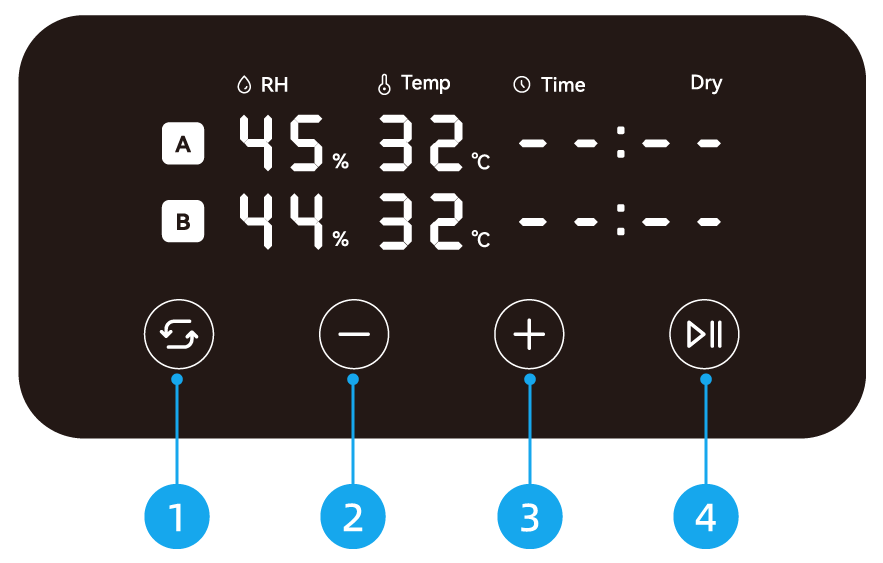
-
Switch
- Press: Enter setup mode, and press again to cycle through the drying temperature and duration for chambers A and B. The parameter being edited will flash.
- Long press: Enable or disable Auto Dehumidification. For details, refer to Auto Dehumidification.
-
Decrease
Active only during setup to decrease drying temperature or duration:- Temperature: Press to decrease by 5°C (range: 45–85°C); long press for rapid adjustment.
- Duration: Press to decrease by 30 minutes (range: 1–48 hours); long press for rapid adjustment.
-
Increase
Active only during setup to increase drying temperature or duration:- Temperature: Press to increase by 5°C (range: 45–85°C); long press for rapid adjustment.
- Duration: Press to increase by 30 minutes (range: 1–48 hours); long press for rapid adjustment.
-
Start/Pause
- Press during setup: Start drying for the selected chamber, or cancel drying if the chamber is already operating.
- Long press during drying: Stop drying for both chambers (A and B) simultaneously.