The success of 3D printing depends not only on printer hardware and slicing parameters, but also on daily usage habits and maintenance. Below is a collection of good printing practices recommended by Flashforge to help users reduce common print failures such as breakage, spaghetti, and stringing.
¶ 1. Regular Print Platform Maintenance
¶ Cleaning the Build Plate
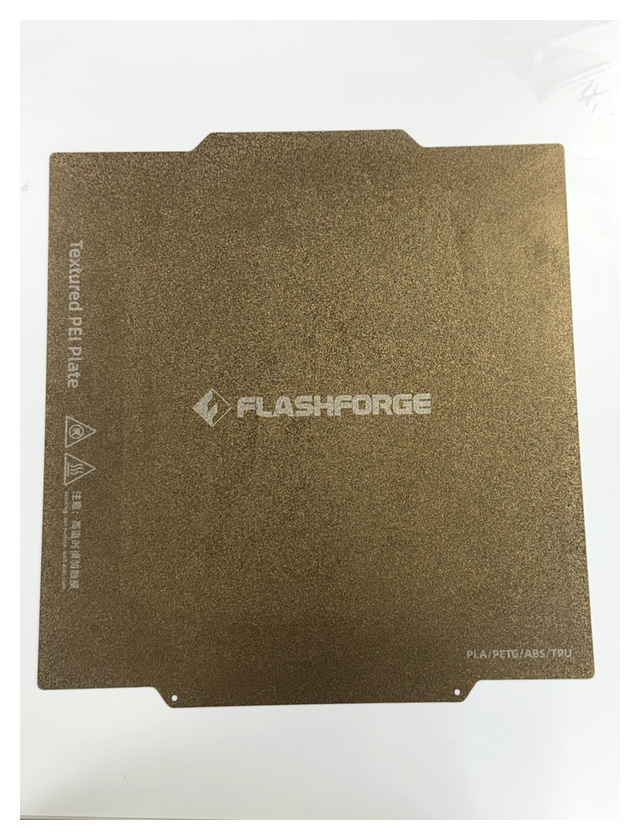
Inspect the build plate surface before each print. Fingerprints, grease, dust, or residual adhesive can all affect first-layer adhesion, leading to warping or print detachment.
Cleaning Methods:
- Wipe the build plate surface with a lint-free cloth moistened with alcohol
- PEI plates can be washed with warm water and a small amount of dish soap, then air-dried before use
- A scraper may be used to gently remove stubborn residues
¶ Regular Adhesive Application
For smooth plates (such as glass or certain PEI plates), it is recommended to periodically apply a thin layer of adhesive to enhance first-layer adhesion and prevent "spaghetti" (first-layer material piling up into a mass without forming properly).
Usage Recommendations:
- Check plate adhesion every 3–5 prints and reapply adhesive if necessary
- The adhesive layer should be even and thin; excessive thickness will affect dimensional accuracy
- Clean off residual adhesive promptly after printing to avoid buildup
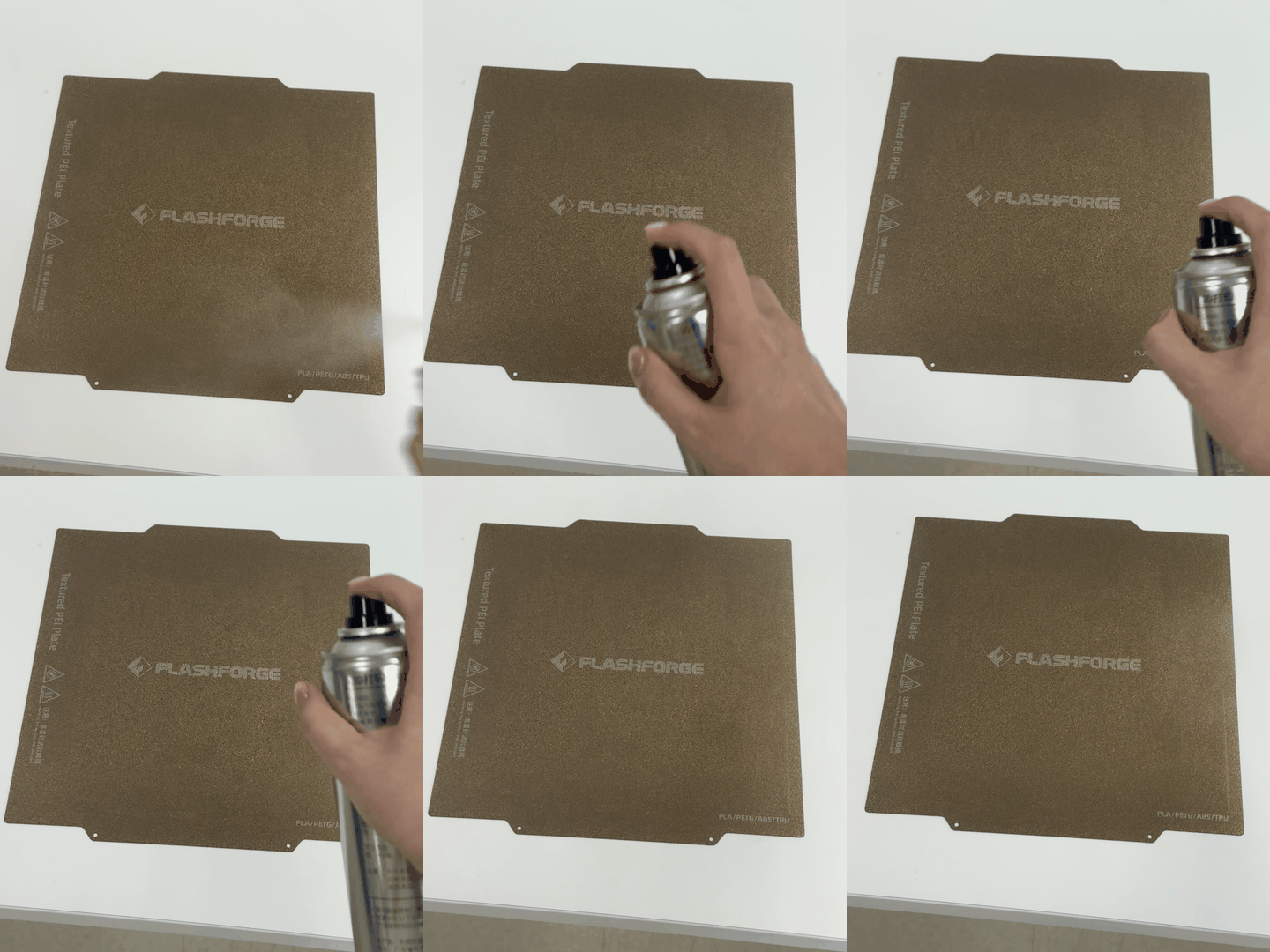
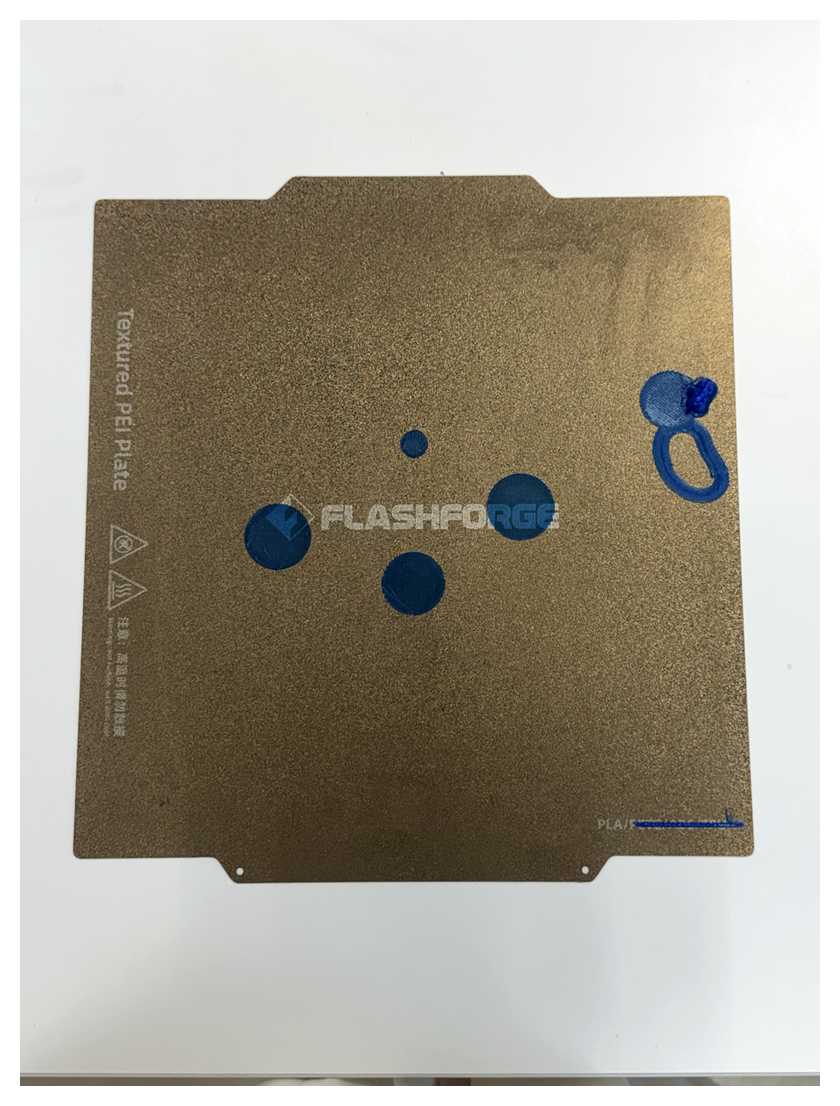
¶ Removing Waste Promptly
After printing, promptly remove support waste, skirts, and brims from the build plate. Long-term accumulation of waste material can affect the first-layer flatness of subsequent prints and even damage the plate surface.
 |
 |
¶ 2. Proper Print Removal
¶ Cool to Room Temperature Before Removal
After printing, always wait for the build plate and print to cool completely to room temperature before attempting removal. Forcing removal at high temperature may cause:
- Print deformation or cracking
- Build plate surface damage (especially PEI plates)
- Risk of burns
Correct Procedure:
- Turn off the heated bed after the print finishes
- Wait 10–30 minutes until the build plate is no longer hot to the touch
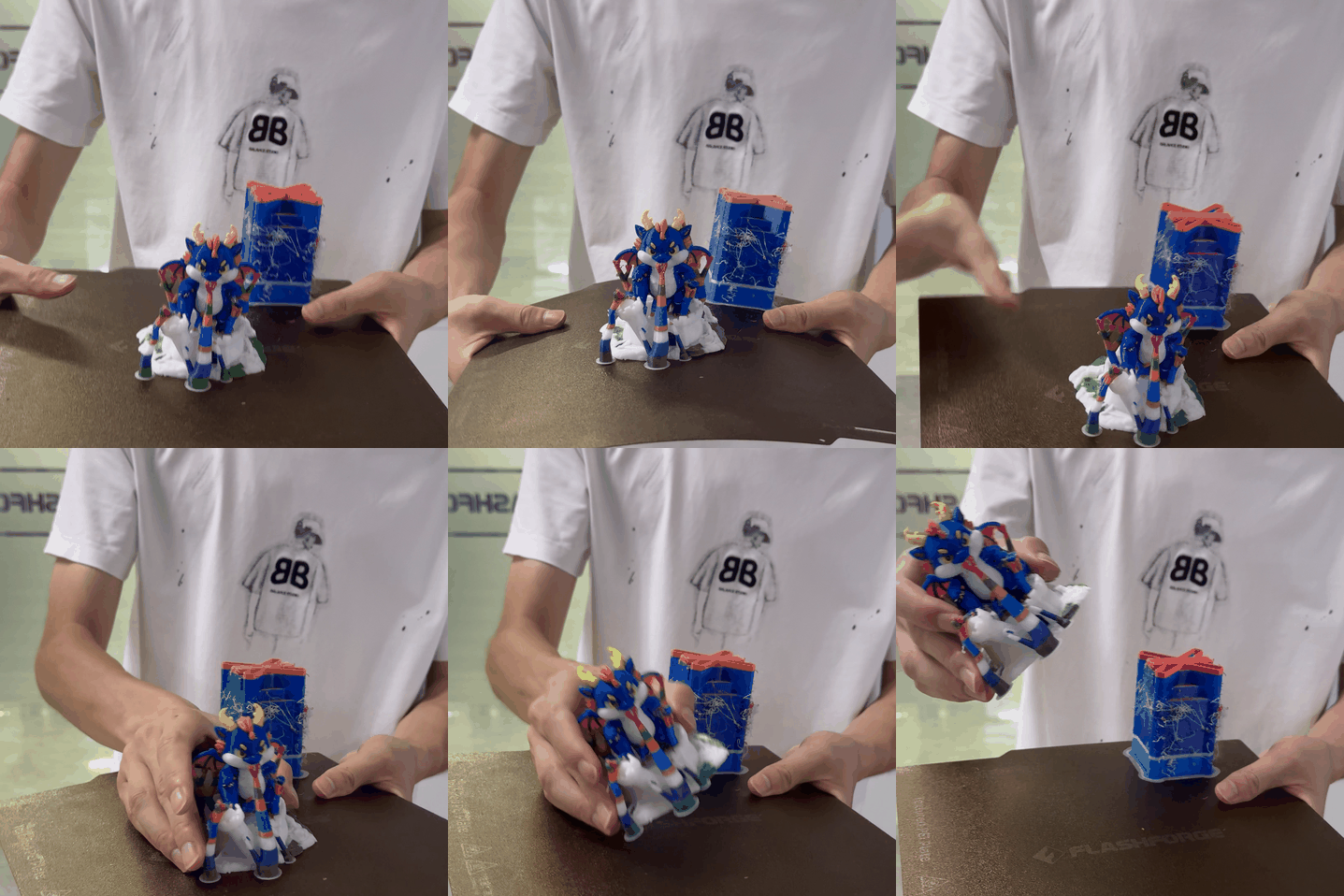
¶ Gently Flex to Remove Print
For flexible build plates (such as spring steel PEI plates), when removing the print:
- Hold both sides of the build plate with both hands
- Gently flex the build plate to separate the print from the platform
- Avoid forcing or using metal tools to pry the print off, to prevent damage to the plate coating
Prohibited Actions:
- Do not use a spatula or metal tools to forcibly pry the print off
- Do not force-remove the print while the build plate is still hot
- Do not tap the build plate to try to shake the print loose
¶ 3. Filament Moisture Management
Filament moisture absorption is one of the most common causes of print failures. Moist filaments can cause stringing, bubbles, poor inter-layer adhesion, rough surface finish, and other issues.
¶ Storage Requirements
- Sealed Storage: When not in use, store filaments in sealed bags or containers with sufficient desiccant
- Dry Environment: Store in a cool, dry place, away from direct sunlight and humid conditions
- Use Promptly After Opening: PLA/PETG should be used within 1–2 months after opening; ABS/ASA/PC should be used within 2–4 weeks
¶ Drying
If the filament has absorbed moisture or has been open for an extended period, it should be dried before printing:
| Material | Drying Temperature | Drying Time |
|---|---|---|
| PLA | 45-50°C | 4-6 hours |
| PETG | 60-65°C | 4-6 hours |
| ABS/ASA | 70-80°C | 4-6 hours |
| PC | 80-100°C | 6-8 hours |
How to Tell if Filament Has Absorbed Moisture:
- Popping sounds from the nozzle during printing (moisture evaporation)
- Bubbles or roughness on the print surface
- Severe stringing that cannot be resolved by adjusting retraction settings
- Poor inter-layer adhesion, easy delamination
¶ 4. Regular Printer Calibration
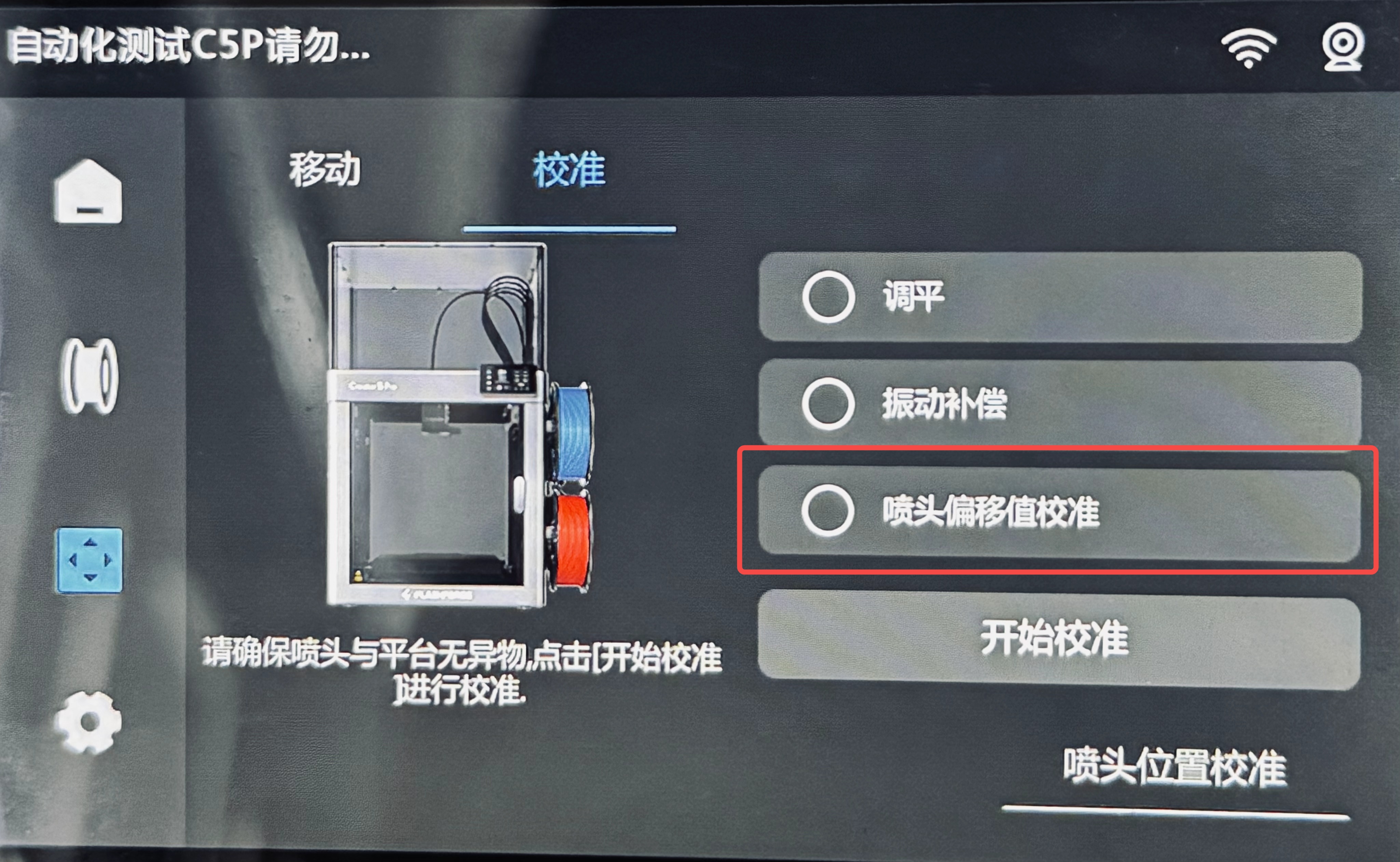
During use, the mechanical components of the printer may undergo subtle changes. It is recommended to regularly perform the following four calibrations to ensure print accuracy:
¶ Bed Leveling
Ensures uniform first-layer thickness, avoiding poor adhesion on one side and excessive sticking on the other. Prevents warping and spaghetti.
When to Calibrate:
- Before first use of a new machine
- After replacing the build plate or nozzle
- When the first layer appears uneven
- Every 20–30 printing hours
¶ Vibration Compensation
Eliminates surface ringing during high-speed printing.
When to Calibrate:
- Before first use of a new machine
- After the printer has been moved
- When regular wave patterns appear on the model surface
¶ VFA Vertical Stripe Compensation
Eliminates periodic fine vertical stripes (Vertical Fine Artifacts) to improve the surface finish on the sides of models.
When to Calibrate:
- Before first use of a new machine
- When regular fine vertical stripes appear on the model sides
- After replacing belts or pulleys
¶ Nozzle Offset Calibration
Ensures accurate color alignment in multi-color printing and avoids model dimensional deviations.
When to Calibrate:
- After replacing nozzles or the hotend
- When color misalignment is detected during multi-color printing
- Every 3–6 months
After nozzle offset calibration, stringing in multi-color printing is eliminated.
¶ 5. Other Good Practices
¶ Firmware Updates
Flashforge regularly releases firmware updates to fix known issues and optimize print performance. It is recommended to follow official notifications and update printer and slicing software firmware in a timely manner.