¶ Change Printer Name on Guider 3 Ultra
1. On the main interface, click [ ].
].
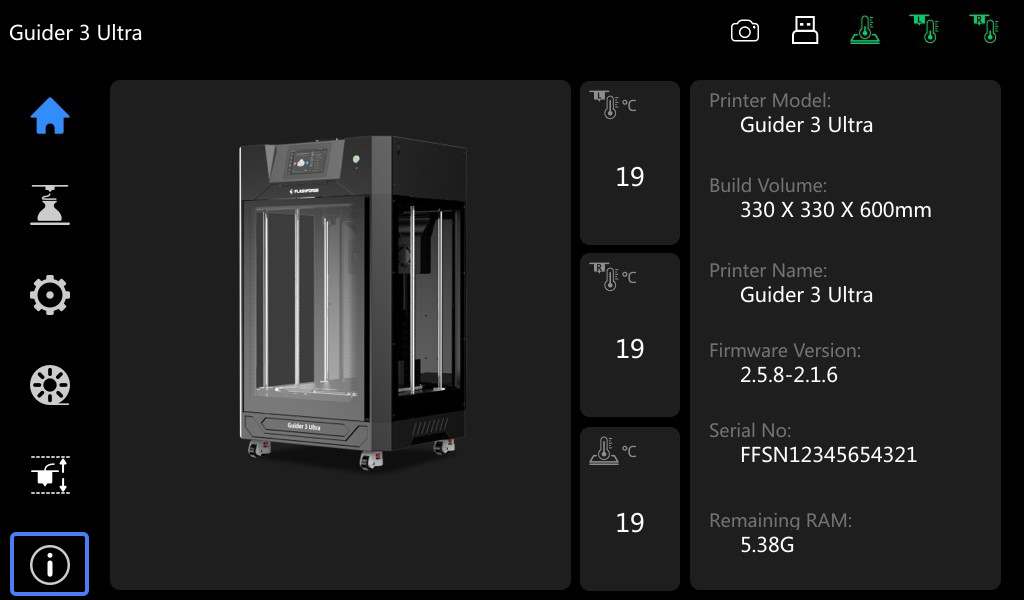
2. On the info interface, click [Name].
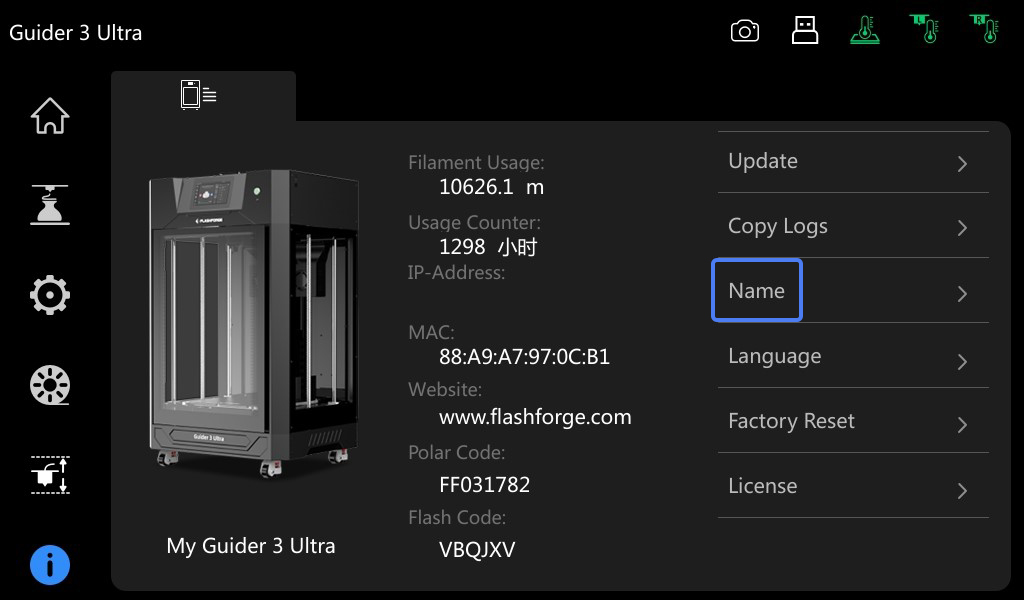
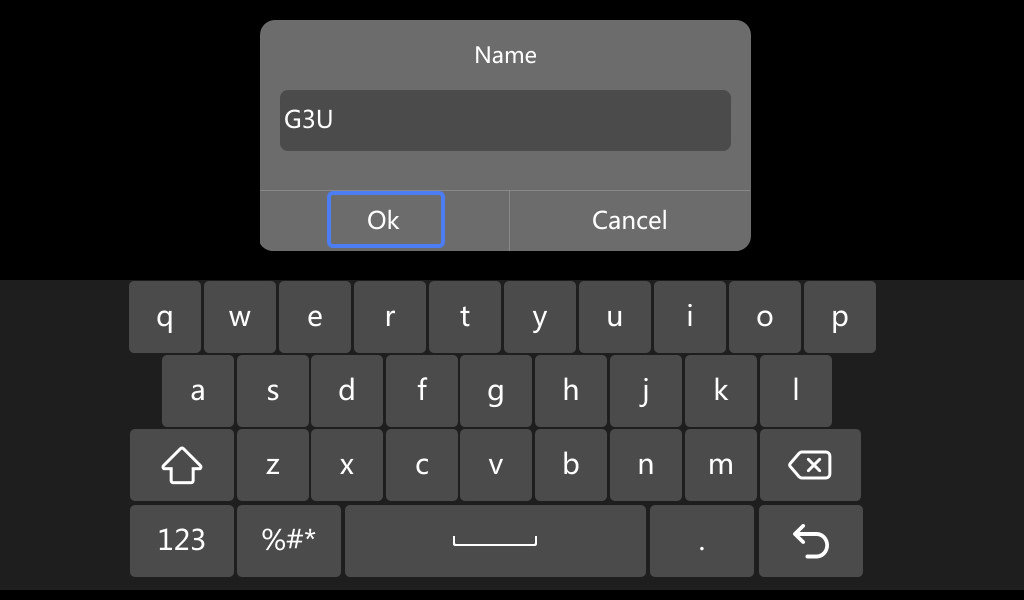
3. Enter the desired printer name, and then click [Ok].
4. As shown in the figure, the printer name is changed successfully.

¶ Change Language on Guider 3 Ultra
1. On the main interface, click [].
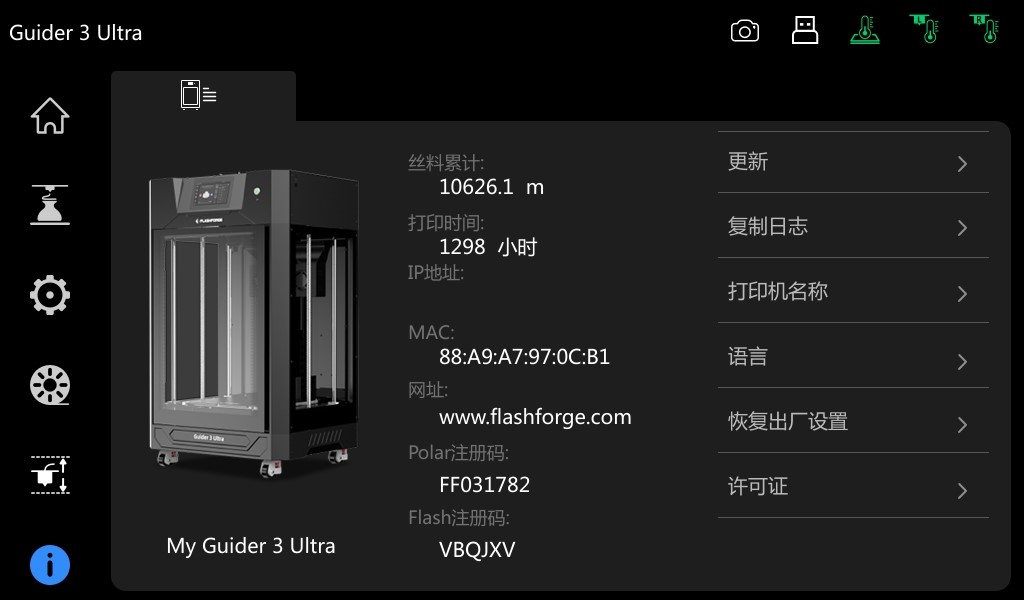
2. On the info interface, click [Language].
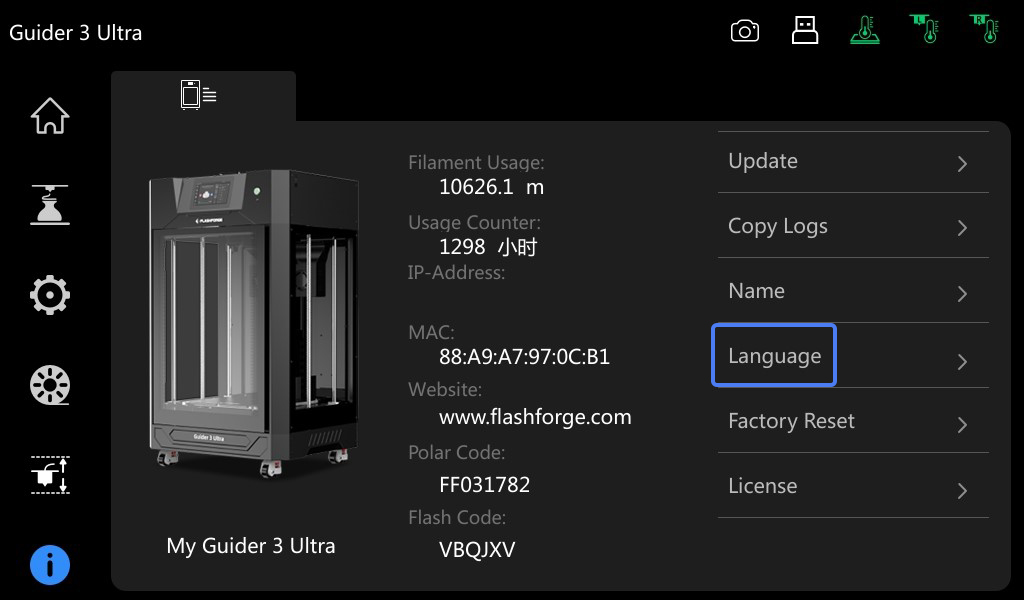
3. Select the desired language.

4. As shown in the figure, the language is changed successfully.
¶ Factory Reset Guider 3 Ultra
1. On the main interface, click [].
2. On the info interface, click [Factory Reset].

3. After the prompt pops up, click [Yes].
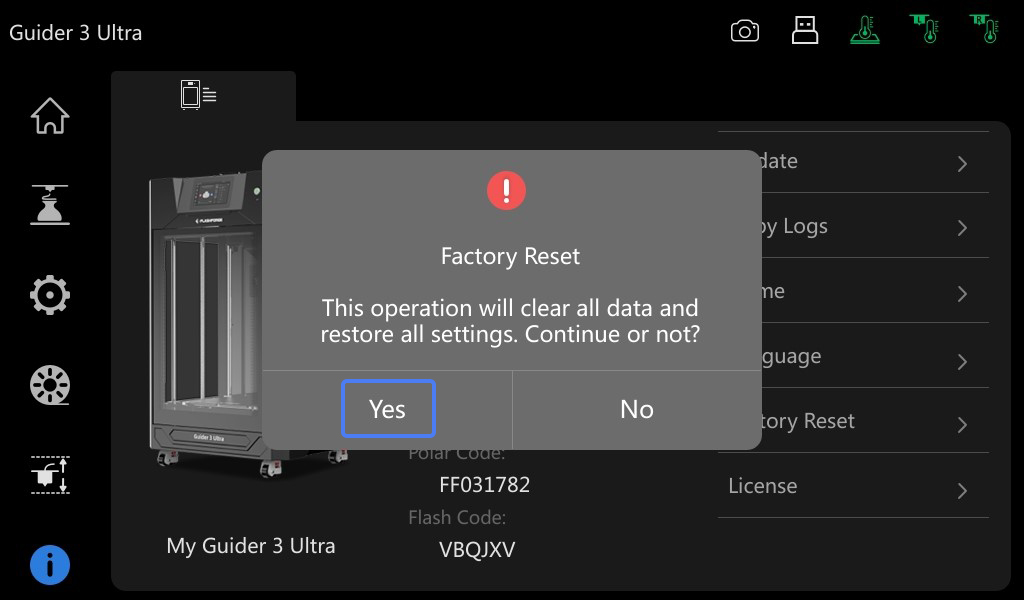
Note: After the factory reset of Guider 3 Ultra, it will clear FlashCloud and Polar Cloud registration codes, disable the filament detection switch, reset the camera and auto-leveling switch. It will enter boot guide after restart.