This section provides instructions on printing from Flash Studio.
¶ Flash Studio directly sends multi-color models for printing
After slicing the multi-color model, click Print plate to send the file directly to the printer.
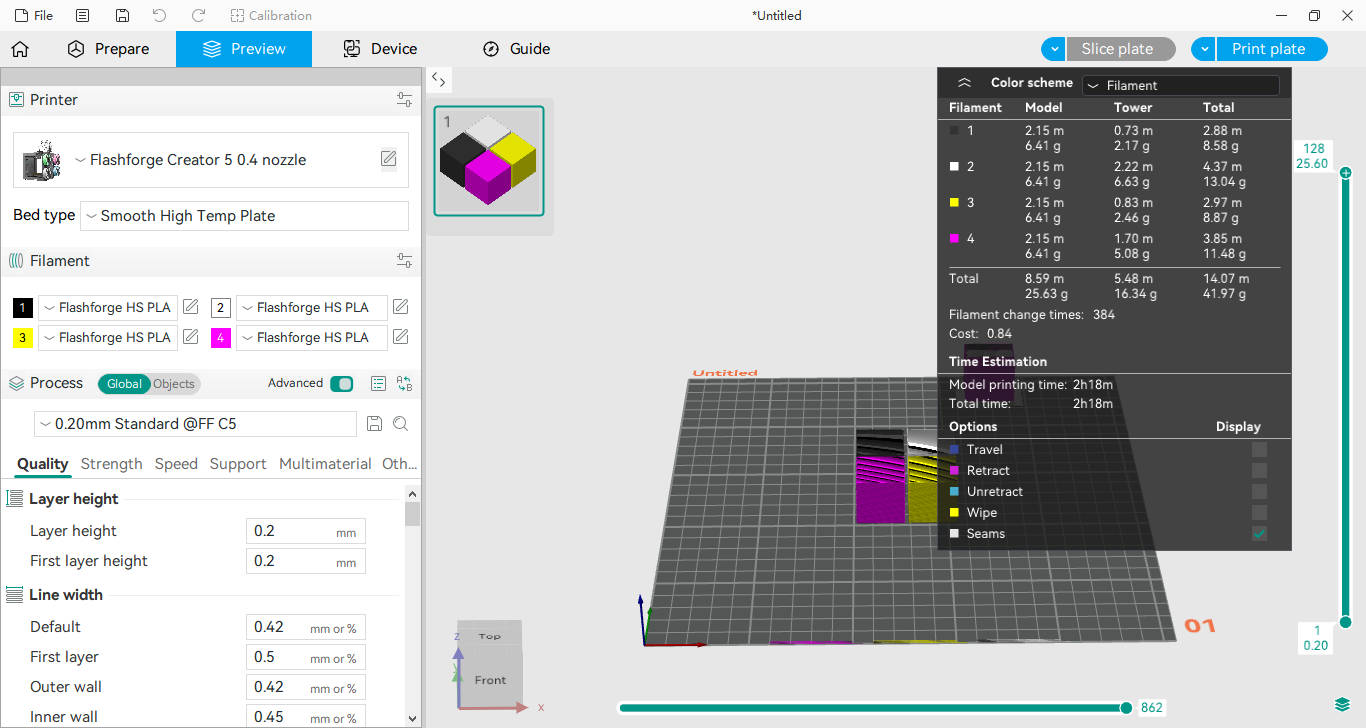
A print task settings dialog box will appear.
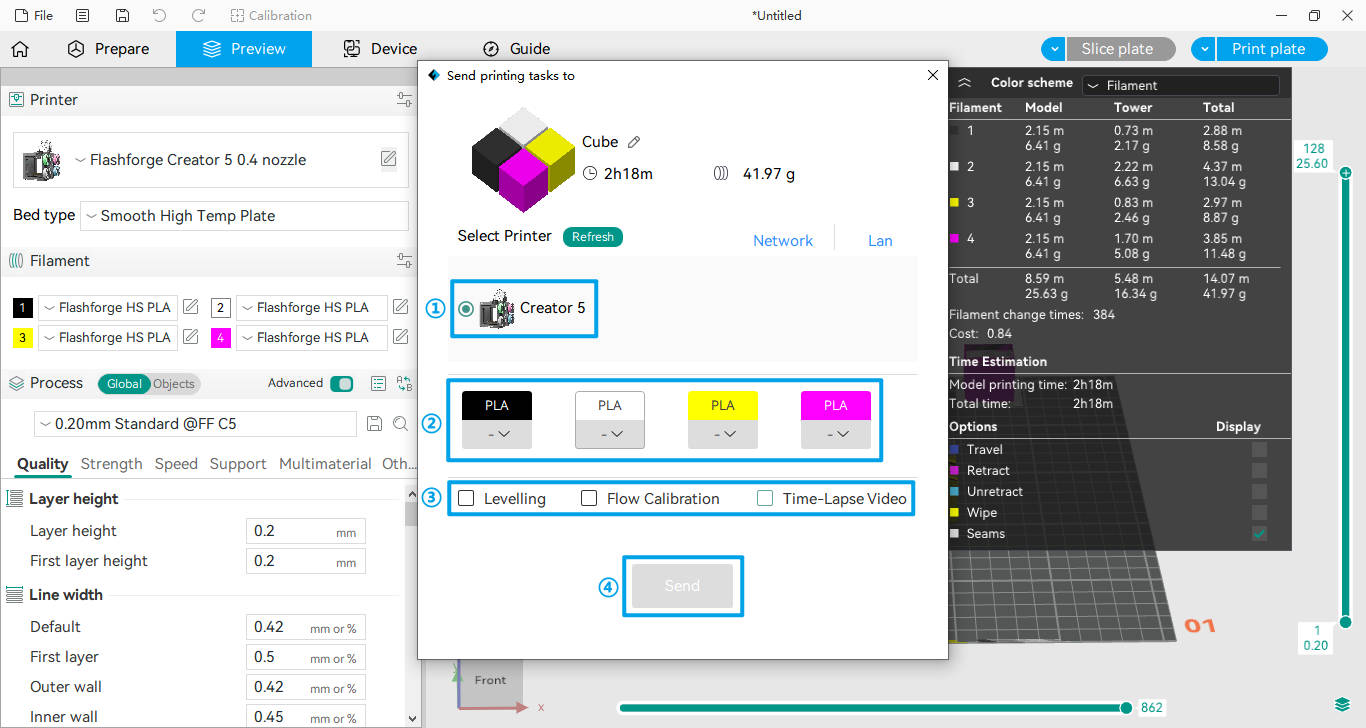
①Select the target printer from the list.
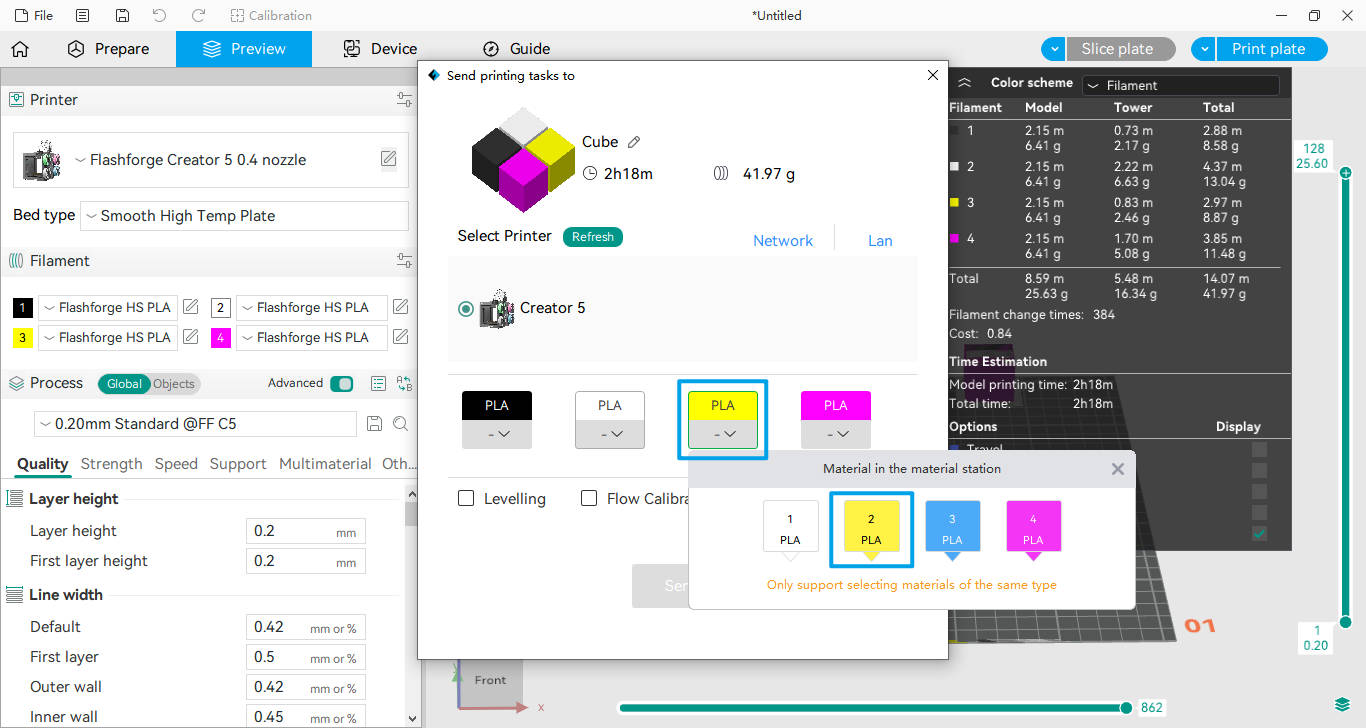
②Click the drop-down menu to assign the filament to the corresponding extruder (e.g., assign yellow filament to Extruder 2).
③Select additional print settings as needed
④Once the printer and extruders are assigned, the [Send] button will become active. Click to send the file and start printing.
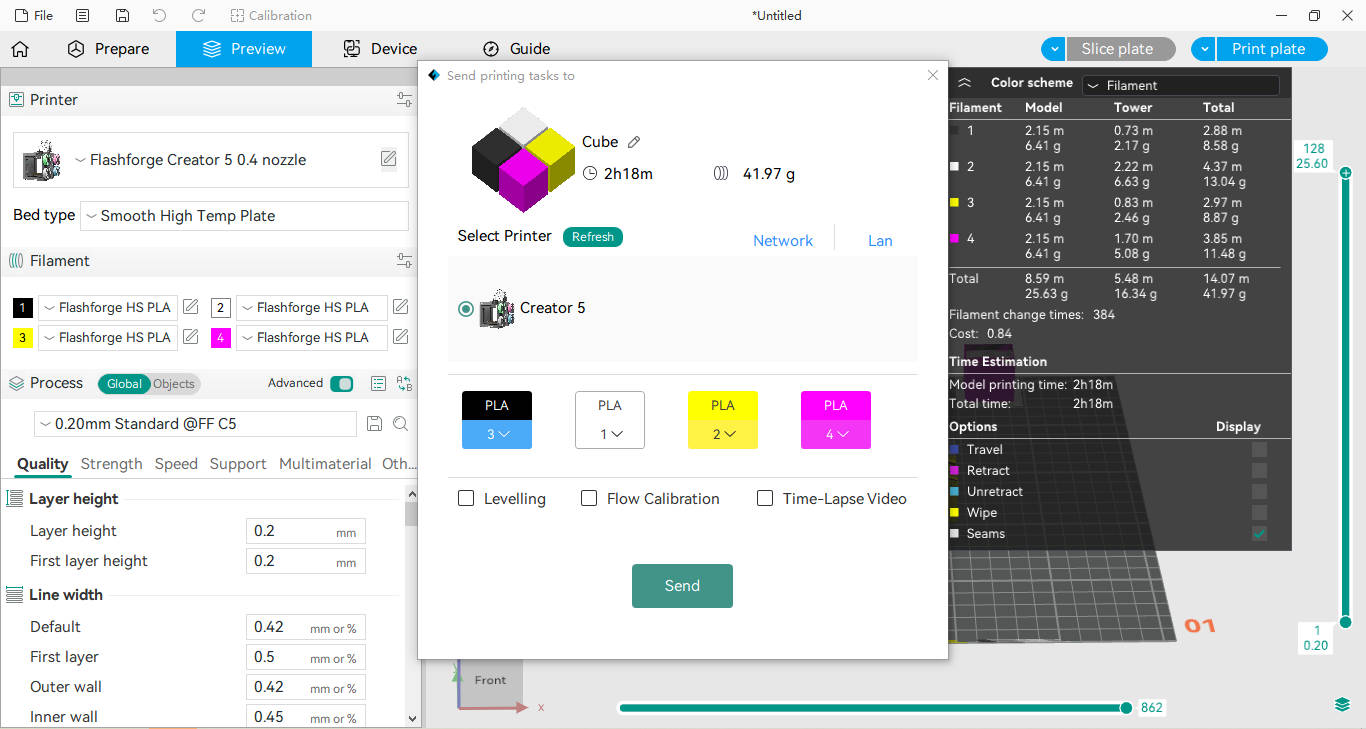
Note:
1.Multi-color model sliced files can only be sent to one printer at a time.
2.An extruder cannot be selected if it is empty or if its filament type does not match the sliced file.