The printer features a built-in camera for real-time monitoring and timelapse recording.
¶ Monitoring
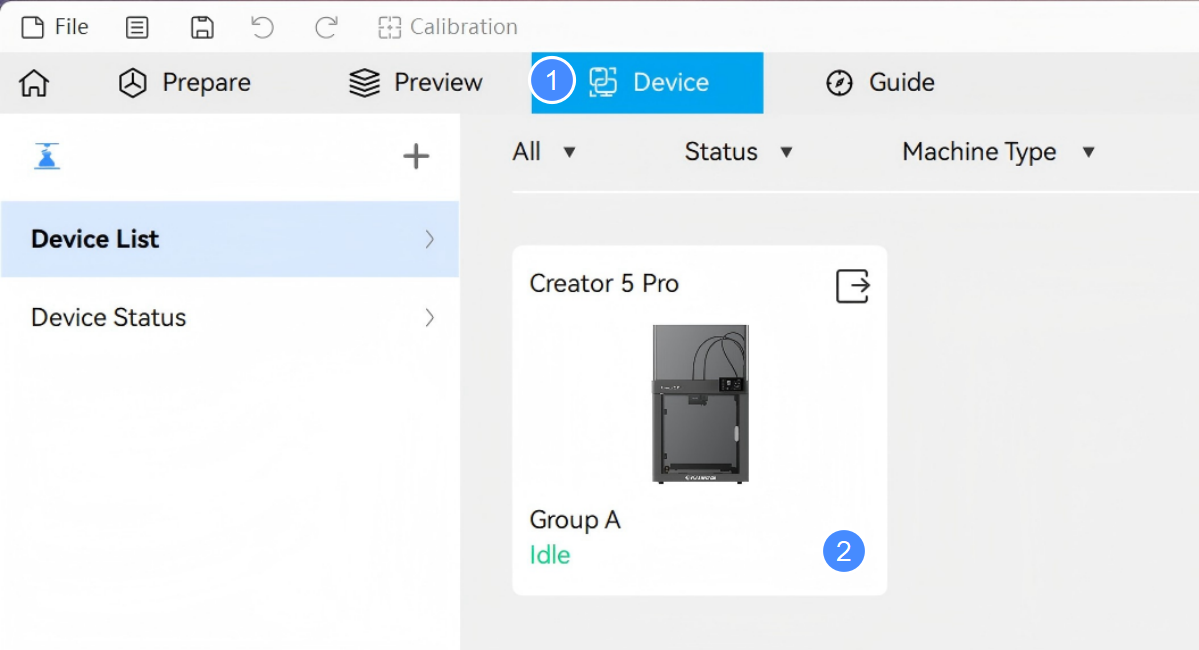
- In Flash Studio Desktop, go to Device > Device List and select your printer to open its status screen.
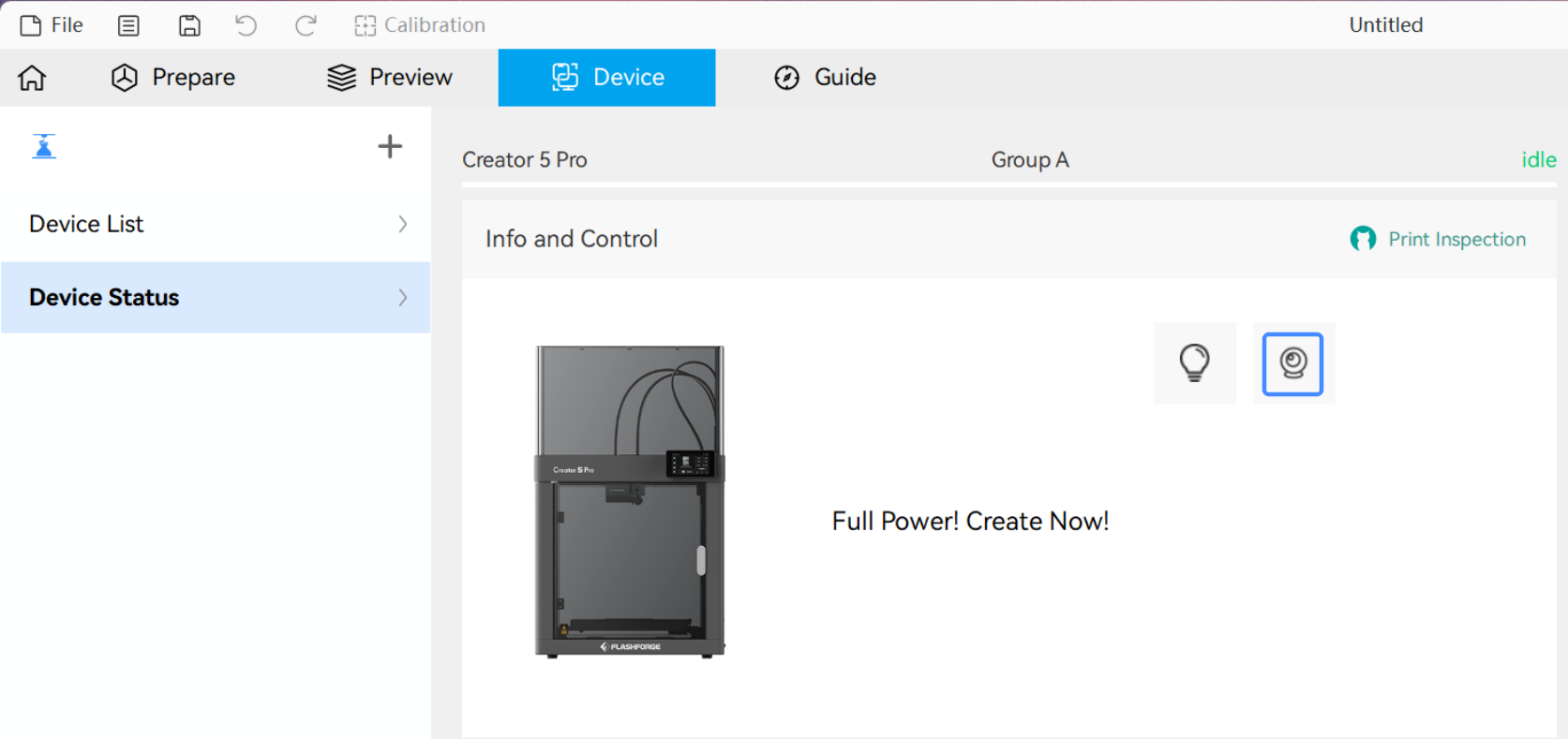
- Click the Camera icon under Info & Control to view the live feed.
¶ Timelapse
The timelapse feature captures a single frame as each layer completes. Once the print completes, these frames are automatically compiled into a video recording the entire build from start to finish.
Timelapse videos are generated at a fixed frame rate, so duration scales directly with the total layer count—more layers result in a longer video.
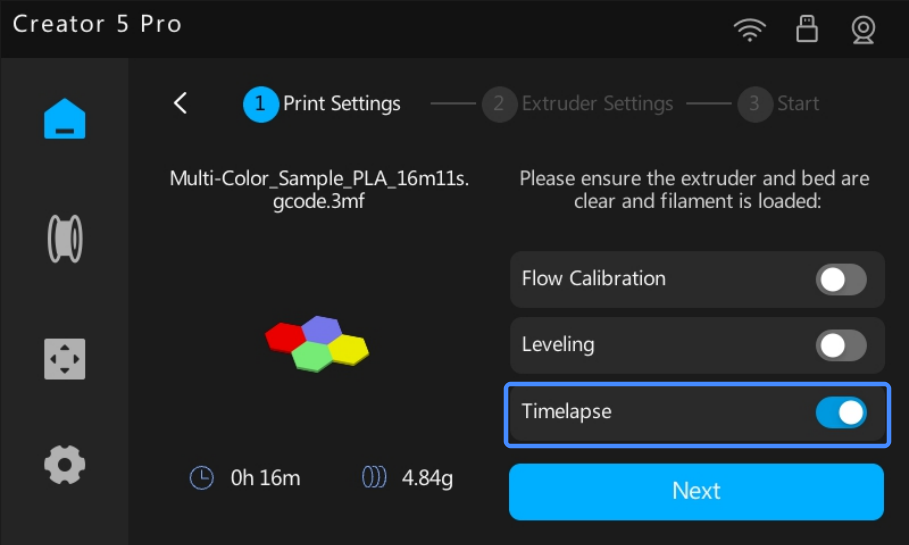
When starting a print, enable Timelapse in the Print Settings screen.
¶ Export Video File
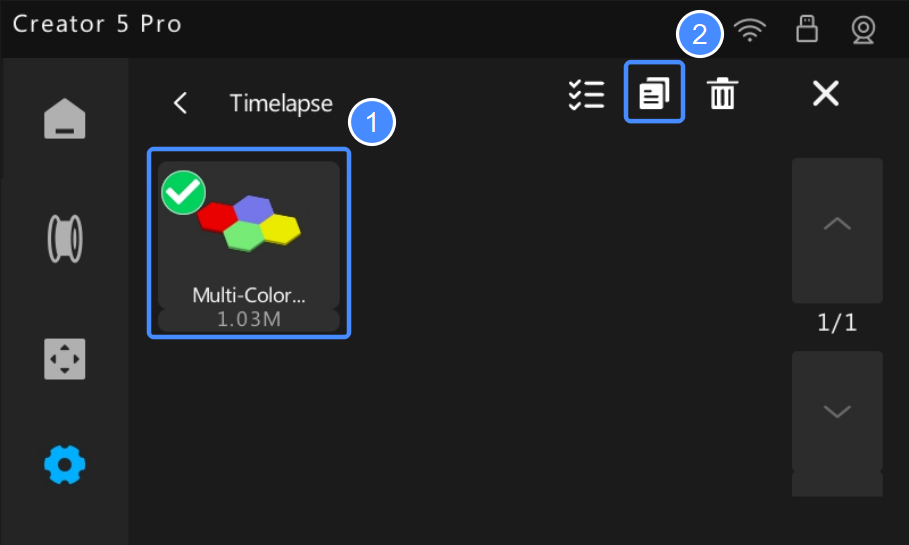
Once the print completes, the printer saves the timelapse video to its internal storage. To export the video to a USB drive:
- From the Home screen, tap
 > Timelapse.
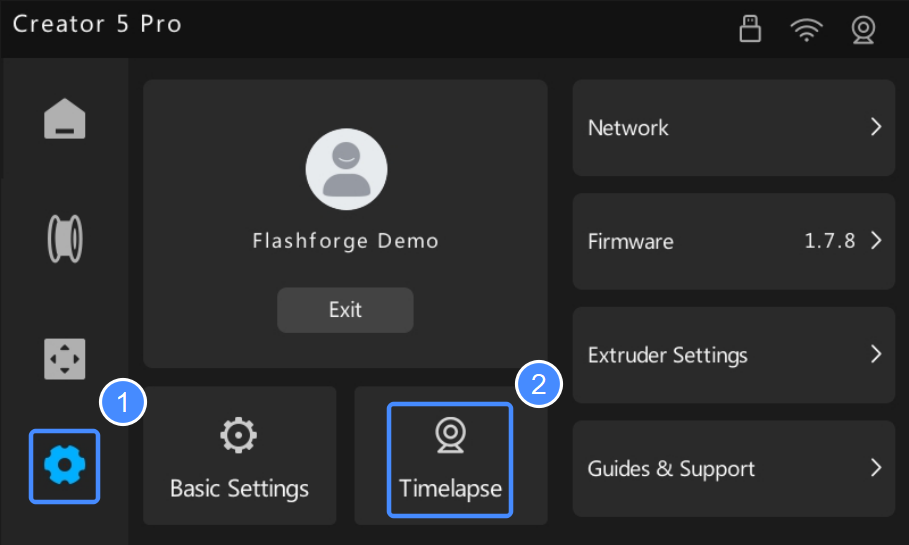
- Tap ✏️.
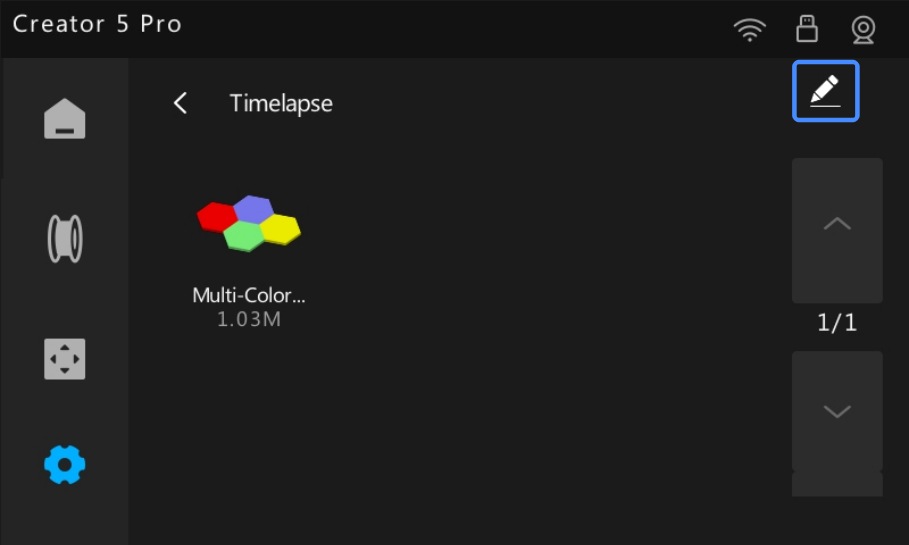
- Video names match their print files. Find and select the video to export.
- Tap the Copy icon to export the video to the root of your USB drive.