During long-term use at high temperatures, the nozzle will gradually carbonize the filament adhering to its surface, causing the diameter of the extruded filament to become smaller or even uneven; alternatively, due to the use of poor-quality consumables, internal impurities may partially block the nozzle. To improve the nozzle's service life and printing success rate, it is particularly important that we regularly perform cold pull cleaning on the nozzle.
1、Cleaning Frequency
- Every 400 cumulative hours of printing;
- Or the diameter of the outgoing wire is less than 0.45mm, with a normal diameter of approximately 0.5±0.03mm;
2、Nozzle cold pull tool:
Step file:
nozzle_cold_pull_tool.step
3、Cold Pull Cleaning Method
Below we take PLA material as an example for cold pull cleaning. Please read carefully and follow the instructions.:
1、Cut the filament and then pull it out.;
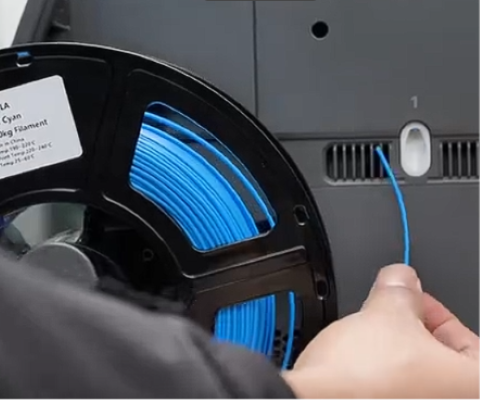
2、Set the temperature to 250°C and wait until the nozzle temperature rises to 250°C;
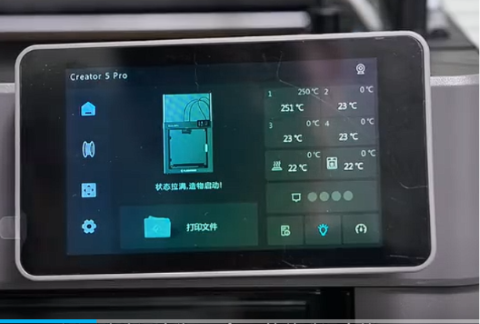
3、After the temperature rises to 250 degrees Celsius, remove the guide filament tube from the extruder;
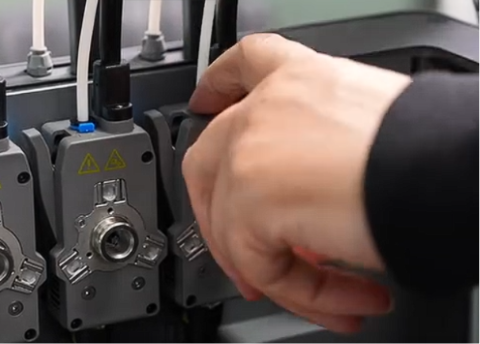
4、Then,Remove the extruder from the extruder dock,Hold the extruder with one hand, insert the filament into the extruder with the other hand, and press down on the filament firmly. Continue to manually feed the filament for about 20 seconds after the filament starts to flow out of the nozzle;
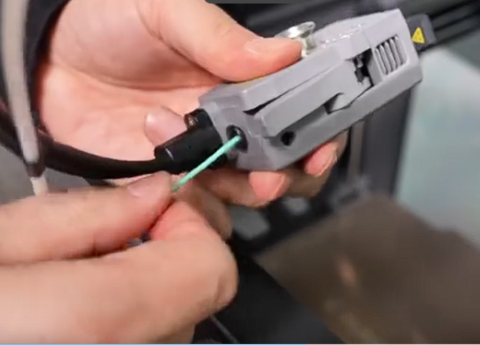
5、Set the nozzle temperature to 80°C, and continuously feed the filament manually while the temperature is dropping until the filament extrusion from the nozzle slows down; make sure the filament is fully pressed against the nozzle wall.;
6、After manual filament feeding is completed, reinstall the extruder back into the extruder dock and wait for the nozzle temperature to drop to 80 degrees Celsius;
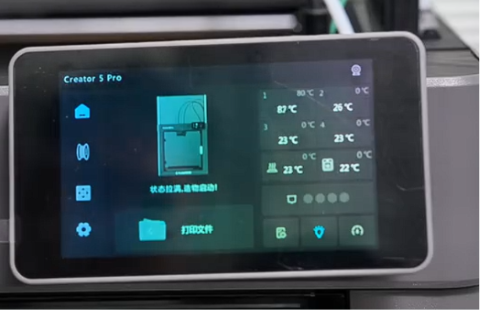
7、After the nozzle temperature drops to 80°C, remove the extruder from the extruder dock and install the cold pull tool as shown in the figure;
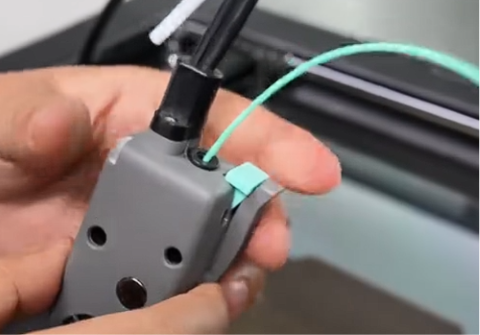
8、As shown in the figure, hold the extruder with one hand and pinch the handle tightly with your index finger, then use the other hand to pull the filament out slowly at a constant speed until the filament is completely pulled out from the nozzle;
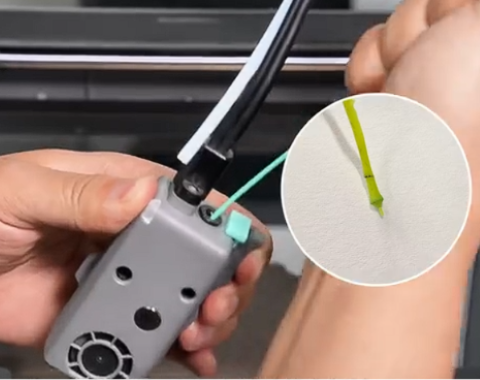
9、First-time users of the cold pull process will need to go through multiple failed attempts to get familiar with the rhythm of the process. If the filament breaks during cold pull and is not fully pulled out from the nozzle, please follow steps 1 to 8 to restart the process;
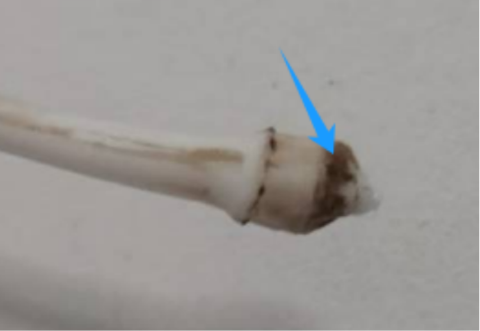
10、The pictures of successful cold pull are as follows:
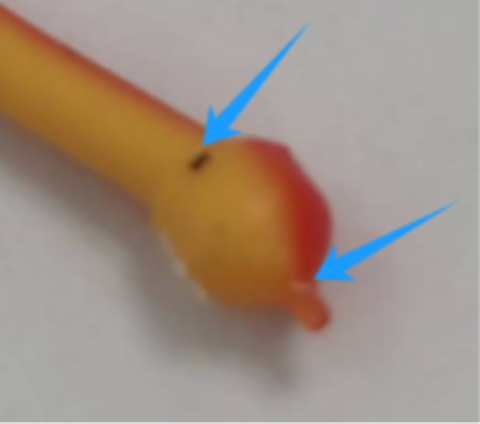
view the Cold Pull Cleaning video of the nozzle:
Cold Pull Cleaning video of the nozzle
Reference Table for Cold Pull Temperature of Various Filament
| plugging Filament | Cold Pull Filament | Loading Temperature | Cold Pull Temperature |
|---|---|---|---|
| PLA | PLA | 250 | 80 |
| PETG | PETG | 250 | 95 |
| SILK | SILK | 250 | 80 |
| ABS | PETG/PLA | 250 | 95/80 |
| Others | PETG/PLA | Loading Temperature of others | 95/80 |