Purpose of Cleaning
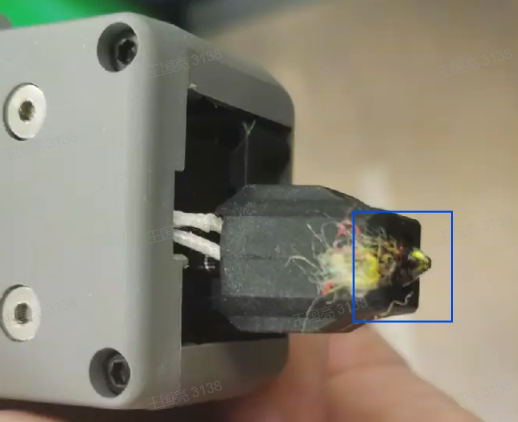
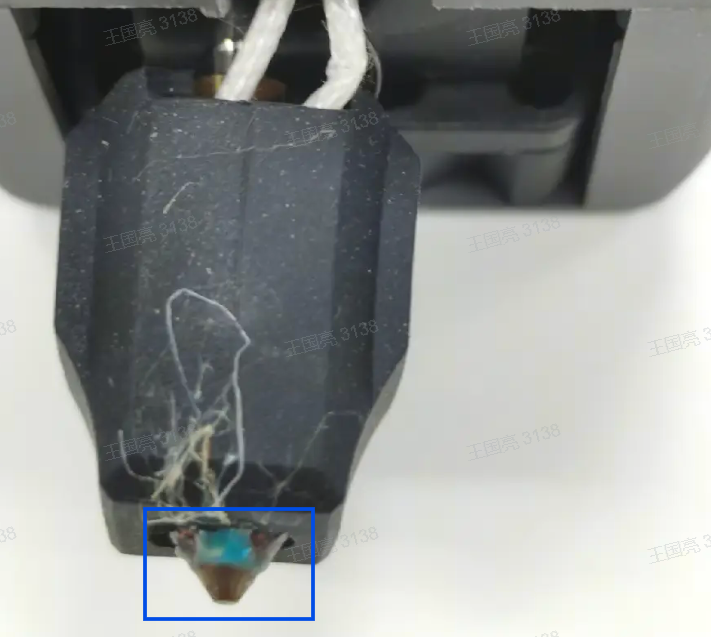
If filament residue sticks to the side of the nozzle, it may fall onto the printed model during printing and contaminate the print. It may also affect the accuracy of extruder offset calibration. See the image below for an example of filament residue on the nozzle:
When to Clean
Clean the nozzle before performing extruder offset calibration, if residue affects bed-leveling accuracy, or if there is significant buildup that increases the risk of residue adhering to the model during printing;
Cleaning Tool
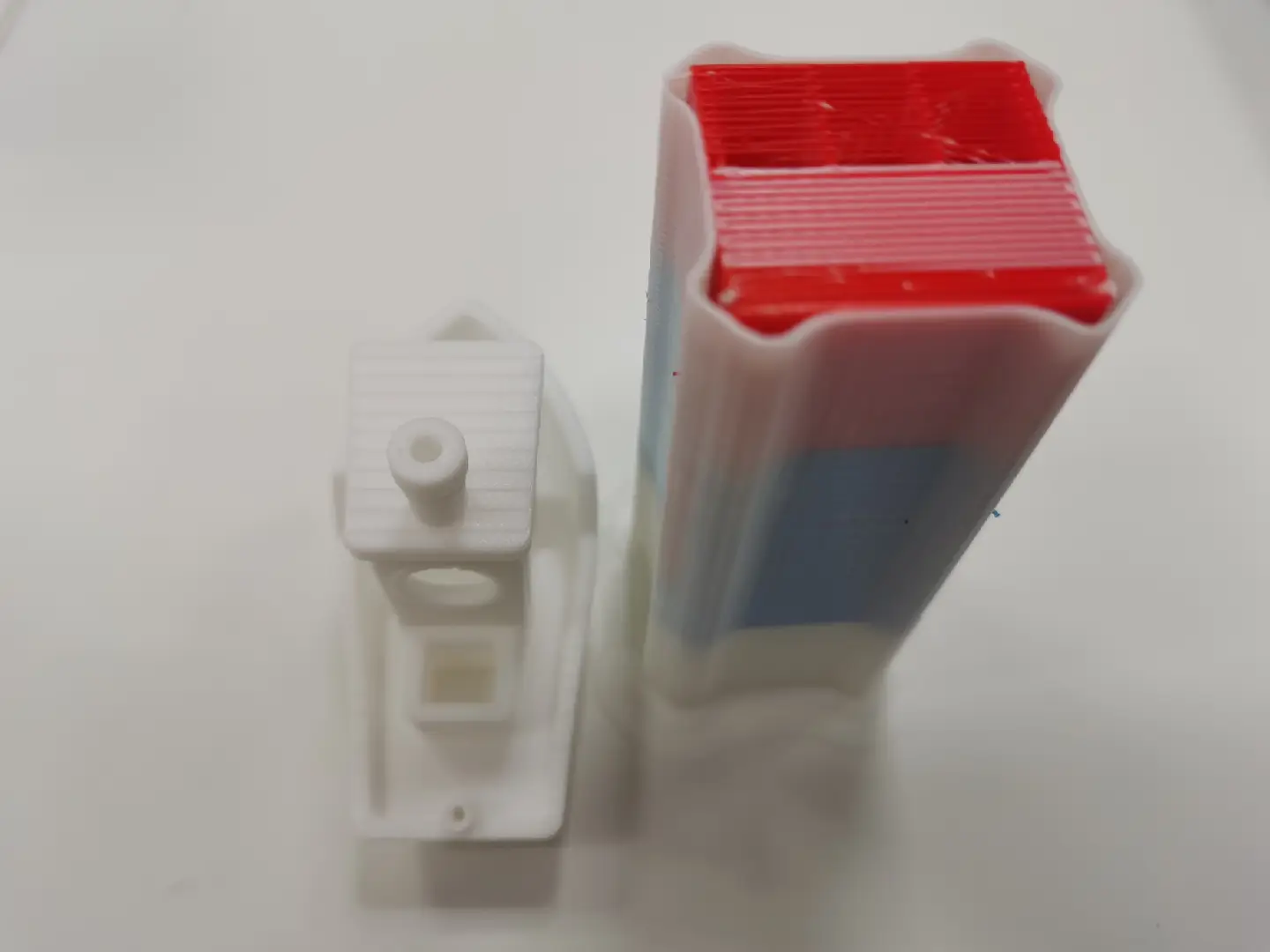
Wipe tower or useless Model
Cleaning Steps(Taking PLA as an example)
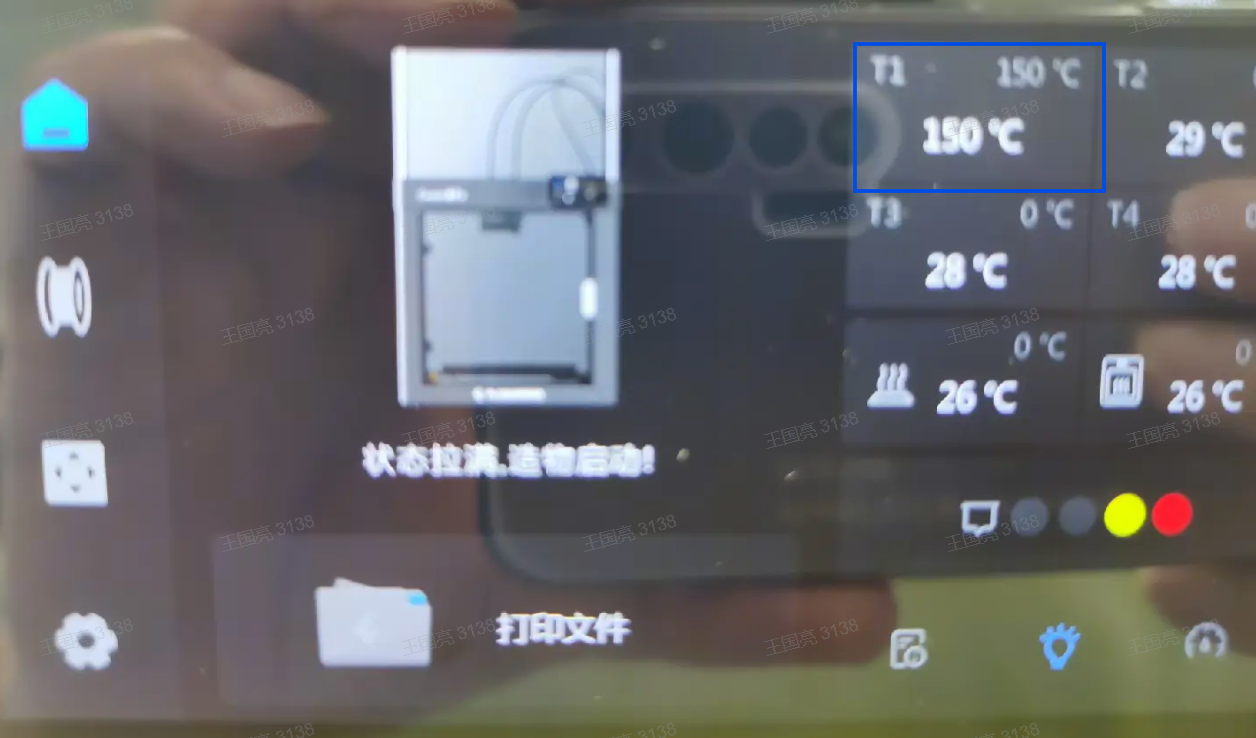
1、For example, to clean the T1 nozzle, first set the temperature to 150°C. Once it reaches the target temperature, hold it there for 1-2 minutes to allow the silicone sock to heat up.
2、As shown below, use the top surface of the wipe tower to wipe off any residue from the silicone sock.
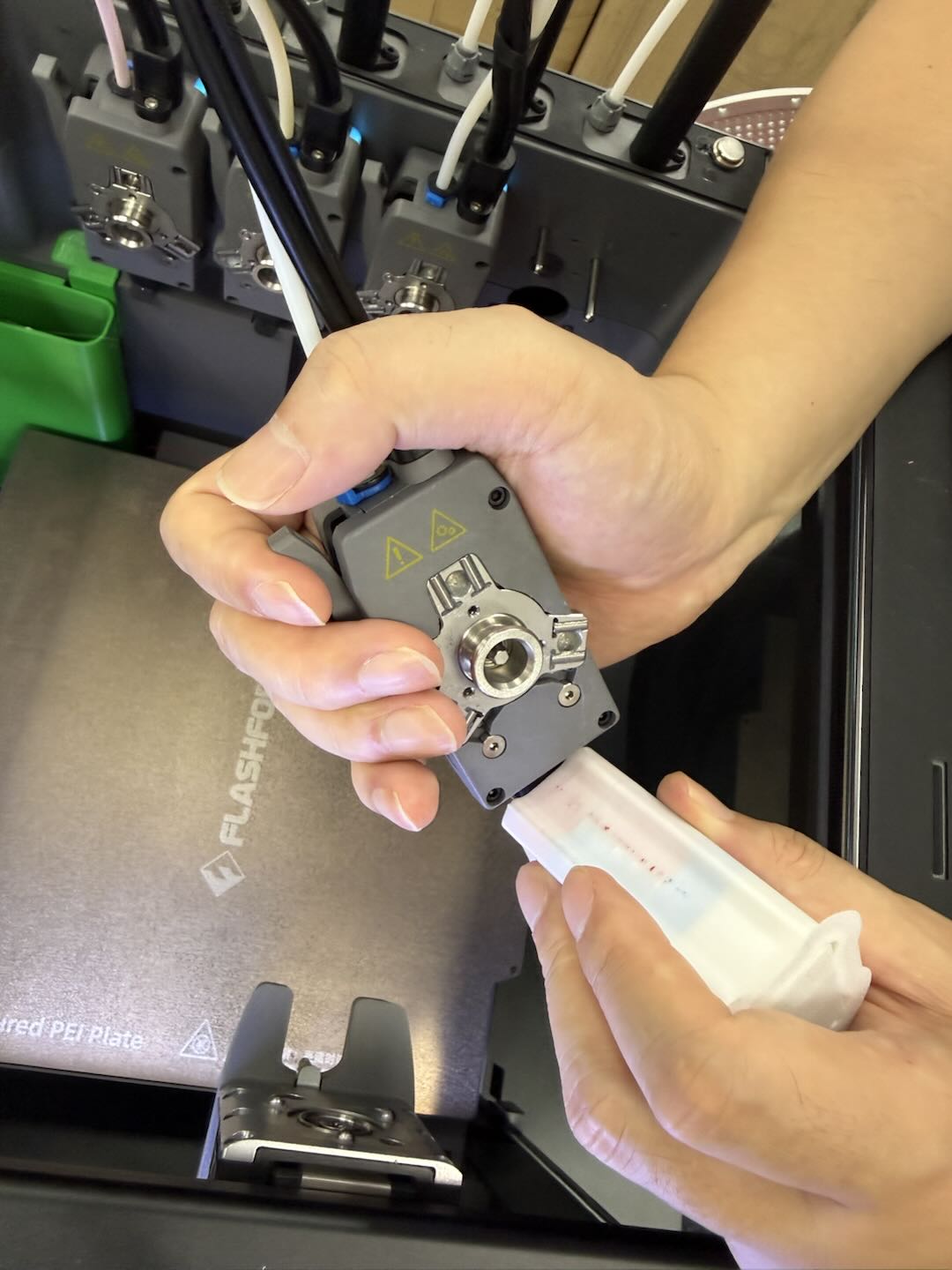
cleaning sllicone sock .mp4
3、After cleaning the silicone sock, set the temperature to 140 degrees.
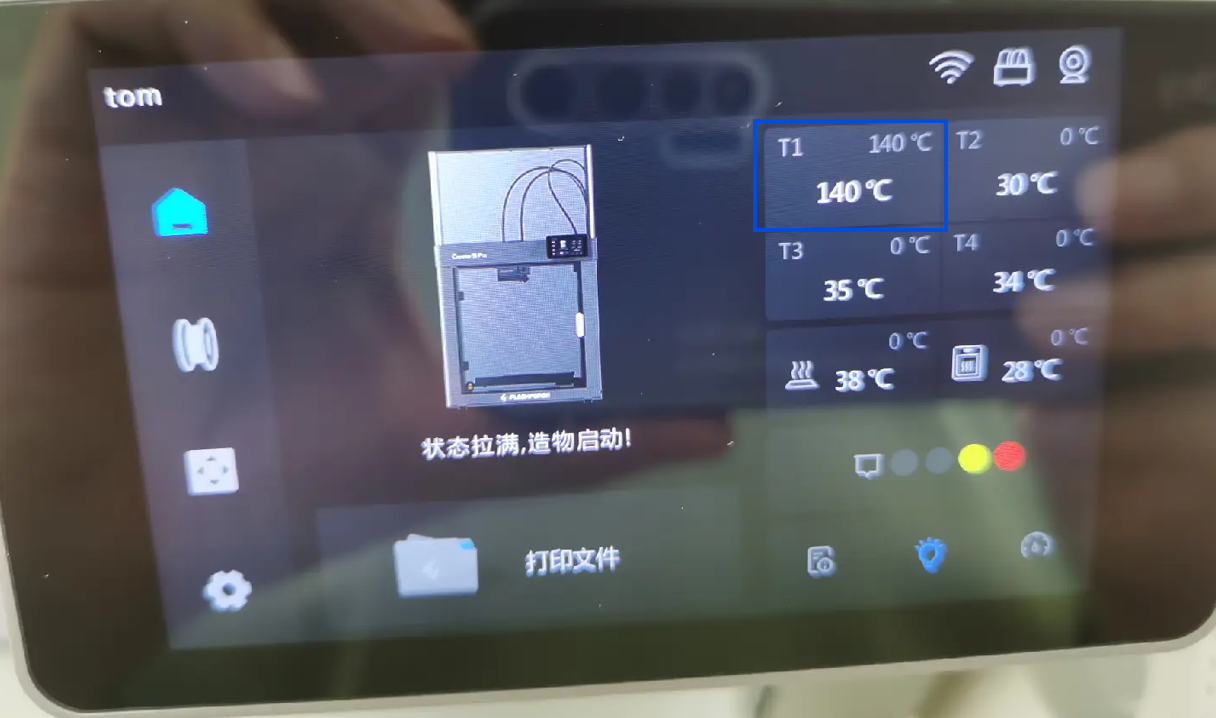
4、When the temperature reaches 140 degrees,Slowly insert the nozzle into the Wipe tower as shown.After full insertion, slowly rotate the nozzle back and forth 2-3 times, then quickly pull the nozzle out of the wiping tower.
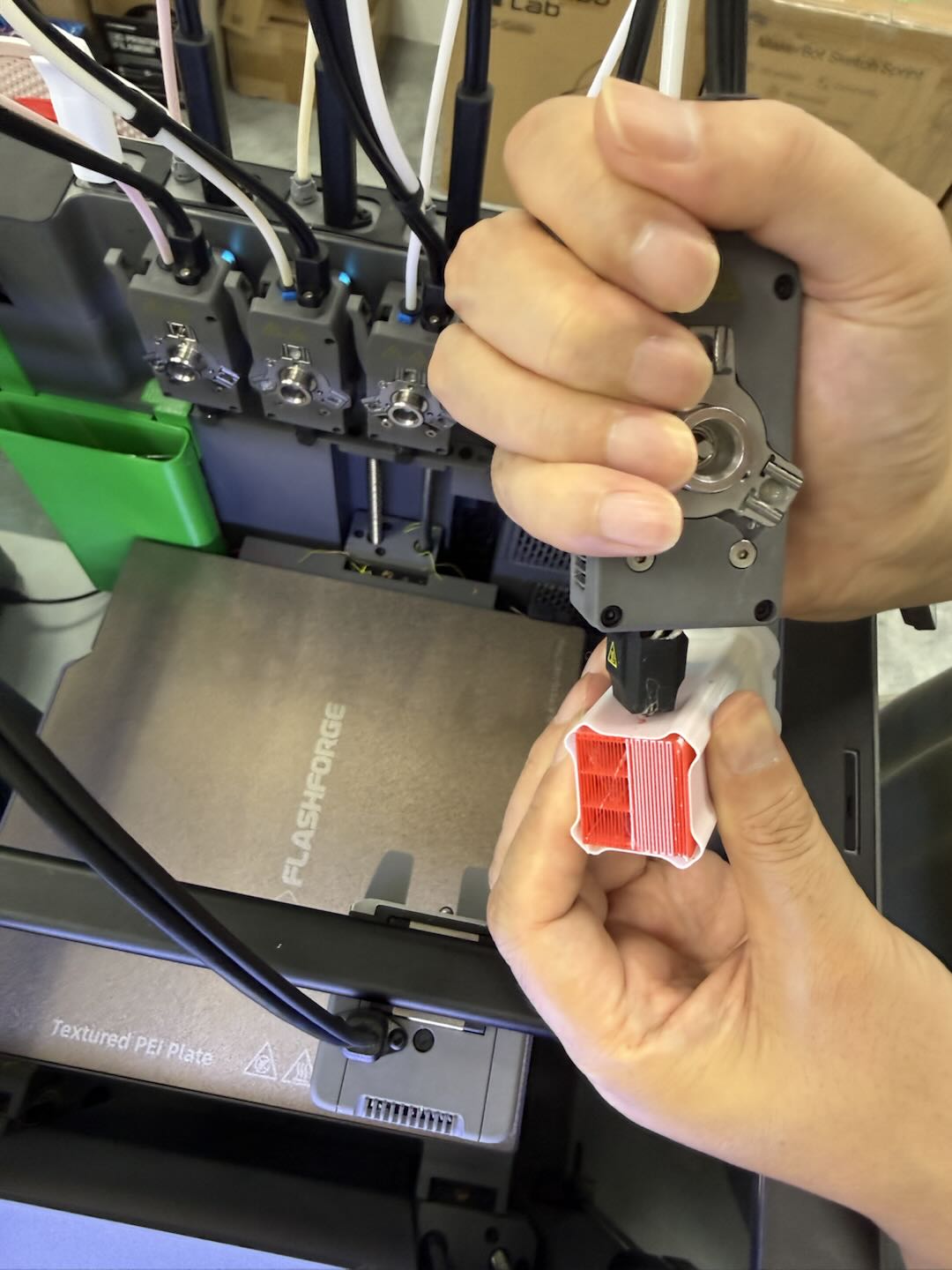
清理喷嘴斜.mp4
5、If it is not thoroughly cleaned in one attempt, you may repeat Step 4.Repeat Steps 1 and 4 to clean the filament residue from the remaining nozzles.
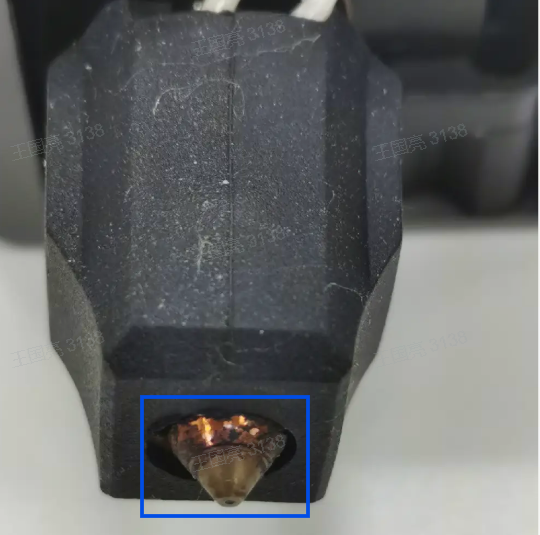
6、The pictures before and after cleaning are as follows:
Before Cleaning:
After cleaning:
Reference for Cleaning Temperatures for Different Filaments:
| Filaments Type | Silicone Sock Cleaning Temperatures | Nozzle Cleaning Temperatures | Filaments Of Cleaning Tools |
|---|---|---|---|
| PLA | 150℃ | 140℃ | PLA |
| PETG | NA | 140℃ | PETG |
| TPU | NA | 140℃ | PLA |