¶ Preface
This guide summarizes the general solutions for the quality of C5 series printer models, highlighting the differences between multi-head and single-head. For the general quality defect guide, please refer to another article, "Guide to Solving Print Quality Material-Related Issues and Related Accessories".
¶ Problem Classification and Solutions
1.Multi-head offset calibration anomaly
Problem Phenomenon:
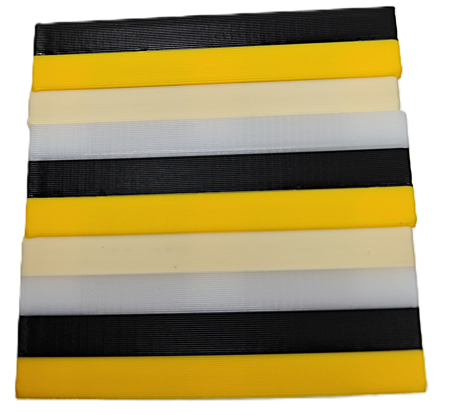
There is a relatively consistent offset phenomenon between different materials or colors. As shown in the figure below, the same color layer has an overall offset relative to the upper and lower layers, rather than the concave-convex texture with the Z-axis pitch as the pattern like Z jitter.
Cause:
Possible causes include abnormalities in the nozzle calibration procedure, failure to recalibrate after disassembling and reassembling the hot end component, calibration data deviation caused by a dirty nozzle, etc.
Solution:
- Clean the nozzle surface to keep it clean. You can first retract the filament from the hot end and then execute the calibration procedure;
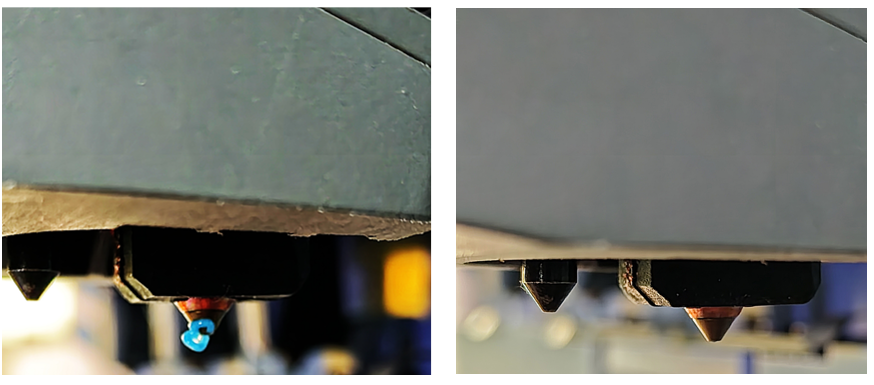
As shown in the left figure below, the uncleaned nozzle will cause offset calibration errors or incorrect data acquisition, while the right figure shows a clean nozzle;
- After disassembling and assembling the hot end components, the nozzle offset calibration procedure must be performed;
- If there are still exceptions, please contact after-sales for support.
2.Abnormal grasping/locking
Problem Phenomenon:
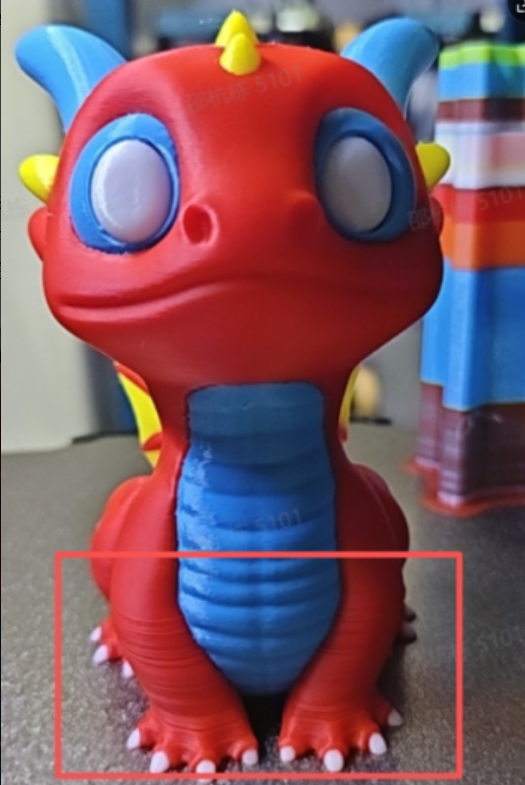
It usually manifests as a distinct layer pattern in a particular nozzle compared to other nozzles, and the layer pattern may change significantly as the height increases. When this nozzle is used alone, there are no issues with filament shortage or extruder overload.
As shown in the figure below, the red material part of the model has layer lines at certain positions, which gradually disappear as the height increases, and there are no obvious extrusion abnormalities overall.
Cause:
Abnormal nozzle grasping or incomplete locking results in insufficiently secure connection between the nozzle and the nozzle seat, and the external force during the printing process is sufficient to cause nozzle displacement, thereby affecting the positioning stability of the nozzle.
Solution:
Perform a nozzle position initialization calibration. If the problem persists, please contact after-sales support for assistance.
3.Wiping Tower Collapse
Cause:
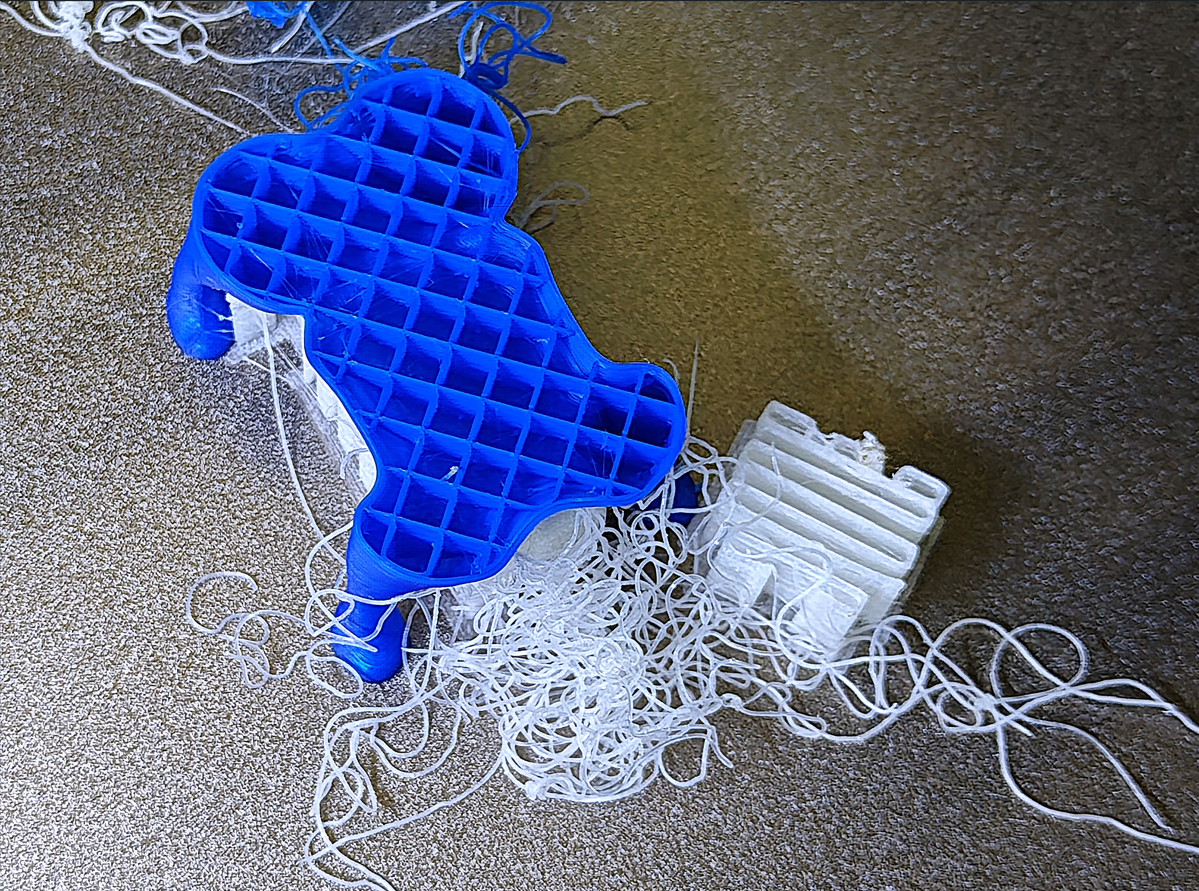
There are many factors that can cause the collapse of the wiping tower, such as abnormal leveling calibration leading to incorrect height of the first layer, incorrect platform temperature, platform contamination, delamination of the wiping tower caused by two materials with significantly different viscosities, and collision between the nozzle and the wiping tower caused by leakage of undried material, etc.
Solution:
Fully dry the consumables, keep the platform clean, level it before starting printing, carefully check if the platform temperature is correct (for mixed material printing, please strictly follow the relevant WIKI instructions for settings), and if you need assistance, please contact the after-sales department for detailed troubleshooting steps.