During the after-sales process, after-sales staff will ask users for the device's serial number to determine the device's production, shipping, and other statuses. This section introduces the ways to query the device's serial number.
¶ Query device serial number within the printer
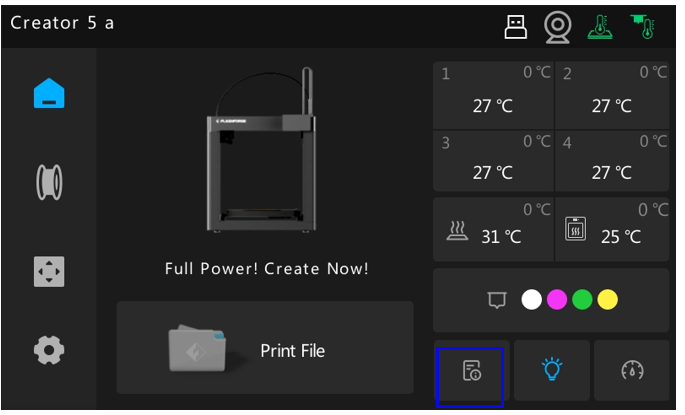
Step 1: In the standby state of the device, click the 【file】 icon marked by the blue box on the main interface;
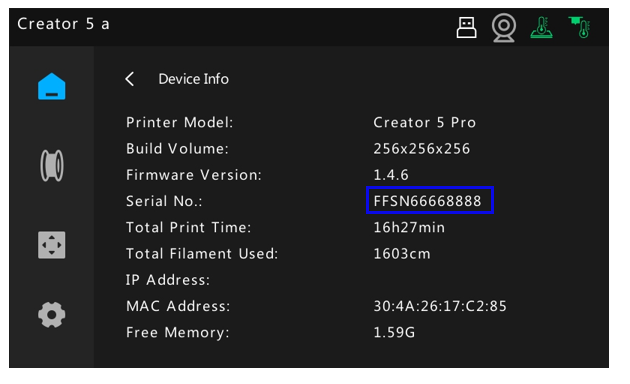
Step 2. Enter the machine equipment information interface, where you can query information such as IP Address, Mac Address, device print size, firmware version number, print duration, remaining memory, etc. The device serial number you need is marked in the blue box below:
¶ Nameplate Label Query
There is a nameplate label affixed to the lower right corner of the right cover plate of the device, and the string of alphanumeric characters printed below the barcode is the device's serial number.