This page provides a basic overview of the mechanical structure and electrical components of the Creator 5 series for you to have a good grasp of this series of 3D printers.
¶ Working Principle of Creator 5 Series
Working Principle of Creator 5 Series:
The Creator 5 series prints 3D objects by melting plastic filament, extruding it through a nozzle, and depositing it layer by layer according to system instructions.
he most common 3D model file formats are STL and 3MF, which can be converted into a format recognized by 3D printers (like G-code or 3MF) using slicing software such as Orca-Flashforge or Orca Slicer. These files contain precise instructions for controlling movement, speed, path, and parameters like temperature and flow rate.
¶ CoreXY Structure
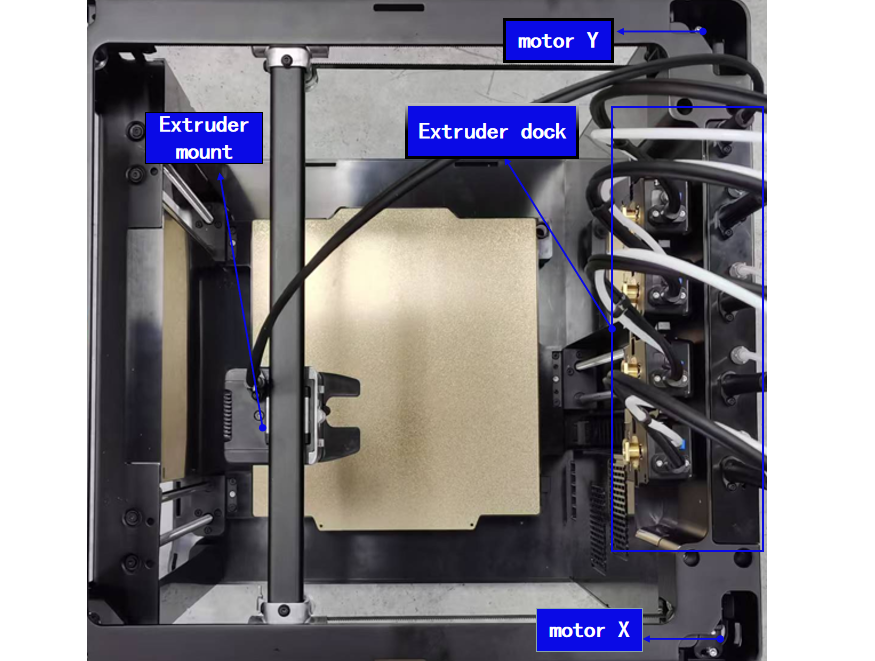
The CoreXY mechanism employs two motors working in unison to control the movement in both the X-axis and Y-axis. Movement along the X-axis occurs when both motors rotate in the same direction. Movement along the Y-axis occurs when both motors rotate in opposite directions. This design ensures precise and stable movement and allows for rapid acceleration.
he CoreXY structure offers several advantages over traditional 3D printer structures:
Less inertia: The motors in the CoreXY structure can move simultaneously, so it has much less inertia than other structures. This allows the extruder to be more stable when moving at high speeds, reducing vibration and wobble and improving print quality.
Higher speed and accuracy: With two motors moving simultaneously, the CoreXY structure enables higher printing speeds. Moreover, precise control over both motors improves the printing accuracy, producing models with finer details.
Compact footprint: The crossed belt design makes the extruder's movement path more compact. CoreXY structure requires less space overall and saves room on the printer's base.
Enhanced stability and reliability: The crossed drive belts balance tension in both directions, reducing errors caused by inconsistent belt tightening. This design not only improves the printing stability but also extends the printer's lifespan.
For more details on the CoreXY motion system, please visit链接。
¶ Printer Components
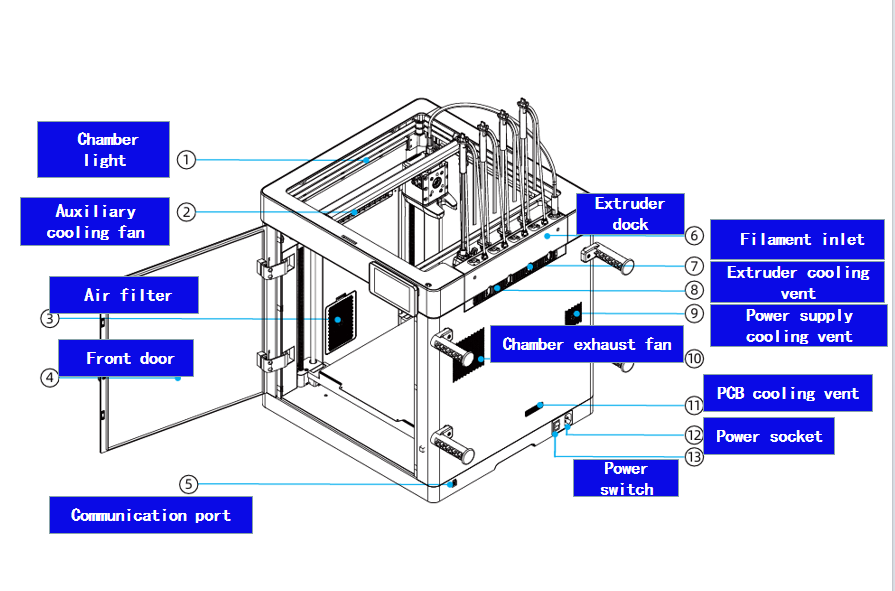
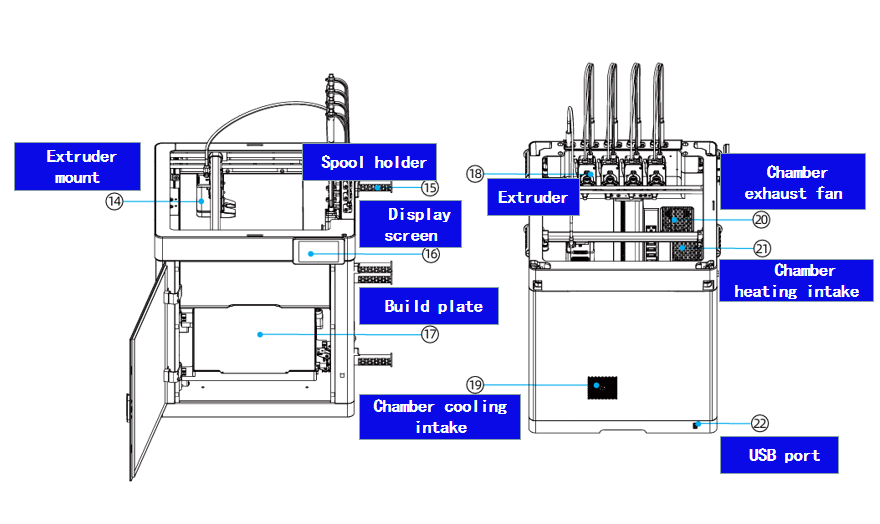
¶ Extruder Mount Assembly
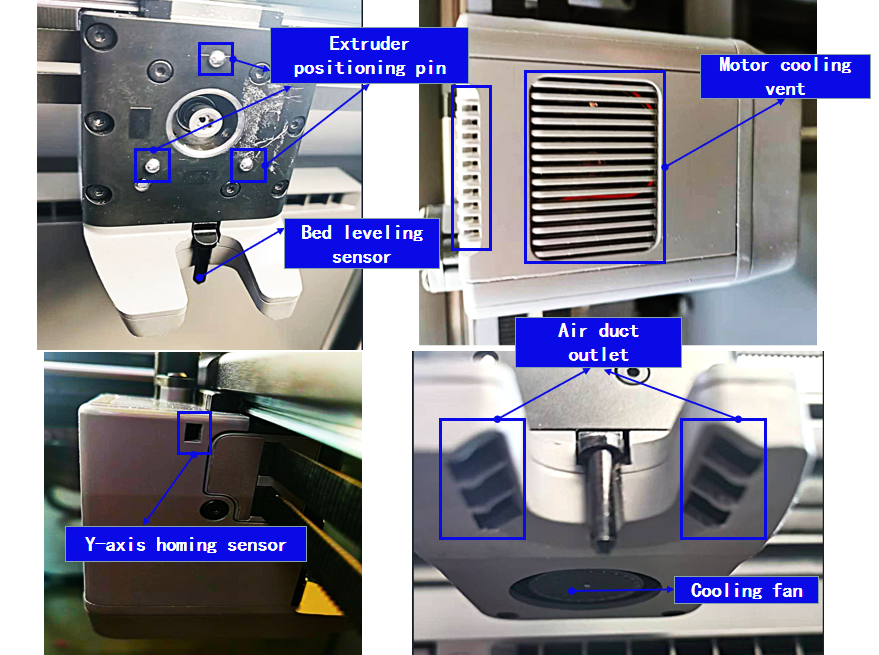
The extruder mount supports and secures the extruder assembly while providing the feeding force.
1.Extruder mount PCB
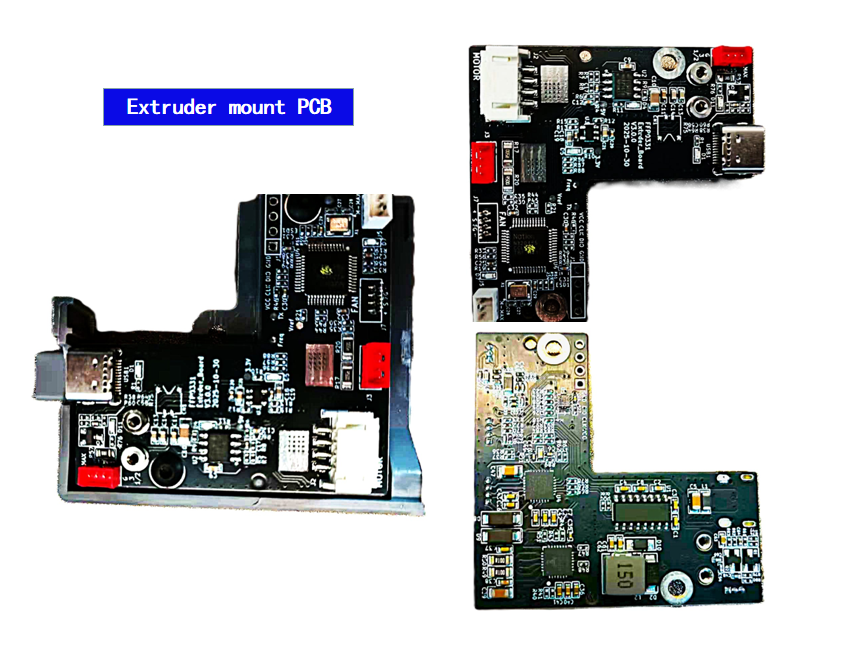
The extruder board supplies power to the entire extruder mount and manages communication with the mainboard.
2.Cooling fan
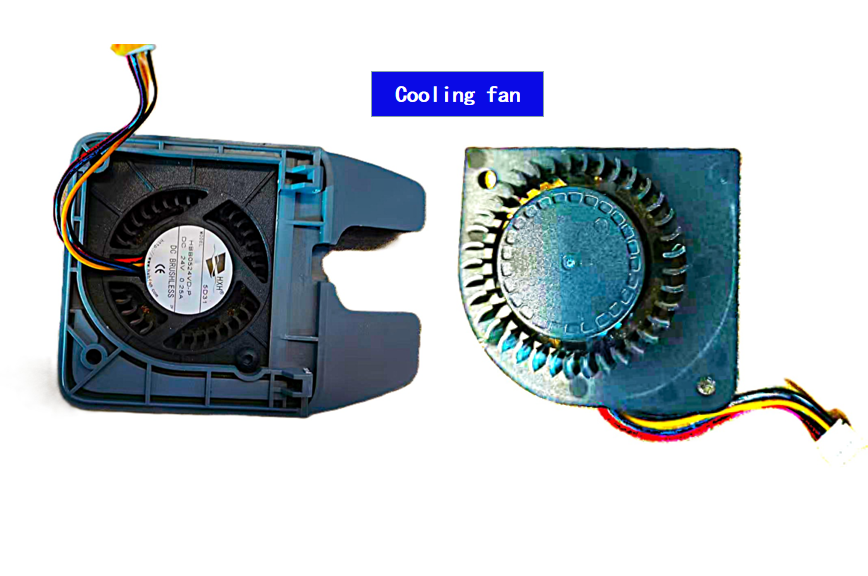
The cooling fan cools the extruded filament, allowing it to solidify quickly.
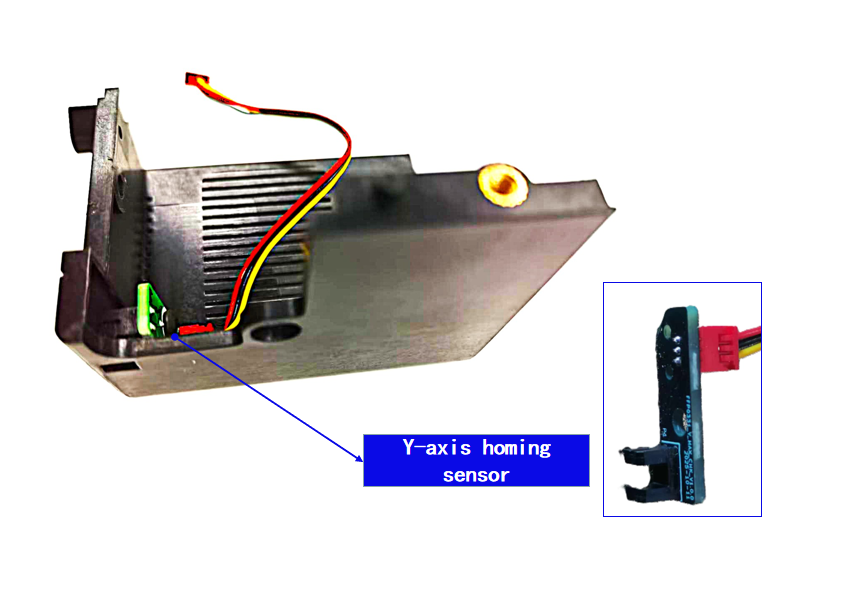
3.Y-axis homing sensor
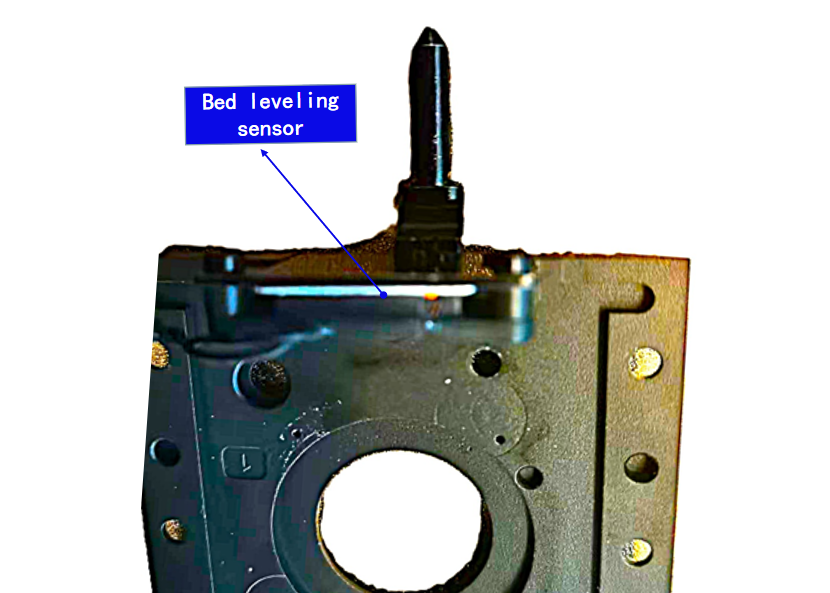
4.Bed leveling sensor
5.Extruder motor
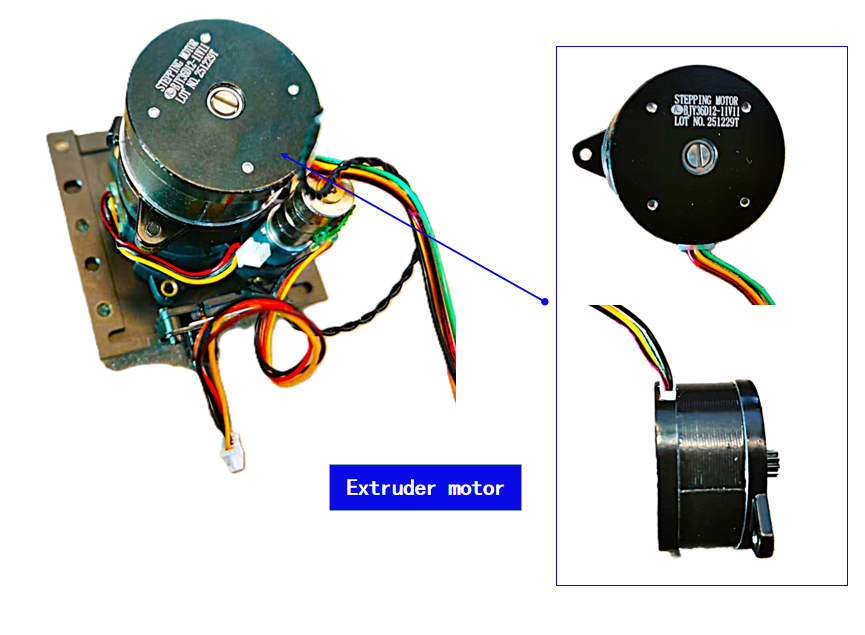
This 36 pancake stepper motor drives filament feeding and ensures precise flow via a reduction system.
6.Extruder locking mechanism motor
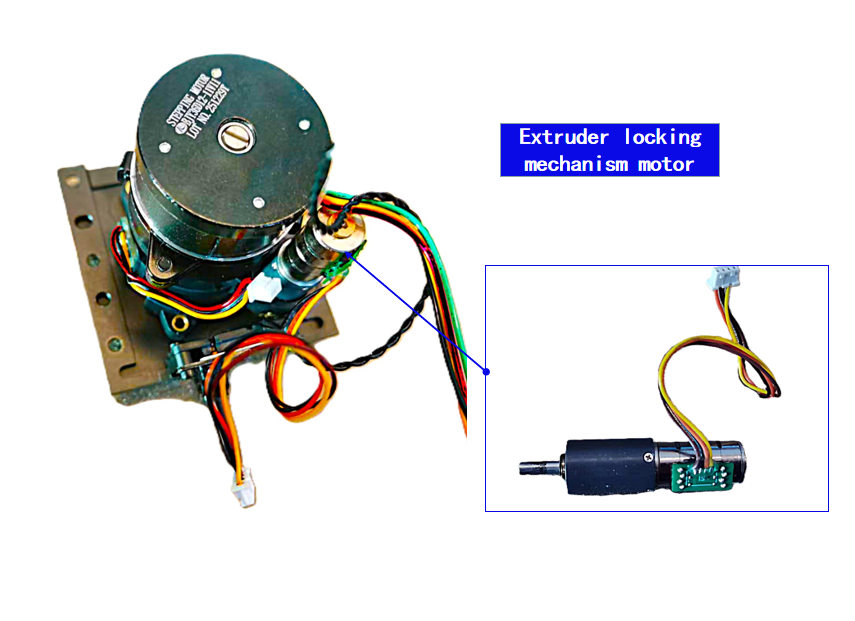
This 12 planetary gear reduction stepper motor powers locking and release of the extruder.
7.Extruder locking mechanism homing sensor
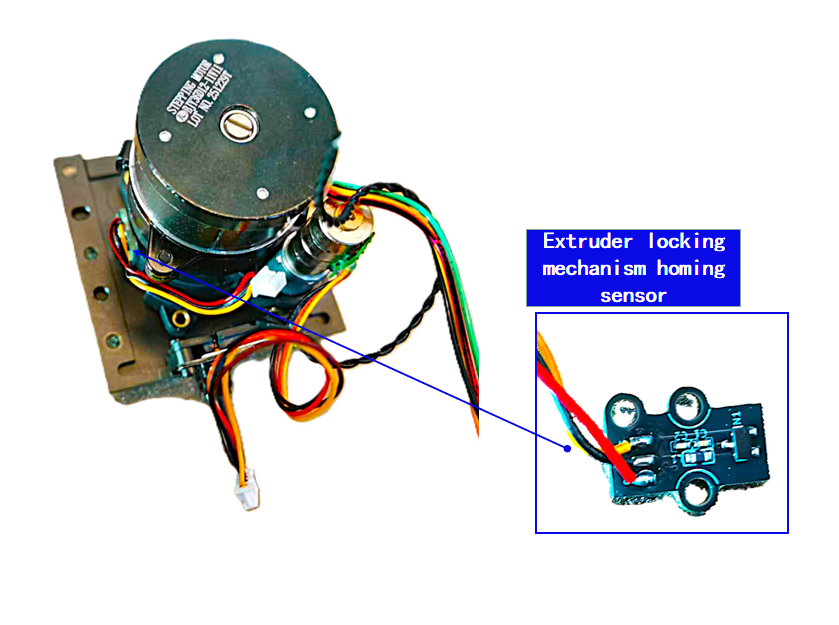
¶ Extruder Assembly
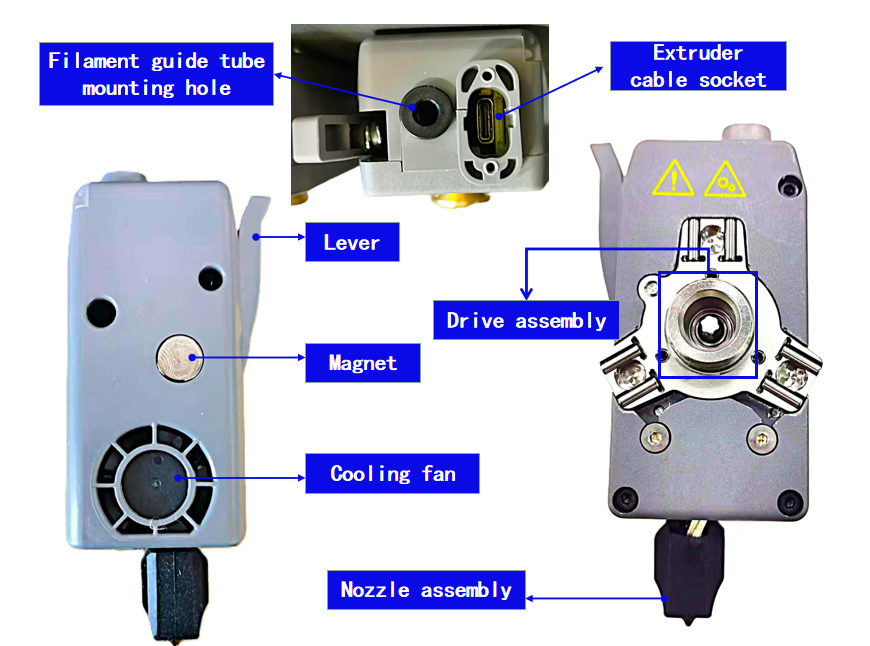
The extruder assembly heats and extrudes filament, building objects layer by layer.
1.Nozzle assembly
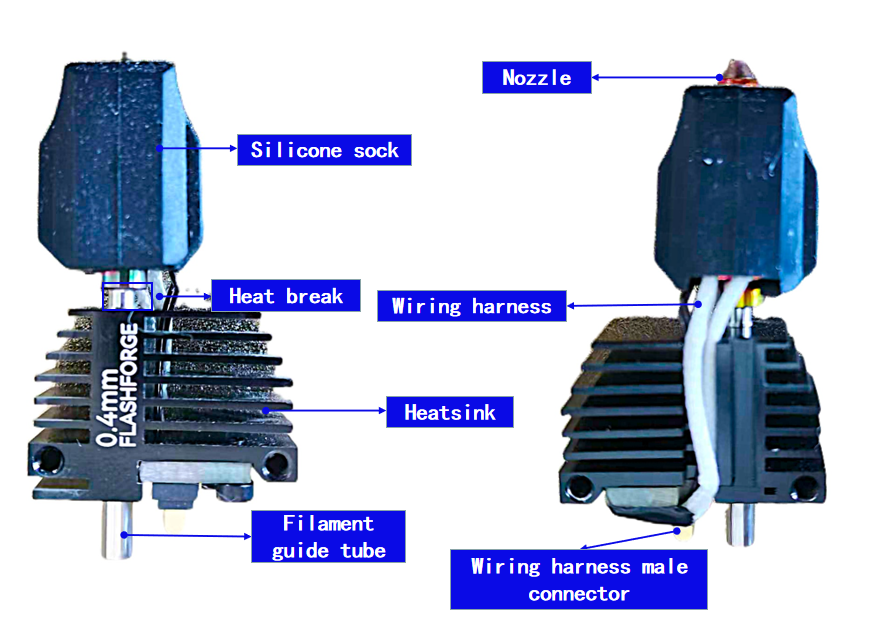
The nozzle assembly is one of the most core executive components in a printer, with the function of heating and melting consumables, precisely extruding them, and completing layer-by-layer deposition and molding on the printing plane.
The silicone sleeve covers the nozzle, providing thermal insulation, maintaining a stable temperature, and preventing the accumulation of consumables on the nozzle surface. The absence of the silicone sleeve can cause the hot end to be overcooled by the component cooling fan, leading to temperature fluctuations, affecting printing stability, and even triggering an abnormal temperature warning.
Nozzle diameter:0.4mm (standard)
0.25mm/0.6mm/0.8mm (optional);
ozzle material: Hardened steel
2.Cooling fan
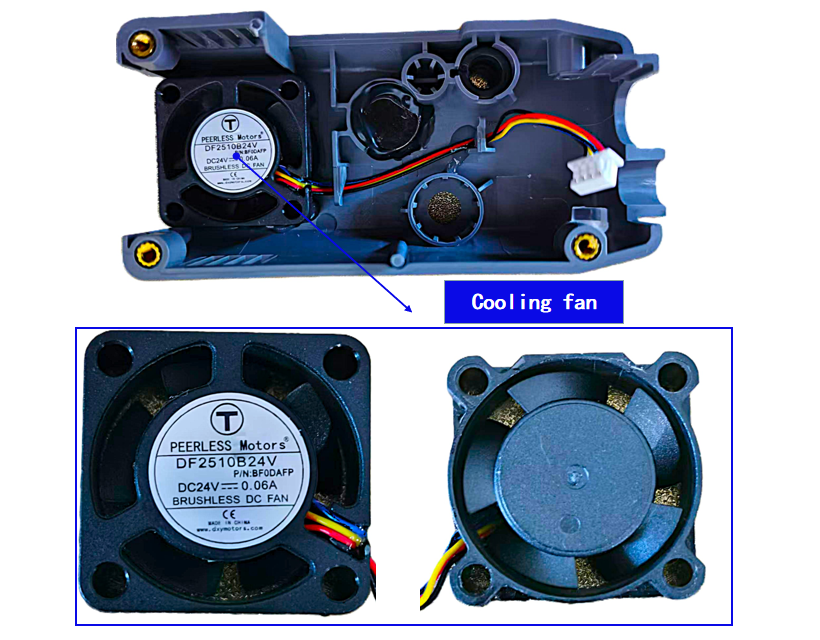
The cooling fan cools the filament guide tube to prevent heat creep from the heater block, avoiding filament swelling and clogs.
3.PCB
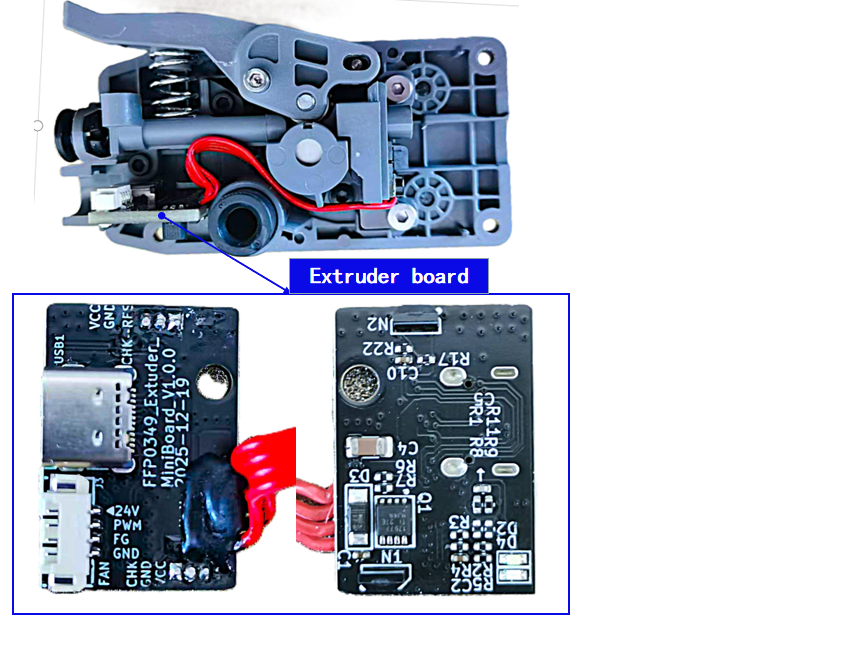
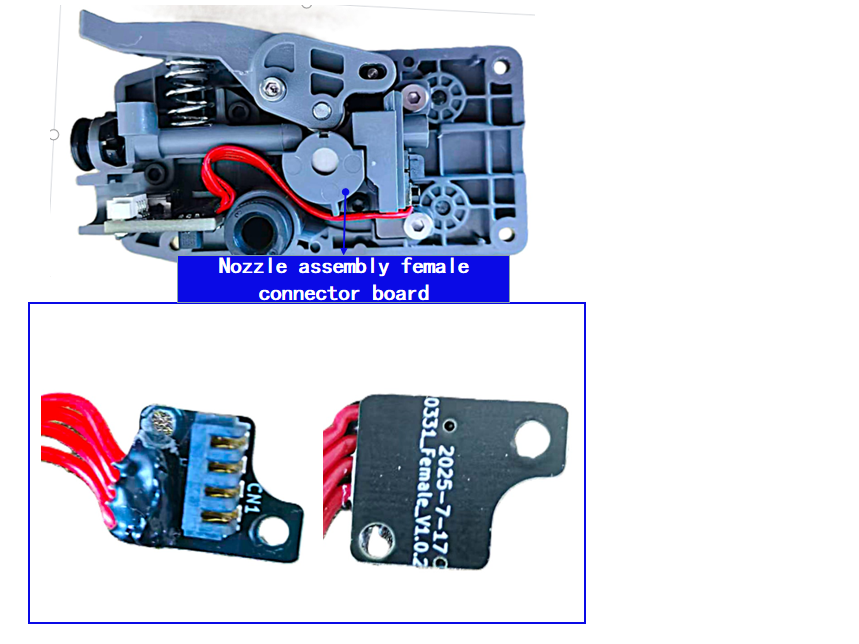
he extruder board supplies power to the extruder assembly and communicates with the mainboard. The nozzle assembly's female connector board serves to connect the left and right sides of the extruder assembly.
4.Feed gear and cutter
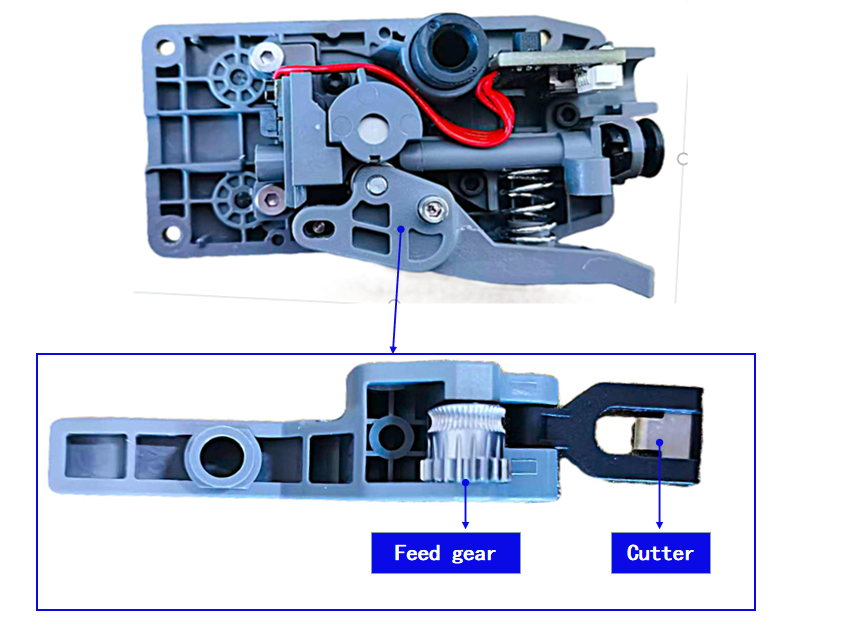
The feed gear meshes with the reduction gear to feed filament into the hotend and provide sufficient extrusion force. The cutter allows filament to be cut by pressing the lever, which is used during filament unloading.
5.Reduction gear assembly
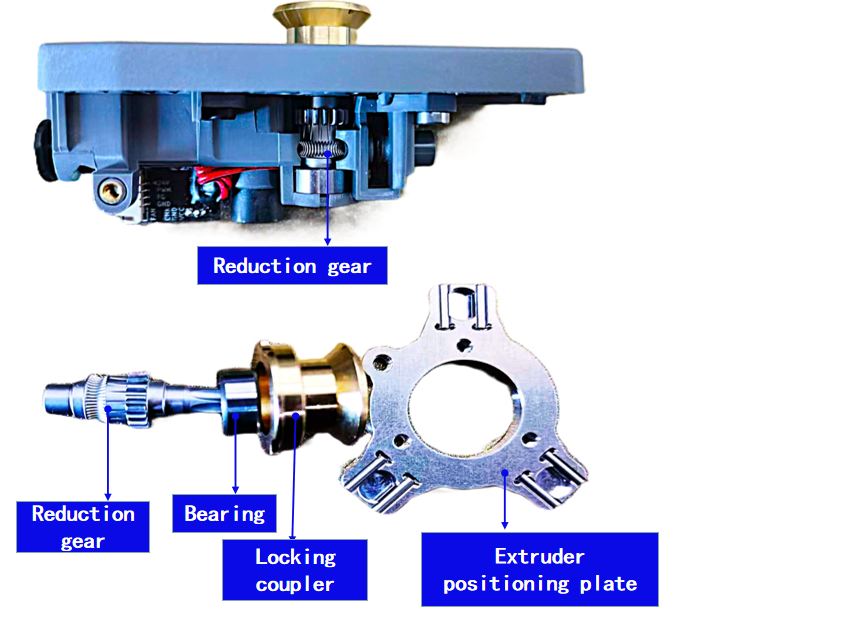
The reduction gear assembly works together with the feed gear to provide driving force, pushing filament into the hotend and out through the nozzle. The locking coupler and extruder positioning plate are key components that ensure the extruder is correctly positioned and securely fastened to the extruder mount.
¶ Extruder Dock Assembly
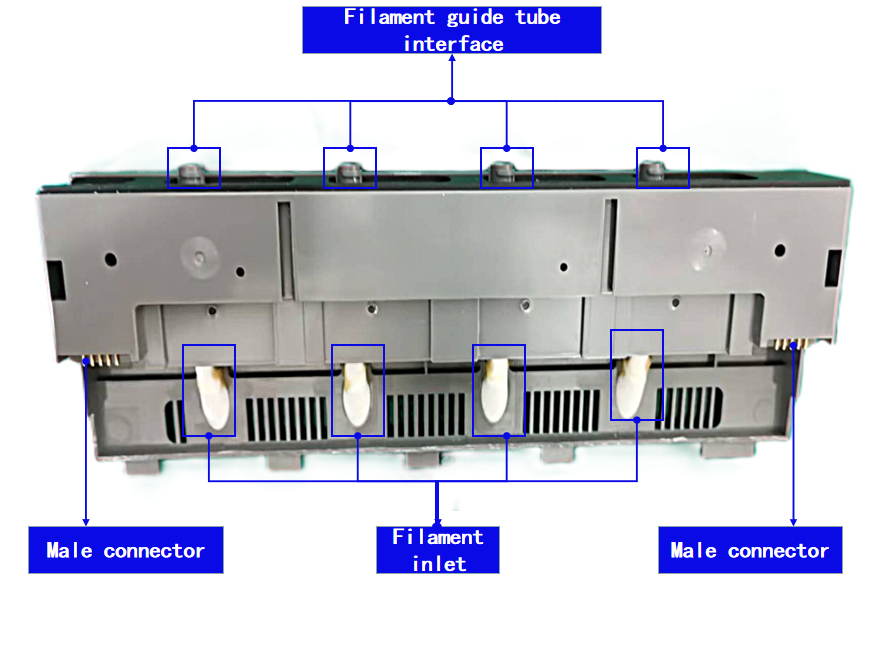
The extruder dock acts as the power and communication hub, connecting the mainboard with the extruder and extruder mount. It supplies power and handles data communication for both the extruder and extruder mount. The filament channel throat connects the upper filament guide tube leading to the hotend with the lower filament inlet.
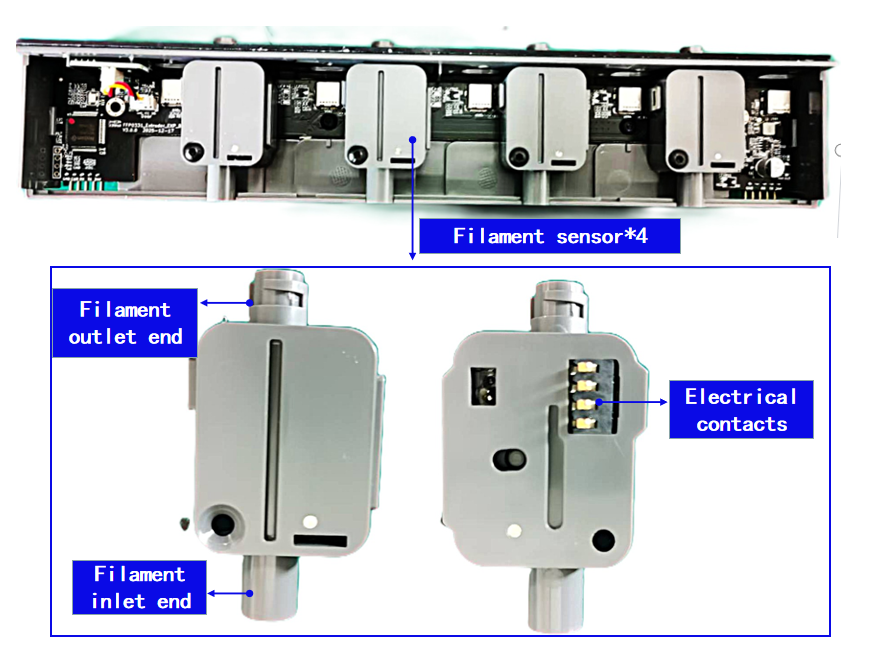
A built-in filament sensor monitors filament status in real time, making it essential for filament run-out detection and print recovery functionality.
On the Creator 5 Pro, an additional Hall sensor detects whether the top cover is open or closed. When the cover is opened, the printer automatically pauses and displays a warning message, providing enhanced safety protection.
1.Extruder dock PCB
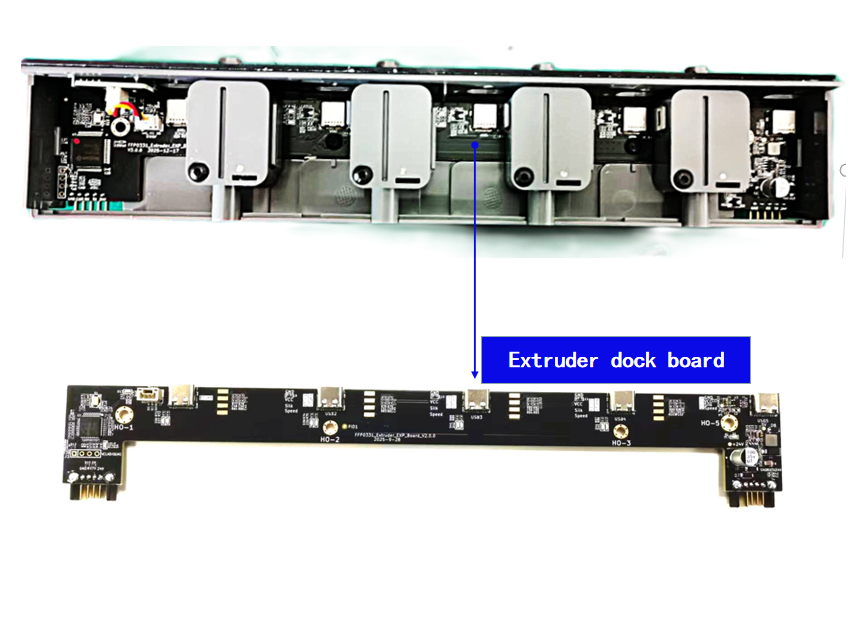
2.Filament sensor
3.Top cover Hall sensor
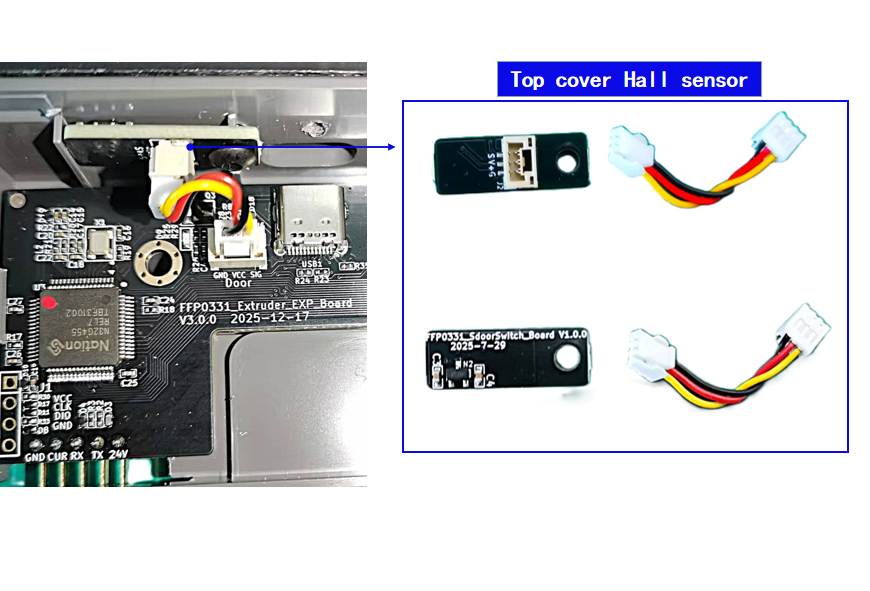
The Creator 5 Pro (the Creator 5 does not have this component) also has a Hall sensor that detects the opening and closing of the upper cover. When the upper cover is opened, the device will pause and pop up a prompt dialog box, providing safety assurance for the device.
¶ Display Screen
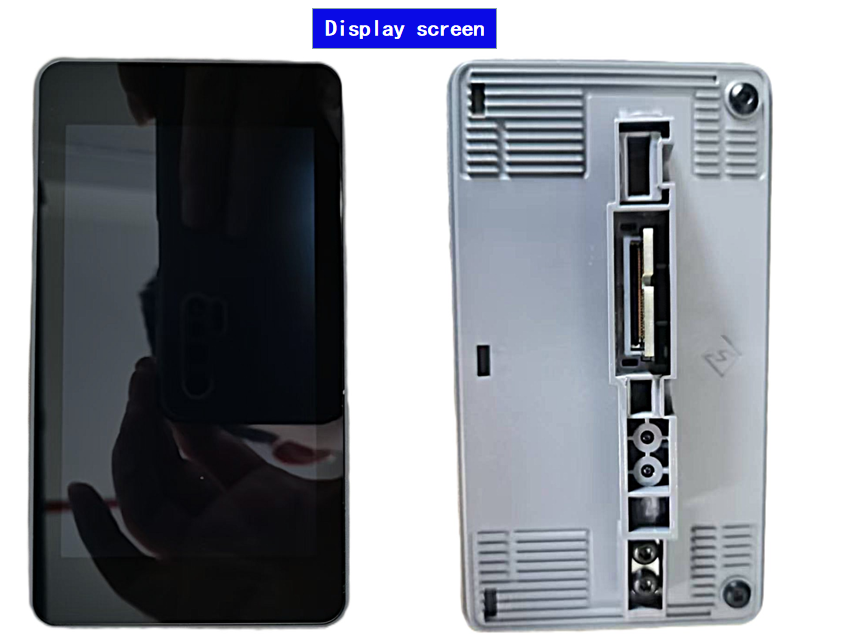
The Creator 5 series is equipped with a 4-inch 800*480 full-color touchscreen, which feels smoother to touch. Additionally, the screen connection has been redesigned into a quick plug-and-play interface, enabling fast plugging and unplugging, making installation and replacement more convenient than the original device.
¶ Z-axis
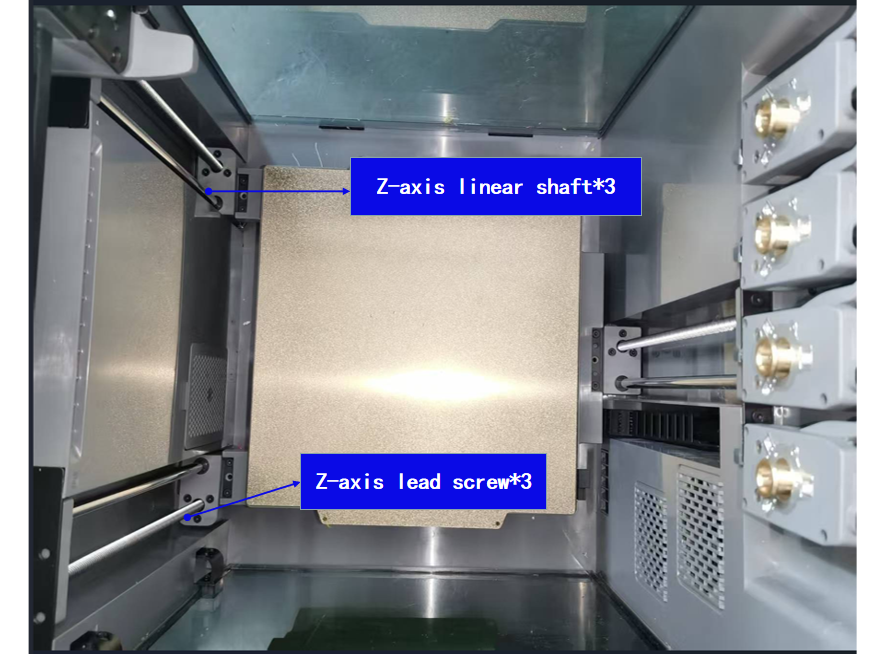
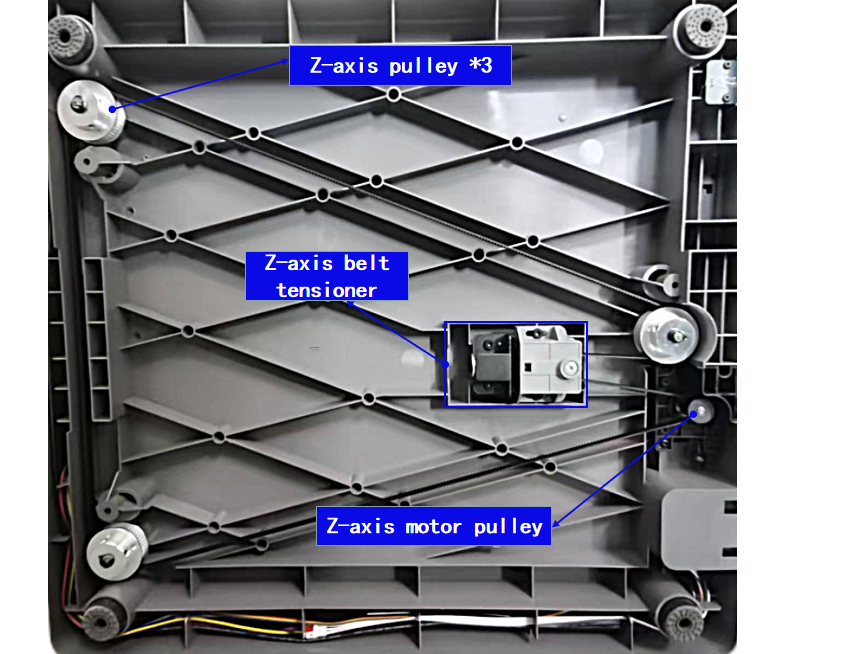
The Z-axis of the Creator 5 series consists of three ball screws connected to Z-axis stepper motors via belts. It powers and controls vertical movement of the print bed.
The Z-axis consists of lead screws and optical rods, distributed at the front left, rear left, and middle right of the heated bed. The three lead screws are connected to the same Z stepper motor via a belt and are driven to rotate uniformly by the motor, thereby driving the heated bed to rise and fall synchronously and achieving vertical movement of the heated bed. The optical rods provide precise positioning, effectively suppressing the shaking caused by the rotation of the lead screws and ensuring the stable operation of the heated bed.
¶ Print Bed
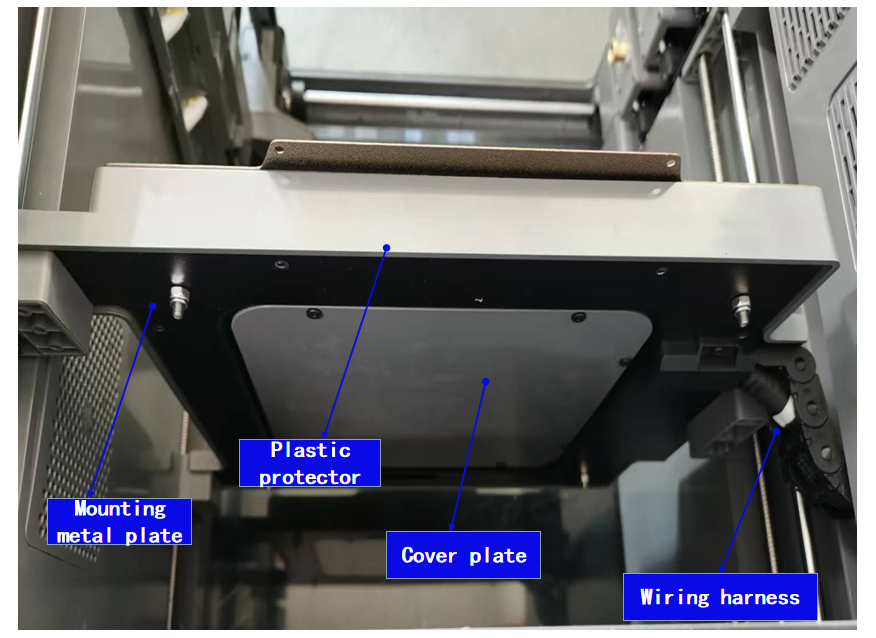
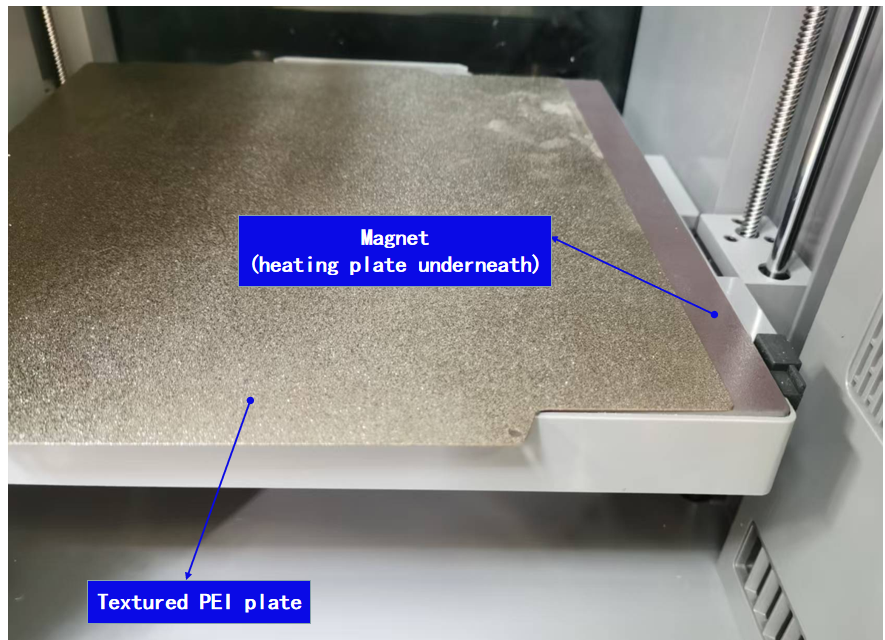
The heated bed is used to heat the printing surface, allowing the printed object to adhere better to the print plate. If the printing surface is not heated, the deposited material will cool rapidly, creating tension between layers, which can easily lead to warping or detachment from the print platform, affecting print quality and success rate.
During the printing process, Wolverine 5 adjusts the heating temperature of the hotbed according to the type of material used, with a maximum temperature of up to 120°C. For example, when using PLA or silk filaments, setting the hotbed temperature to 45-55°C during printing can effectively prevent warping. For materials such as ABS and ASA, to prevent warping, the hotbed temperature needs to be set between 100-110°C for printing.
The maximum printing area of the hotbed surface of the Creator 5 series is 256*256mm².
¶ Electrical Components
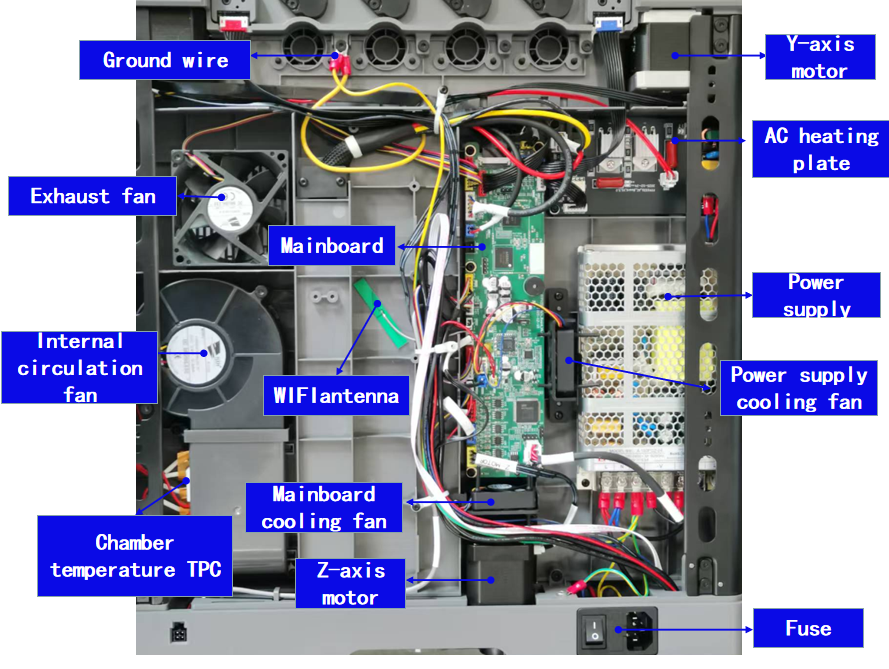
The mainboard of the Creator 5 series features a dual-core Cortex-A53 microcontroller, 8GB of onboard storage, silent drivers, and support for both 5G and 2.4G Wi-Fi.
The firmware supports advanced features such as pressure advance, automatic bed leveling, vibration compensation, and extruder temperature calibration (PID tuning).
The Creator 5 series uses eddy current sensors for platform leveling. When the eddy current sensors come into contact with the platform, the output signal of the sensors changes, thereby enabling data acquisition at each point. Then, the algorithm of the mesh bed is used to achieve a beautiful first layer print.
¶ Filtration System
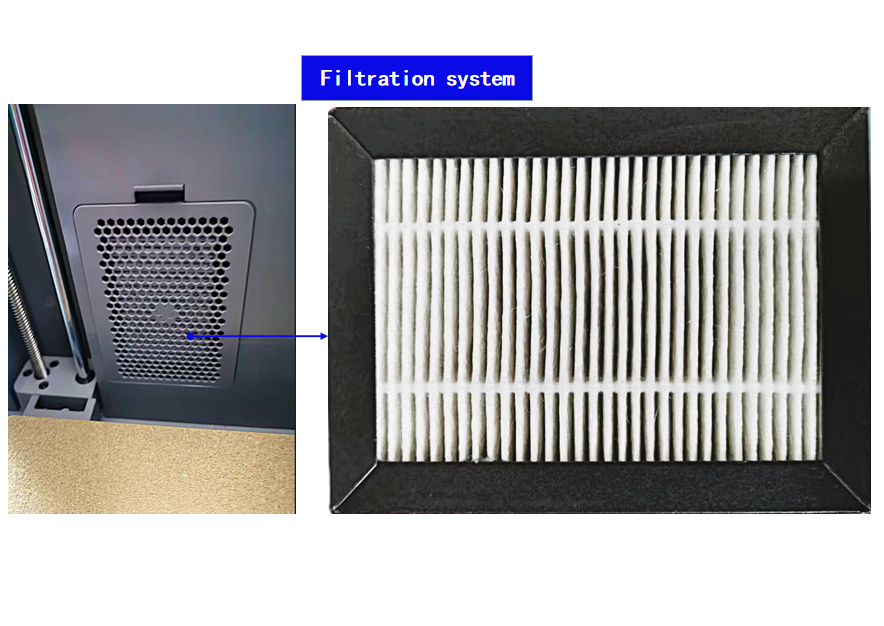
During operation, 3D printers emit ultrafine particles (UFPs) and volatile organic compounds (VOCs).
Creator 5 Pro employs a dual-stage filtration system consisting of a HEPA13 filter and activated carbon. This system can filter up to 99% of particles and VOCs, ensuring a safer working environment.
¶ Camera
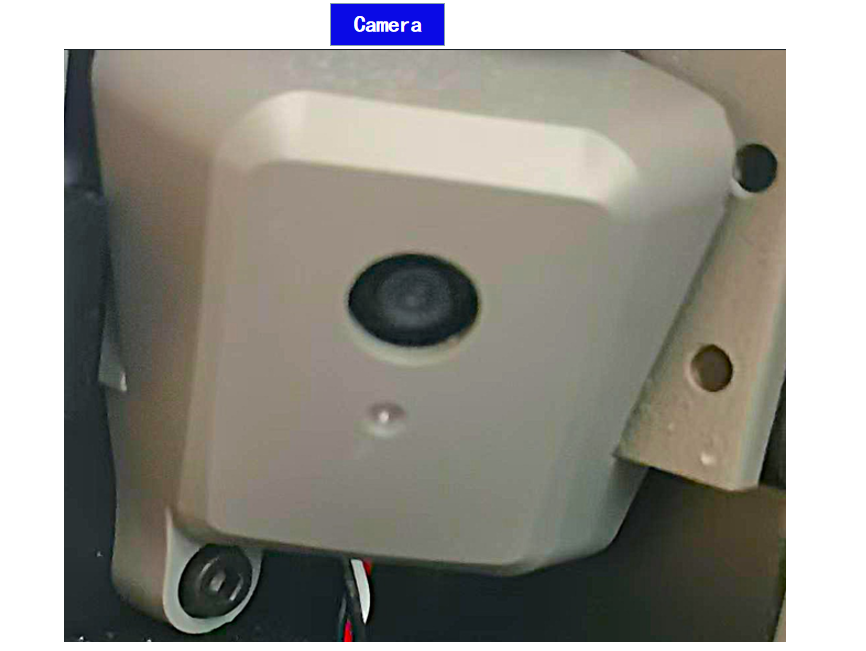
The Creator 5 series is equipped with a 1280*720, 30 fps high-definition camera,The Creator 5 series is equipped with a camera, allowing you to monitor the printing process via slicing software or cloud services. The printer automatically captures photos during printing and generates time-lapse videos. After printing is complete, these photos and videos can be viewed directly on the printer or exported for external use.