Screenshots are for reference only. Actual interface may vary depending on the firmware version.
When connected to the printer, tap  > VDS to manage the settings.
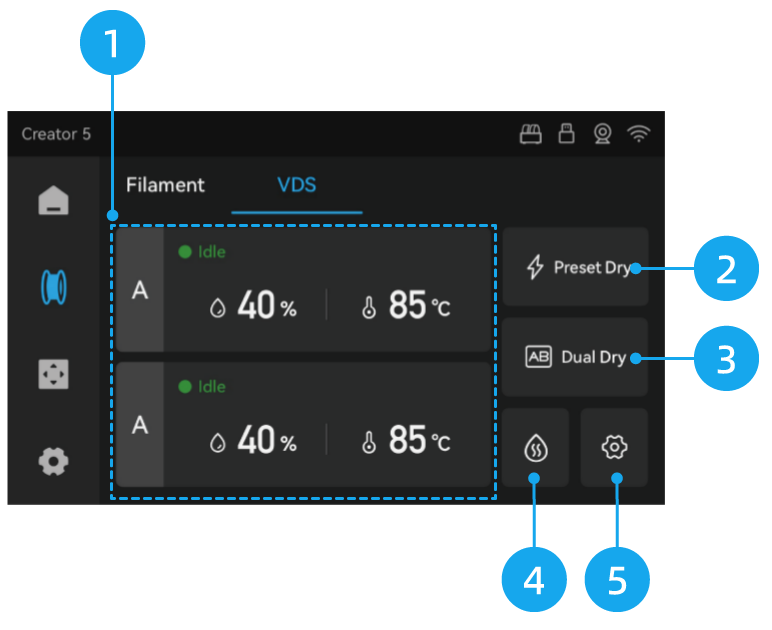
-
Single-Chamber Drying
Tap the status area of Chamber A or B to access its drying settings. -
Preset Drying
Includes recommended drying profiles for PLA, PETG, and ABS, allowing you to start drying with a single tap. -
Dual-Chamber Drying
Tap to start drying for both Chamber A and B simultaneously, using the last saved temperature and time settings for each. -
Auto Dehumidification
Tap to access auto-dehumidification settings. -
Settings
Tap to access VDS settings.