After the software encounters problems, sometimes the surface symptoms cannot reveal the root cause of the software failure, and software engineers need to view the logs for analysis. This section describes how to download software logs.
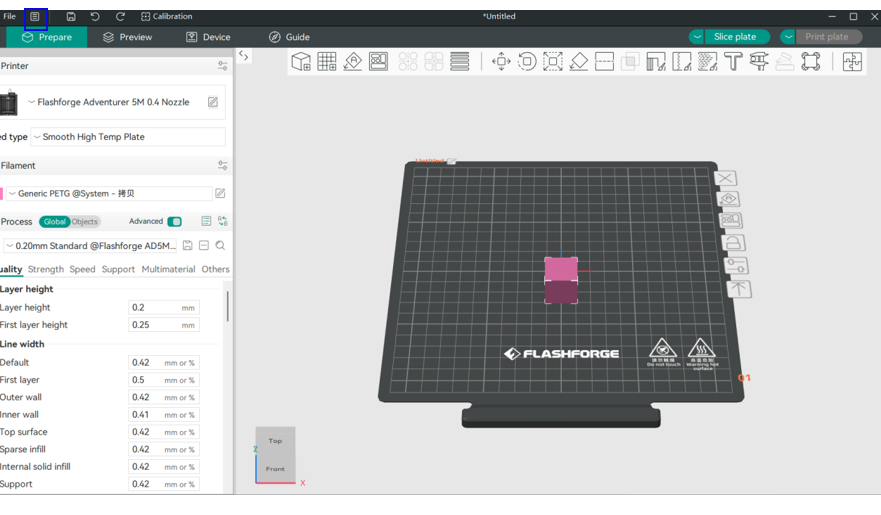
Step 1. Click on the 【file】 icon marked by the blue box in the figure below;
 >
>
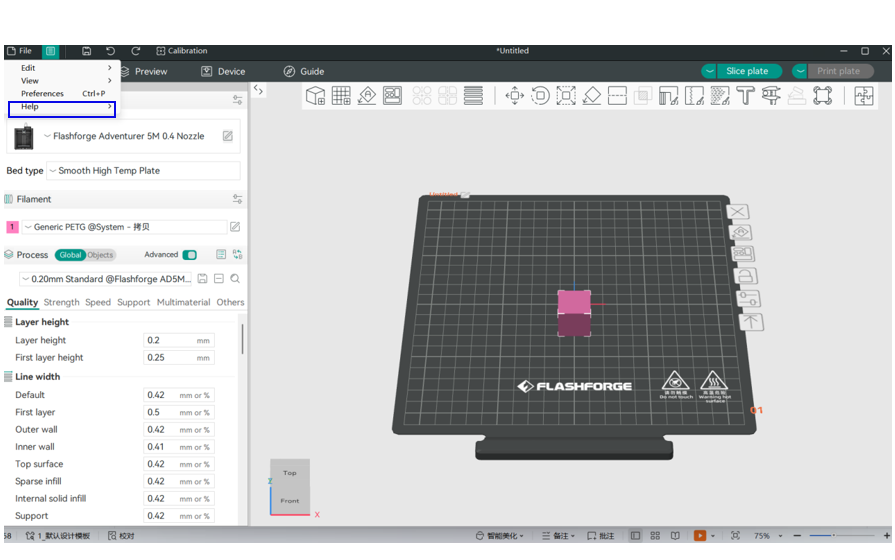
Step 2: Click on the 【Help】 icon marked by the blue box in the following figure;
 >
>
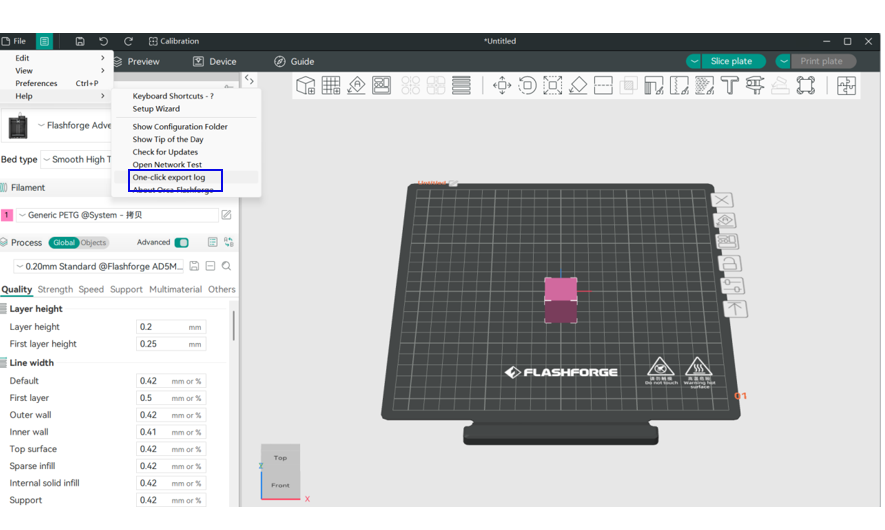
Step 2: Click the 【One-click Export Log】 icon marked in the blue box below;
 >
>
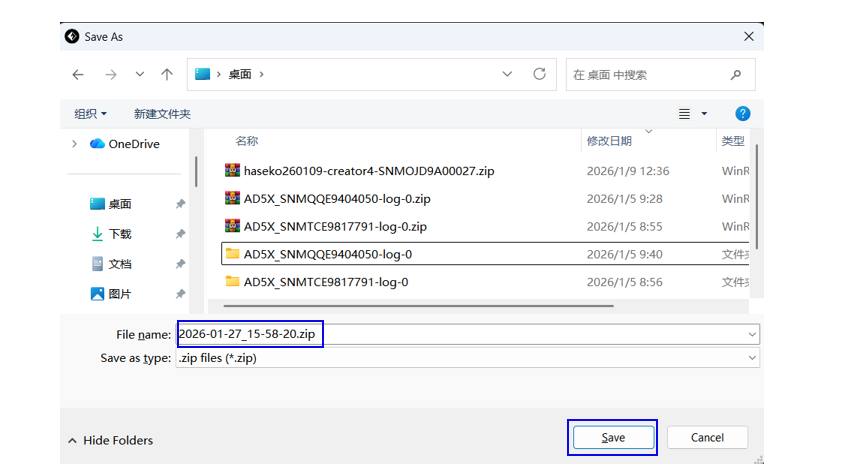
Step 4:Select the location to save the log, then choose Save;
 >
>
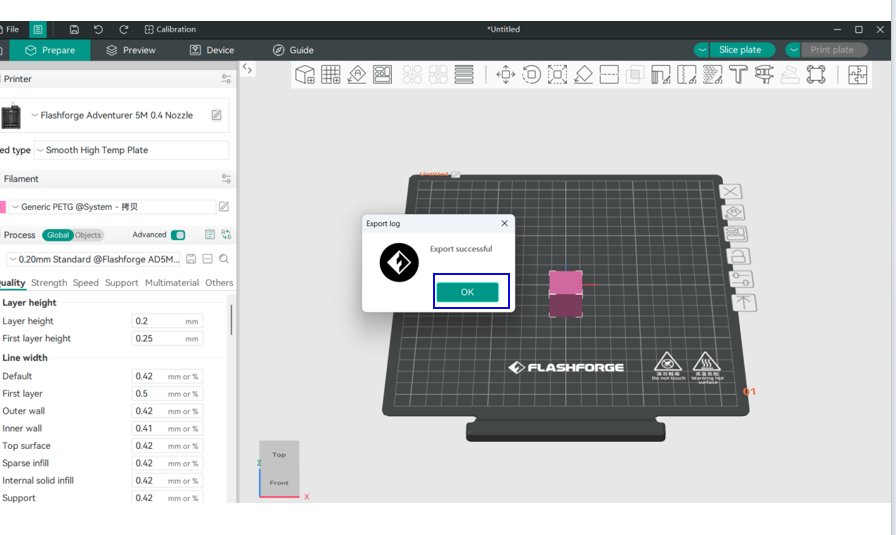
Step 5:After the file is saved, a confirmation dialog box will pop up. Simply click 【Confirm】 to proceed;
 >
>
Step 6:Send the logs saved on the desktop to after-sales.
 >
>