¶ Feature Overview
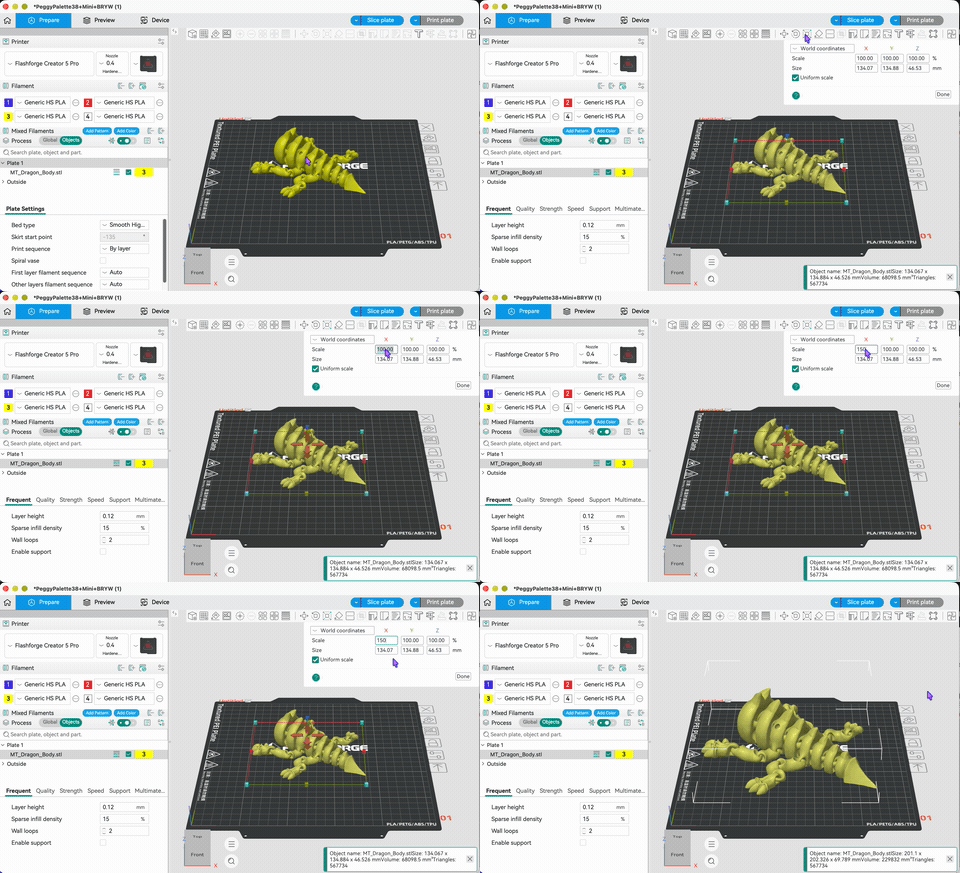
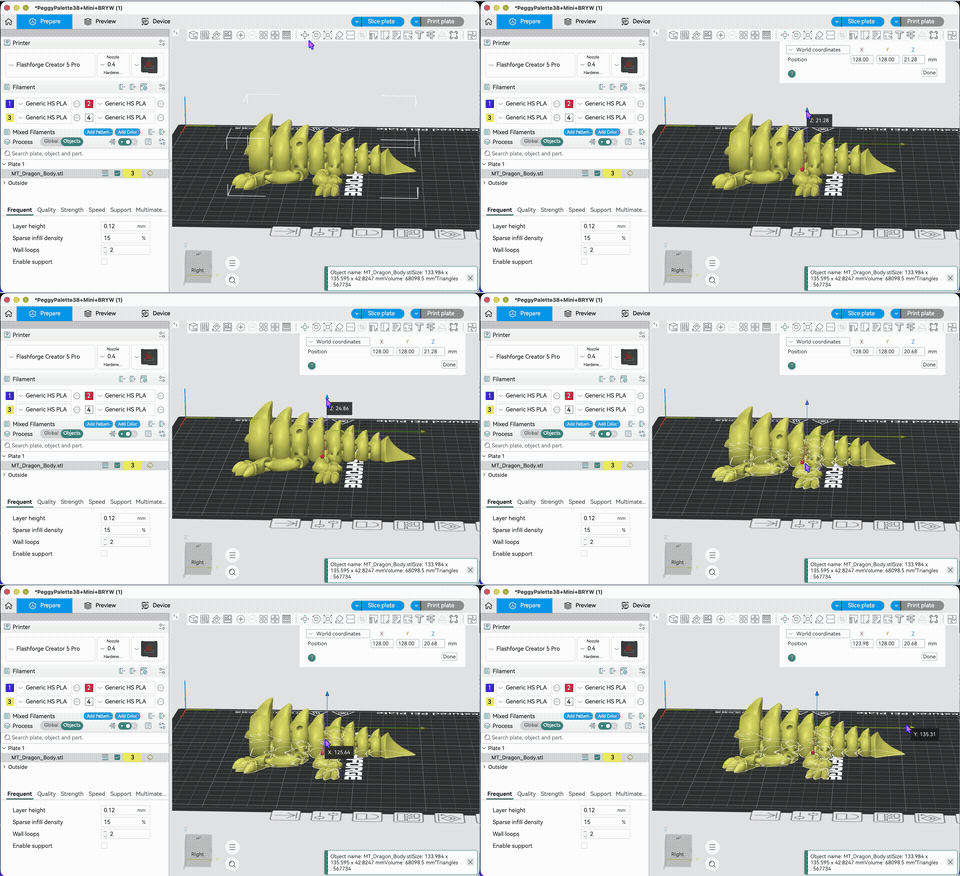
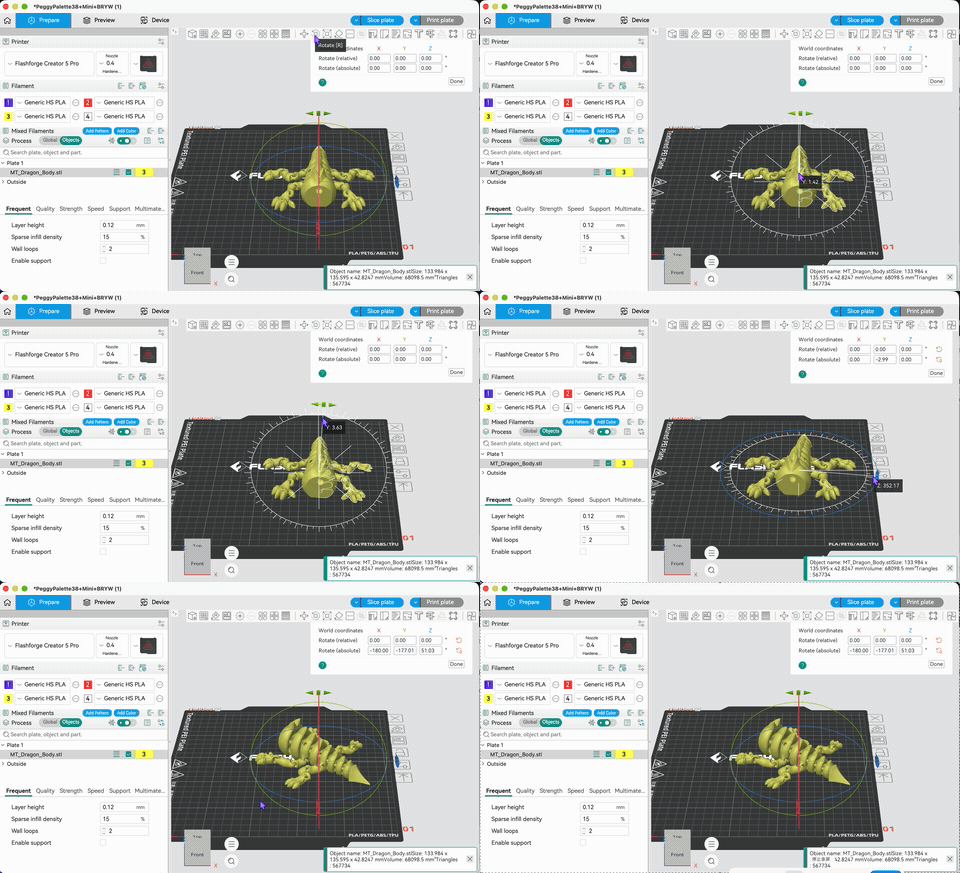
Flash Studio Desktop provides users with two ways to change the size and X/Y/Z axis position of a model.
- Select a model on the plate and click Move/Rotate/Scale Model
- Enter position values in the pop-up window from the top toolbar button to move/rotate/scale the model
1. Move Model
2. Rotate Model
3. Scale Model