¶ Feature Introduction
"Boolean Mesh" is a modeling method that generates new models by performing mathematical set operations on two or more models.
In Flash Studio Desktop, Boolean Mesh allows you to merge multiple models into one or subtract the shape of one model from another, enabling you to quickly create complex geometric structures.
Boolean Mesh is available in the toolbar and supports three operation types: Union, Difference, and Intersection.
¶ Operation Steps
Before performing Boolean operations, you can first select the desired objects, right-click, and choose "Combine" to group them together for easier management during multi-object operations.
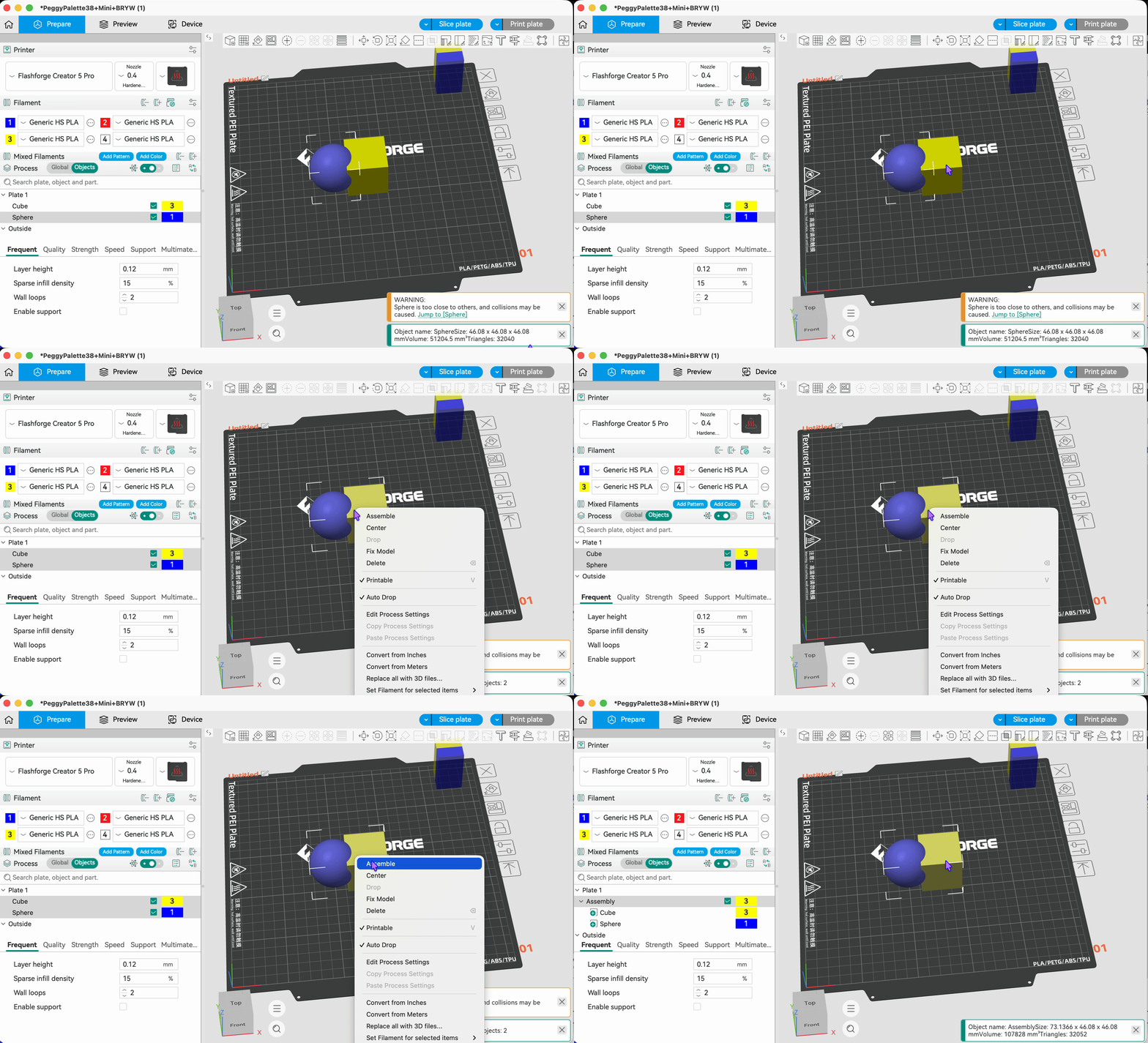
¶ Union:
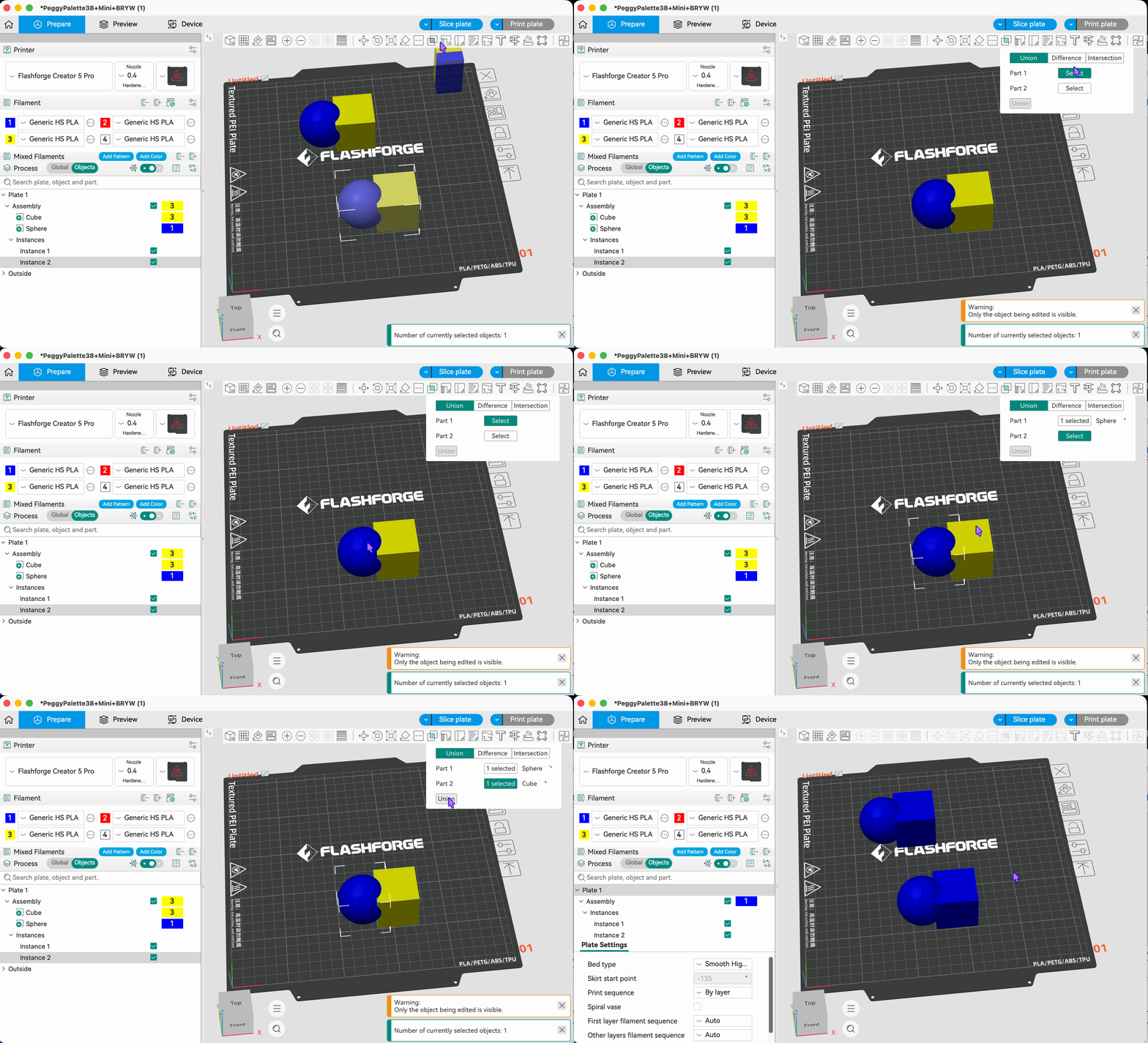
Merges multiple models into a single unified object. After merging, overlapping regions between the models are automatically removed, forming a continuous solid. This is suitable for combining multiple parts into one complete model.
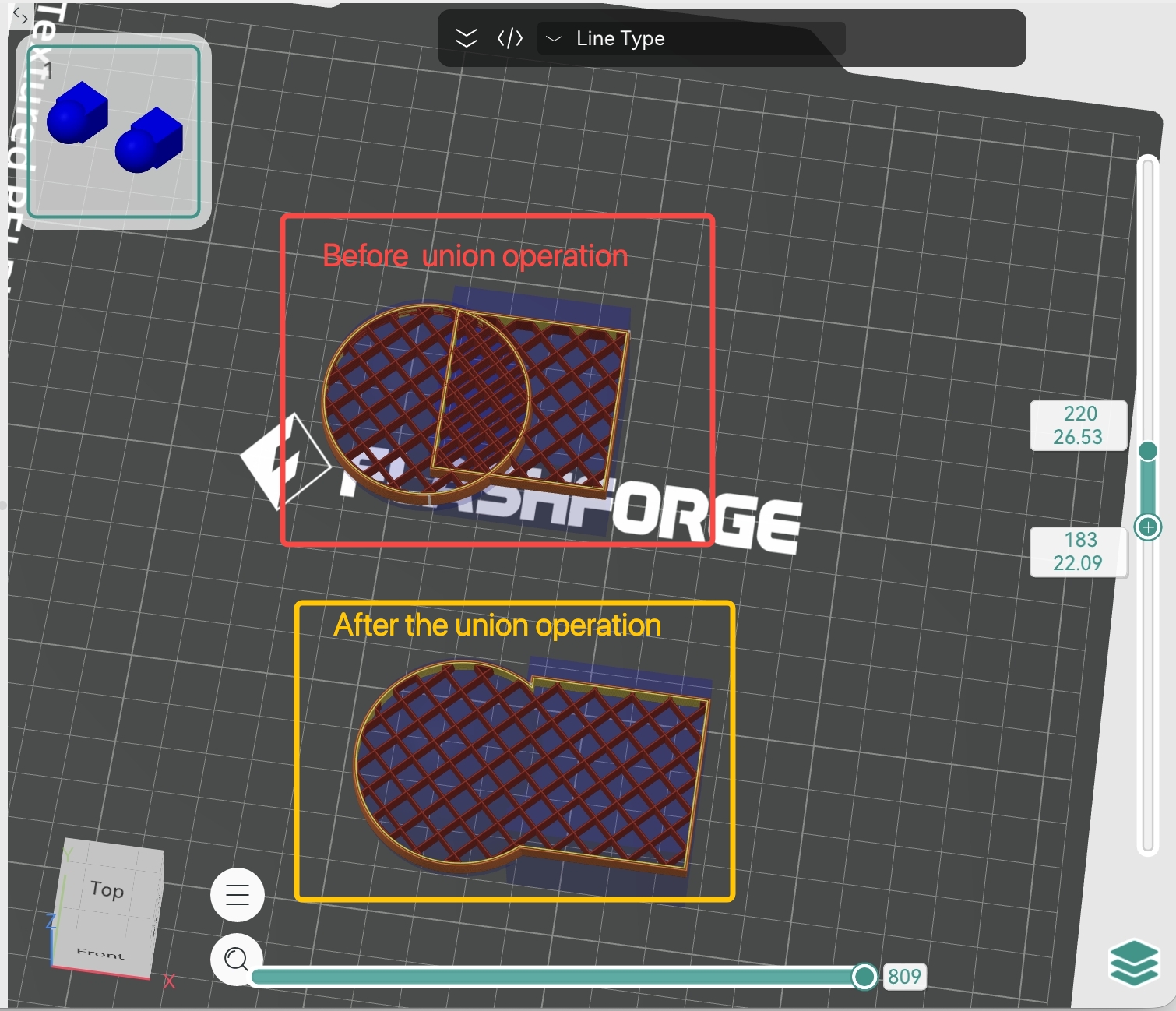
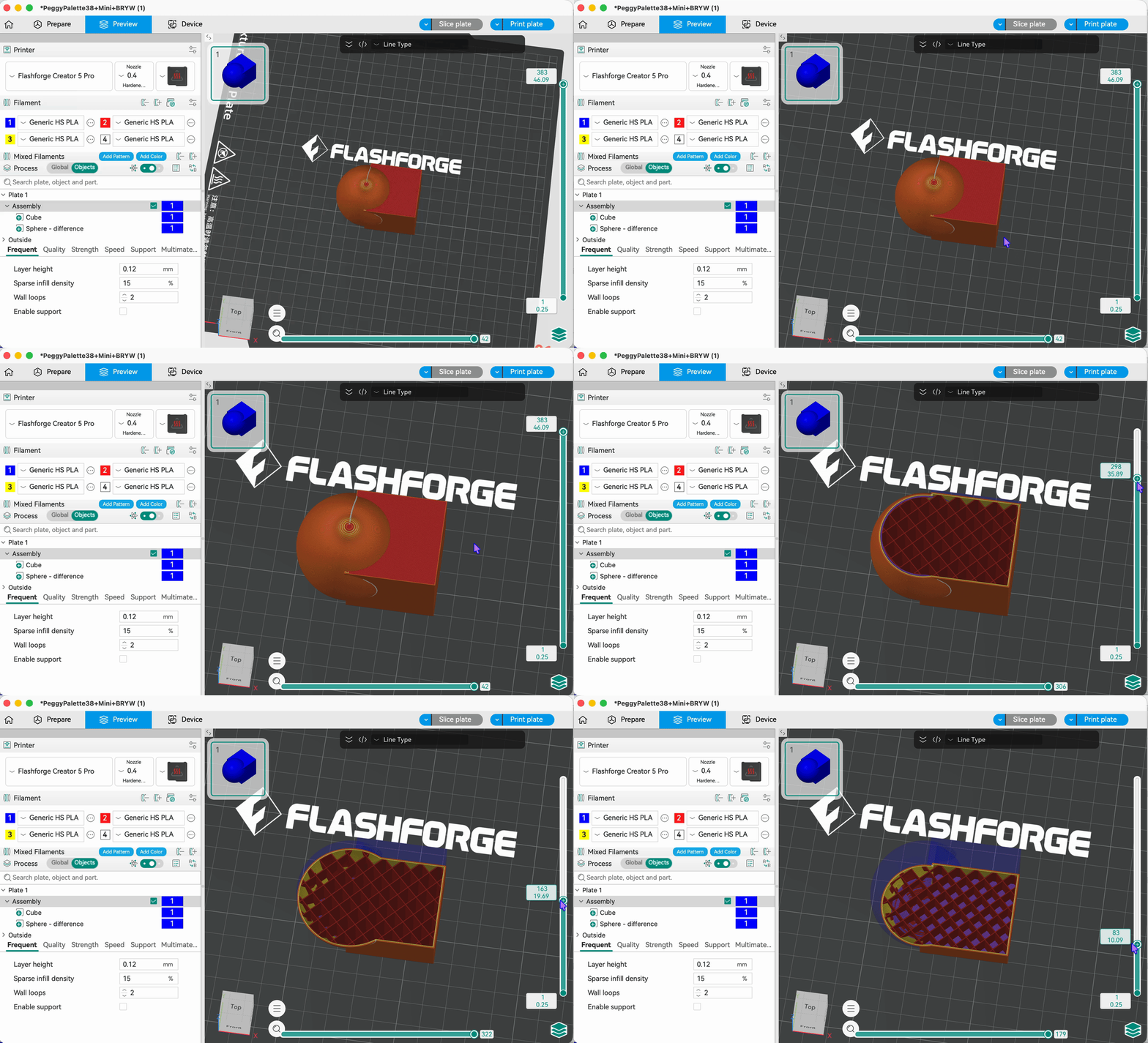
If two models overlap without performing a Union operation, slicing will produce overlapping toolpaths and display an error message.
Slicing results before and after Union operation:
- Union operation steps and slicing result
¶ Difference:
Subtracts the overlapping region of subsequently selected models (tool bodies) from the first selected model (main body).
Which part is removed depends on the order of selection. The first selected is the main body; the subsequently selected are the tool bodies.
The final result retains only the region of the main body that does not intersect with the tool bodies. This is suitable for creating holes, cutting slots, or forming nested structures on a model.
- Difference operation steps and slicing result
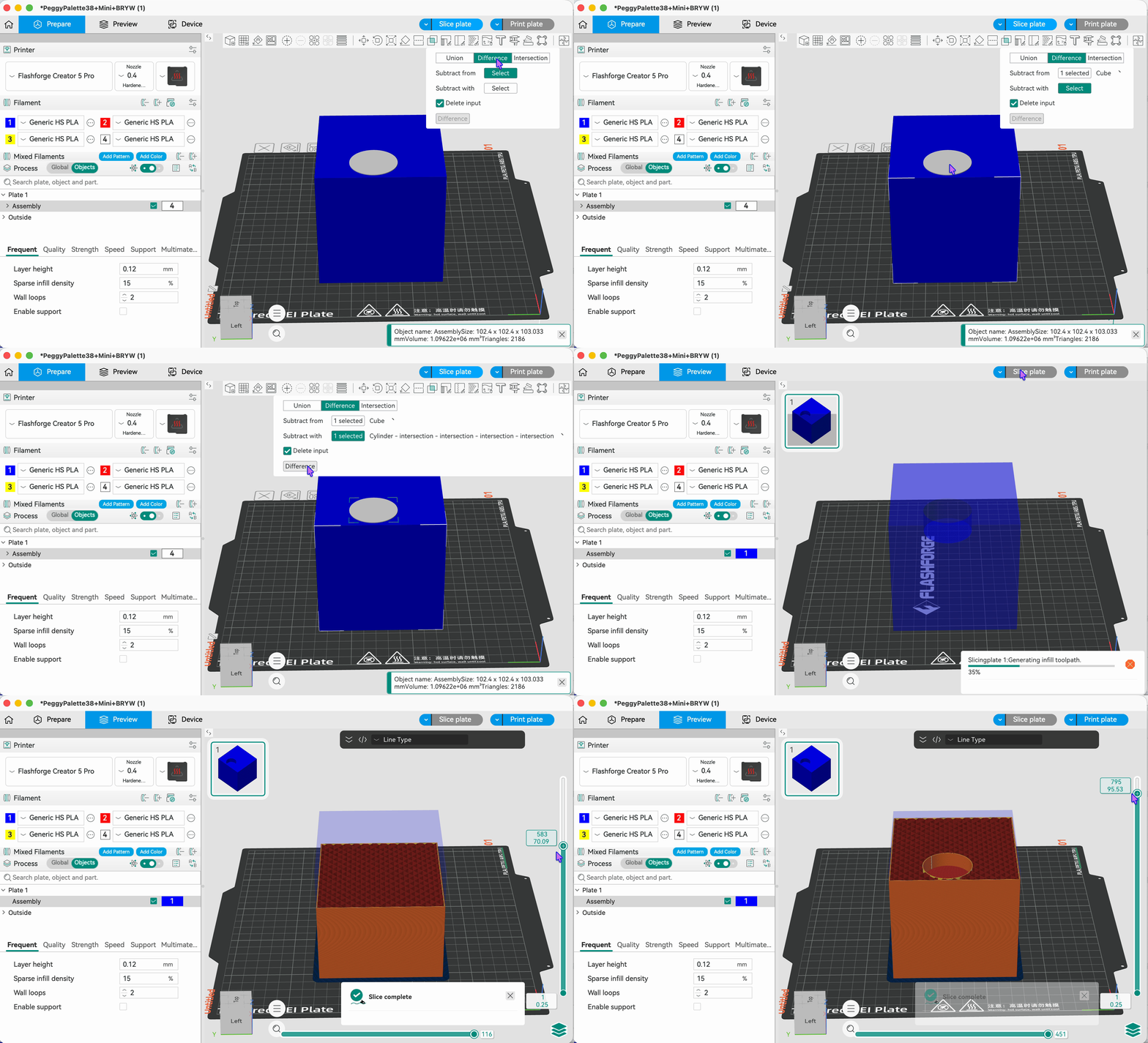
The Difference operation allows the resulting model to be directly exported as an STL file.
¶ Intersection:
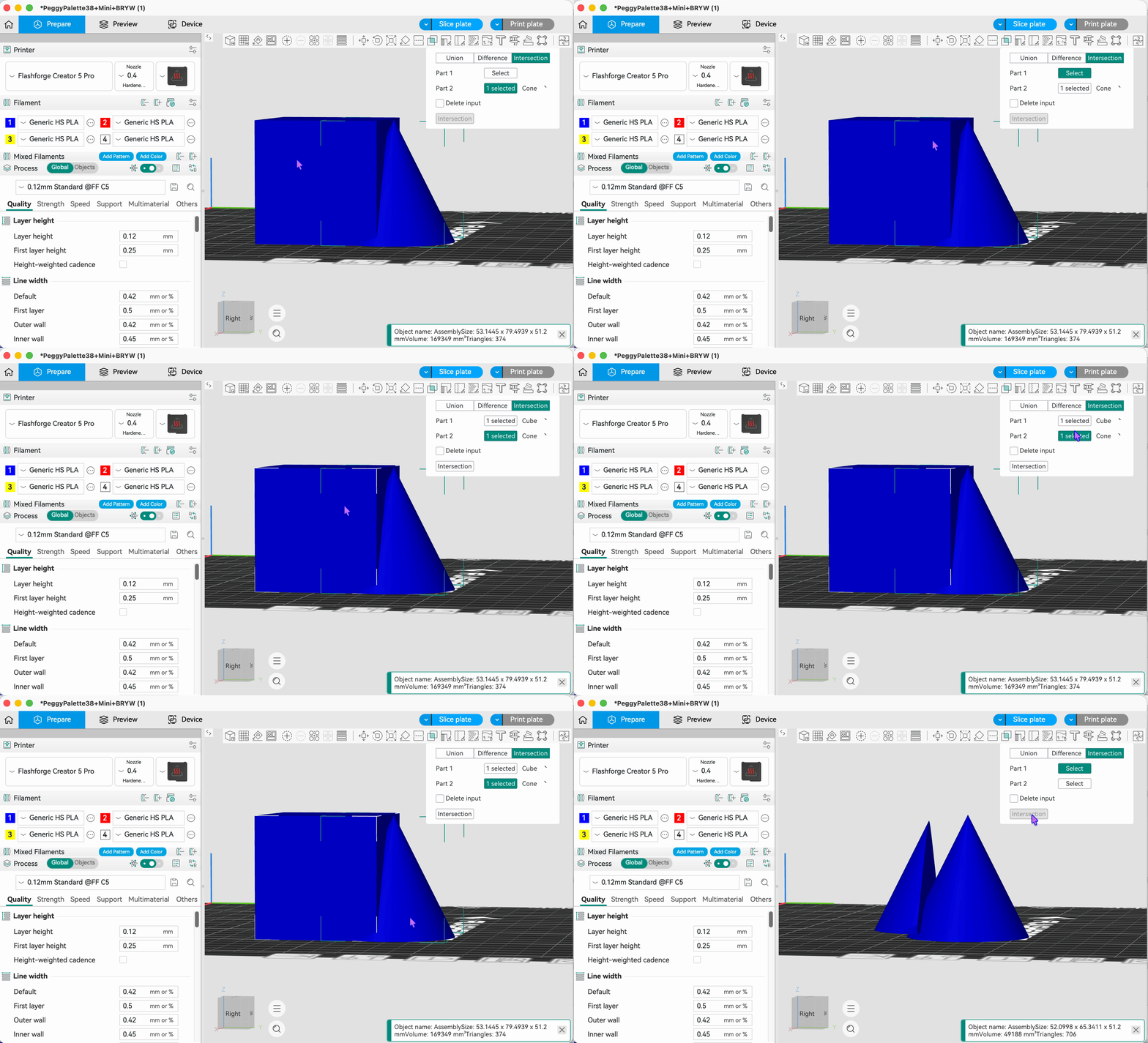
Retains only the common overlapping region shared by all selected models; all other parts are removed. This is suitable for extracting the shared portion of multiple models.
- Intersection operation steps and slicing result