¶ Feature Overview
In 3D printing, models must be "watertight" (manifold) closed meshes to be sliced properly. If a model has issues such as non-manifold edges, broken faces, or self-intersections, the slicer will not be able to correctly identify the inner and outer surfaces of the model, resulting in slicing failures or printing abnormalities.
Flash Studio Desktop has built-in model detection and repair functions that can automatically identify and fix common mesh defects.
¶ Problem Detection
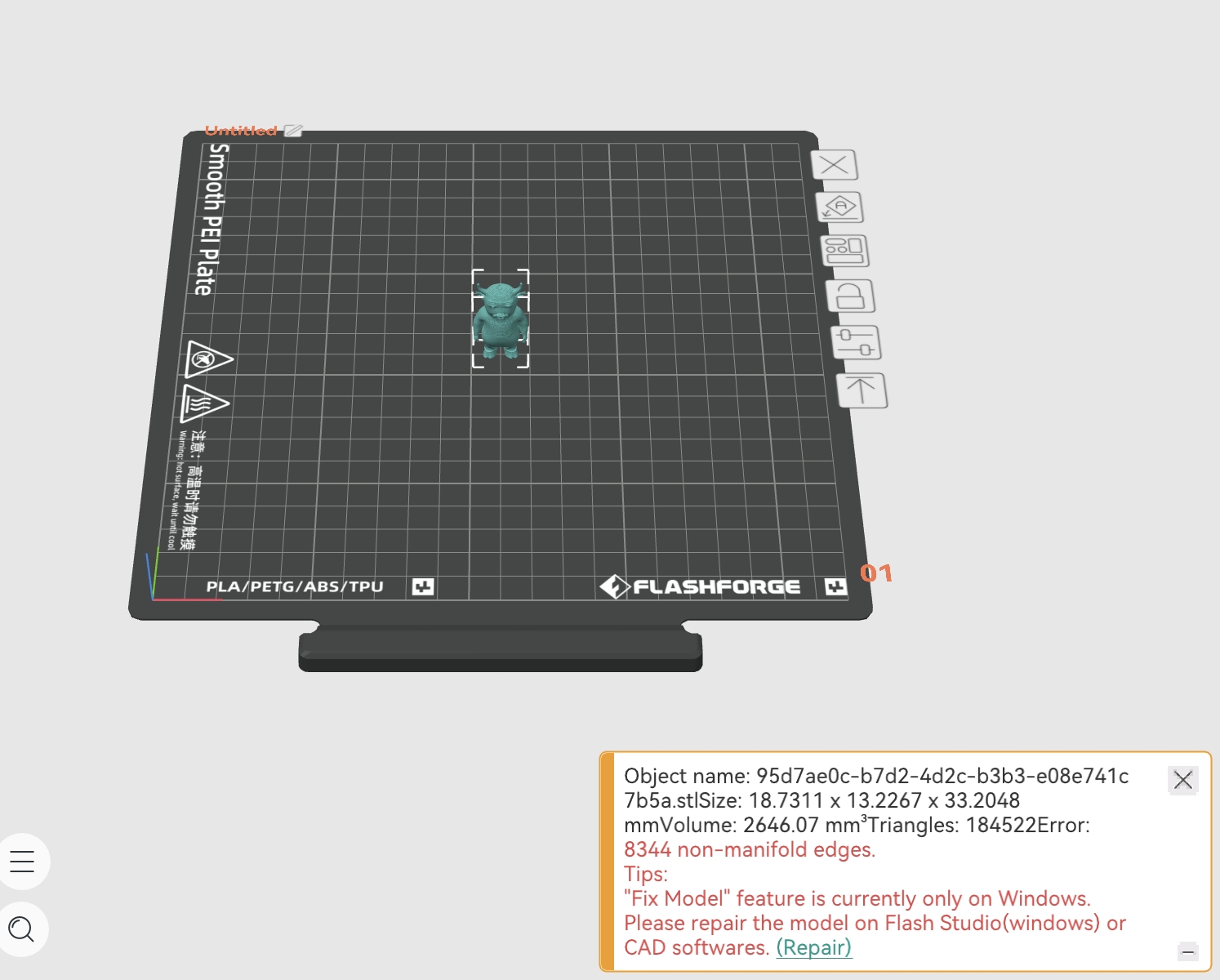
When an imported model has mesh issues, the software will notify you in the following ways:
- A warning triangle icon is displayed next to the model name in the object list.
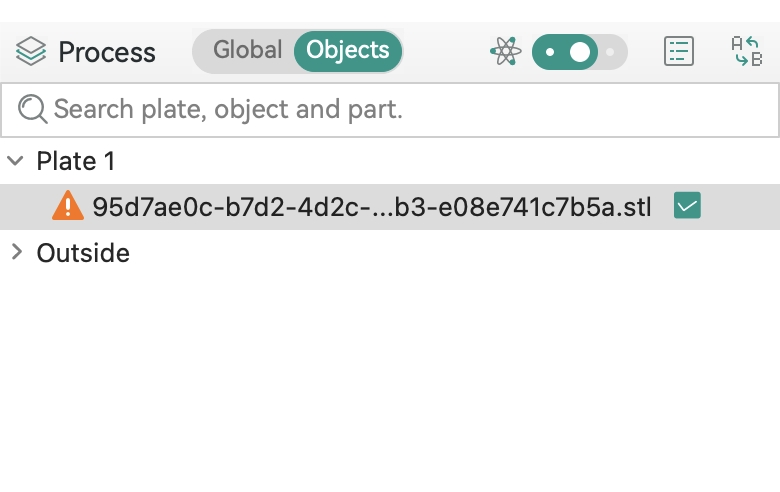
- When you select the model or attempt to slice it, a "Repair" warning will appear in the bottom right corner, and a warning symbol will be visible in front of the object name in the "Object" list.
¶ Repair Operations
There are three methods available to repair a damaged object. The software will automatically analyze and fix mesh defects such as non-manifold edges and broken faces. After the repair is complete, the warning icon in the object list disappears and the model can be sliced normally.
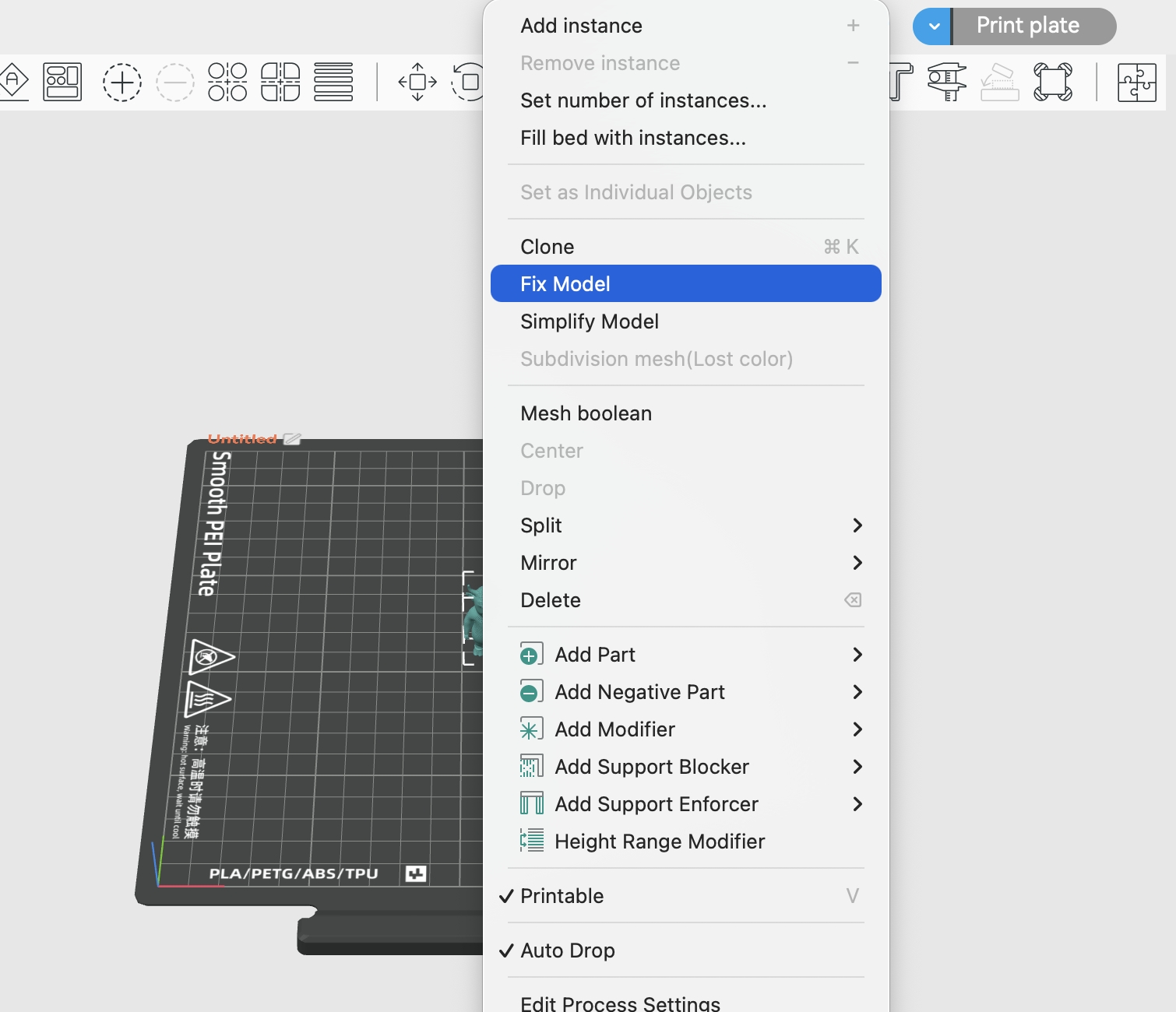
- 1. Select the object to be repaired, right-click on it, and then select "Fix Model."
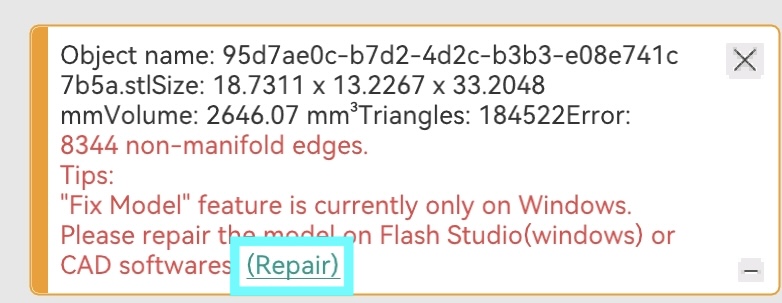
- 2. Click the "Repair" link in the warning
- 3. Click the warning symbol in the object list
The model repair feature currently only supports Windows.
macOS users should use Flashforge Studio (Windows version) or third-party CAD software (such as Meshmixer, Blender, etc.) to repair models before importing.
For models with complex structures or severe damage, automatic repair may not fully resolve the issue. It is recommended to manually repair them in professional modeling software.