¶ Overview
Ear-like Brim is a thin ring structure that extends outward from the bottom edge of the model, designed to increase the contact area between the model and the build platform, enhance first-layer adhesion, and prevent warping or detachment during printing.
Unlike a standard rectangular skirt, the Ear-like Brim is intelligently generated based on the geometry of the model's bottom surface. It extends "ear-like" structures only in areas where enhanced adhesion is needed, rather than generating a uniform border around the entire model. This effectively prevents warping while reducing material waste and post-processing effort.
¶ Application Scenarios
The Ear-like Brim is particularly suitable for the following situations: Models with a small bottom contact area that are prone to warping during printing; printing with materials that have a high shrinkage rate such as ABS, where first-layer adhesion is insufficient; tall or slender models with an unstable center of gravity that may tip over during printing.
For models that already have a large bottom contact area, it is generally not necessary to enable the Ear-like Brim.
¶ Ear-like Brim Operation Steps
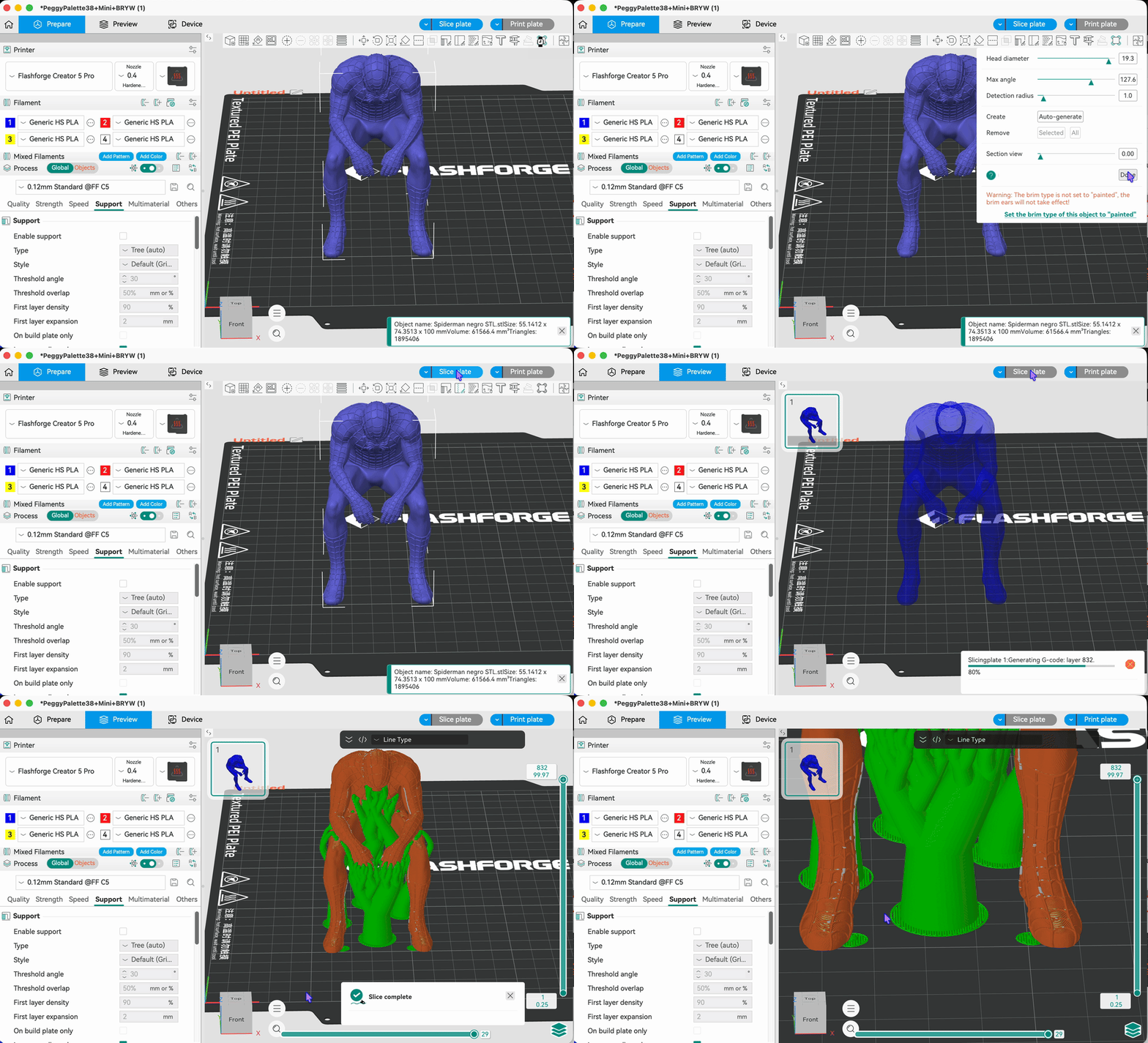
¶ Parameter Description
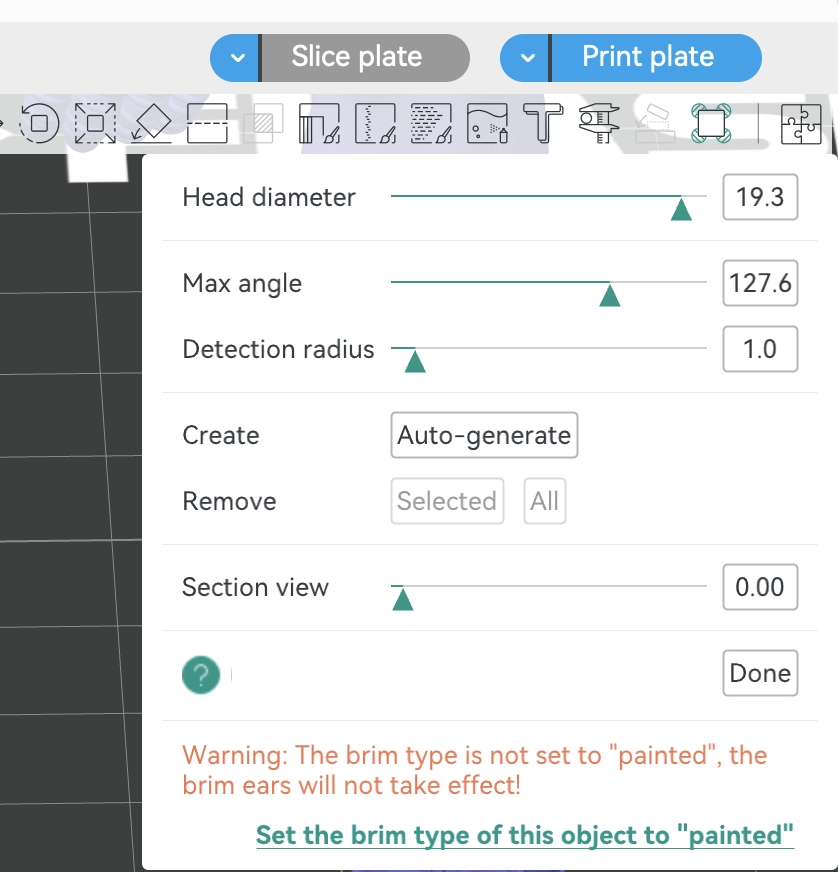
Brim Diameter: Controls the maximum distance the brim extends outward from the model's bottom edge, in millimeters. A larger value results in a wider brim and stronger adhesion, but more material needs to be removed during post-processing. The default value is 8.0mm.
Maximum Angle: Sets the angle threshold for automatic brim generation. When the angle between the model's bottom edge and the horizontal plane is less than this value, the system determines that the area requires brim reinforcement. A larger angle results in more areas being identified as needing a brim. The default value is 125.0°.
Detection Radius: Controls the range within which the system detects features of the model's bottom edge. A smaller value results in finer detection and a brim shape that more closely follows the model's contour; a larger value results in a wider detection range and a smoother generated brim. The default value is 1.0mm.