¶ Support Function Introduction
¶ Why Supports Are Needed
FDM printing is a layer-by-layer stacking process, where each layer requires the previous one as a foundation. When a model has overhanging structures (such as cantilevers or pointed tails), the material extruded by the nozzle lacks support underneath, leading to sagging, stringing, or even print failure. The role of support structures is to generate temporary auxiliary structures beneath these areas to hold up the overhanging parts, ensuring the print is completed successfully. After printing, supports need to be manually removed.
Properly setting up supports can minimize support usage, reduce removal difficulty, and lessen surface residue while ensuring a high print success rate.
¶ Enabling Supports
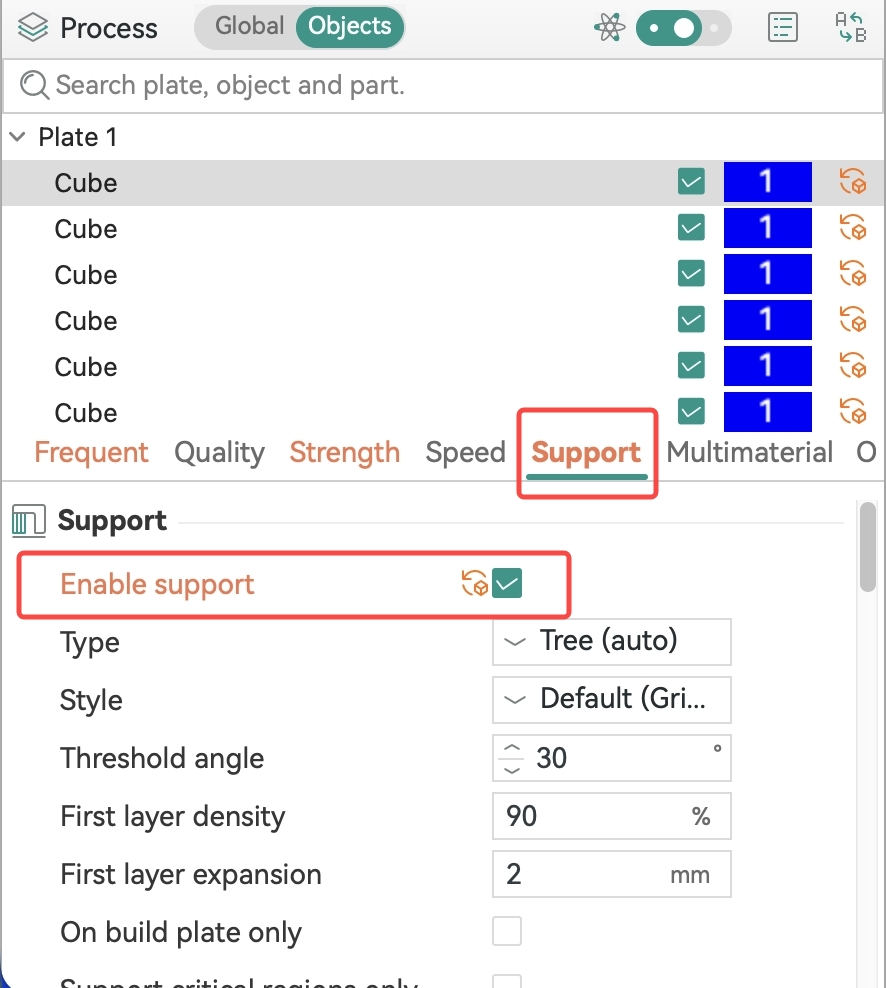
In the "Support" tab of the process parameters, check "Enable Support" to activate the support function. The system will automatically determine the areas requiring support based on the model's geometry.
¶ Common Options:
-
Type: Select the overall structural form of the support, including Tree and Normal.
-
Threshold Angle: Supports are generated only when the angle between the model surface and the vertical direction exceeds this value. The default is 30°; a larger angle results in fewer supports.
-
First Layer Density: The density of the first layer of the support in contact with the build plate. The default is 90%; higher density enhances the adhesion between the support and the build plate.
-
Generate on Build Plate Only: When checked, supports grow only upward from the build plate and not from the model surface. This is suitable for scenarios where you do not want supports to touch the sides of the model.
-
Support Critical Overhangs Only: When checked, supports are generated only for areas likely to cause print failures, reducing support usage.
-
Ignore Small Overhangs: When checked, the system skips very small overhanging areas to avoid generating unnecessary supports for tiny overhangs.
¶ Advanced Support Parameters
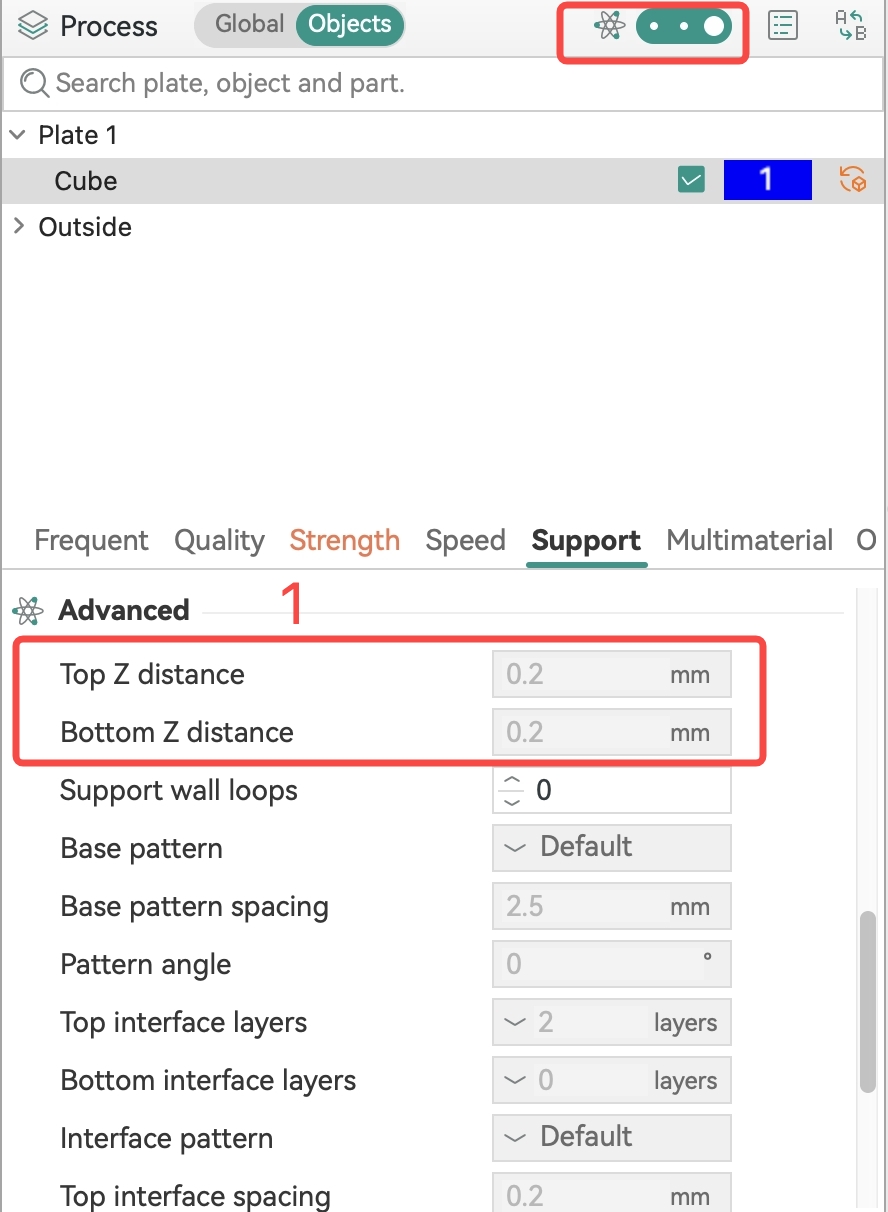
Click the gear icon in the upper right corner of the process settings to enter the advanced parameter panel for more precise control over supports.
¶ Distance Parameters
Distance parameters control the gap between the support and the model, directly affecting the support effectiveness and ease of removal.
- Top Z Distance: The vertical distance between the top of the support and the bottom surface of the model. A smaller distance provides better support but makes removal more difficult; a larger distance makes removal easier but may reduce the quality of the overhanging surface.
- Bottom Z Distance: The vertical distance between the bottom of the support and the build plate or the lower layer of support.
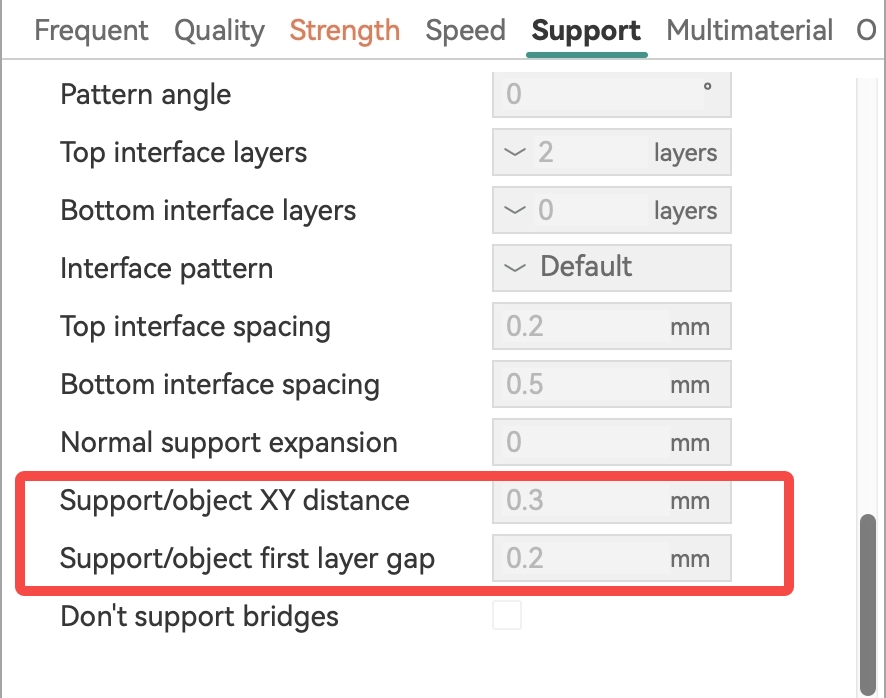
- Support/Model XY Spacing: The horizontal distance between the support and the side of the model. A larger value makes support removal easier but weakens the support's ability to hold up overhangs.
- Support/Object First Layer Spacing: The spacing between the first layer of the support and the first layer of the model.
¶ Support Types and Application Scenarios
¶ Normal Support
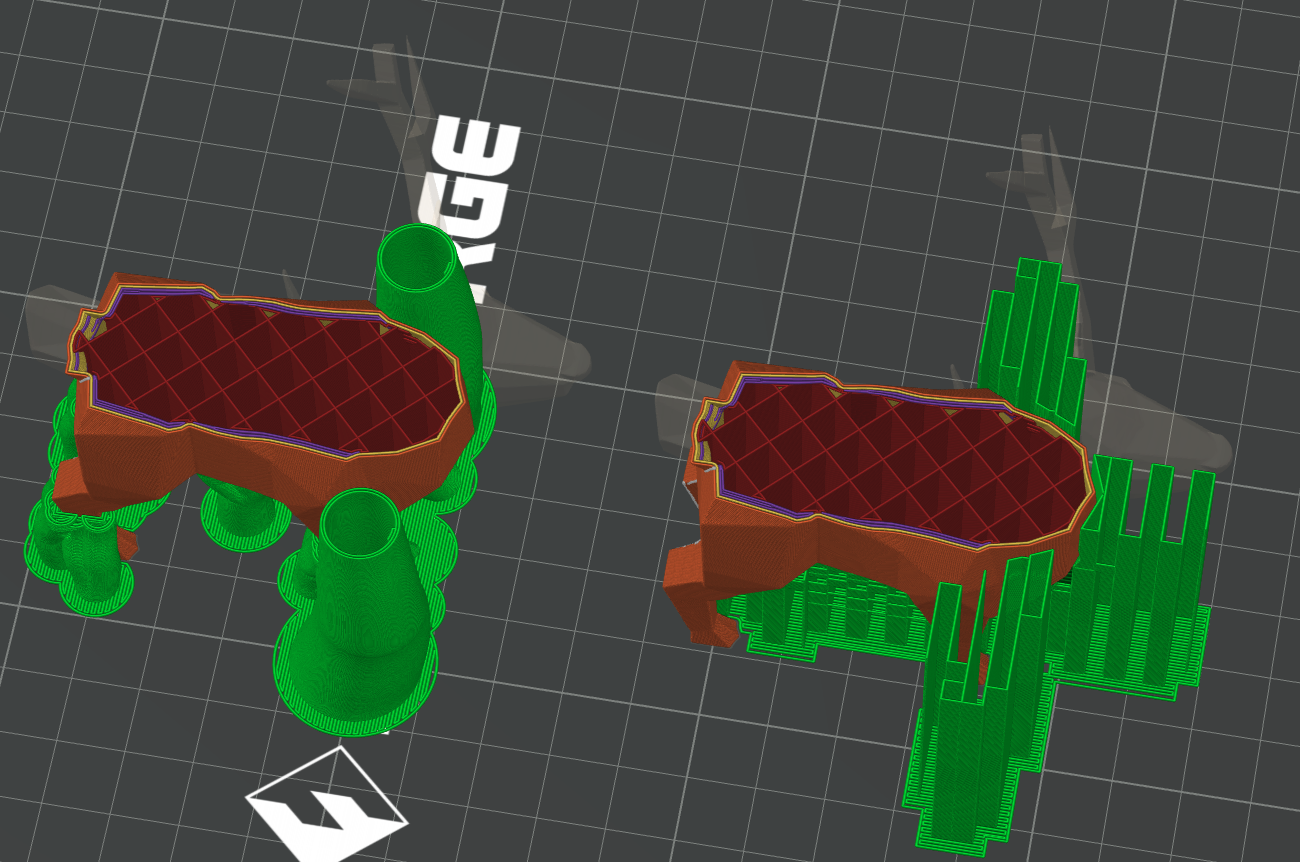
For overhanging parts with gentle slopes, normal support provides better surface quality than tree support.
¶ Tree Support
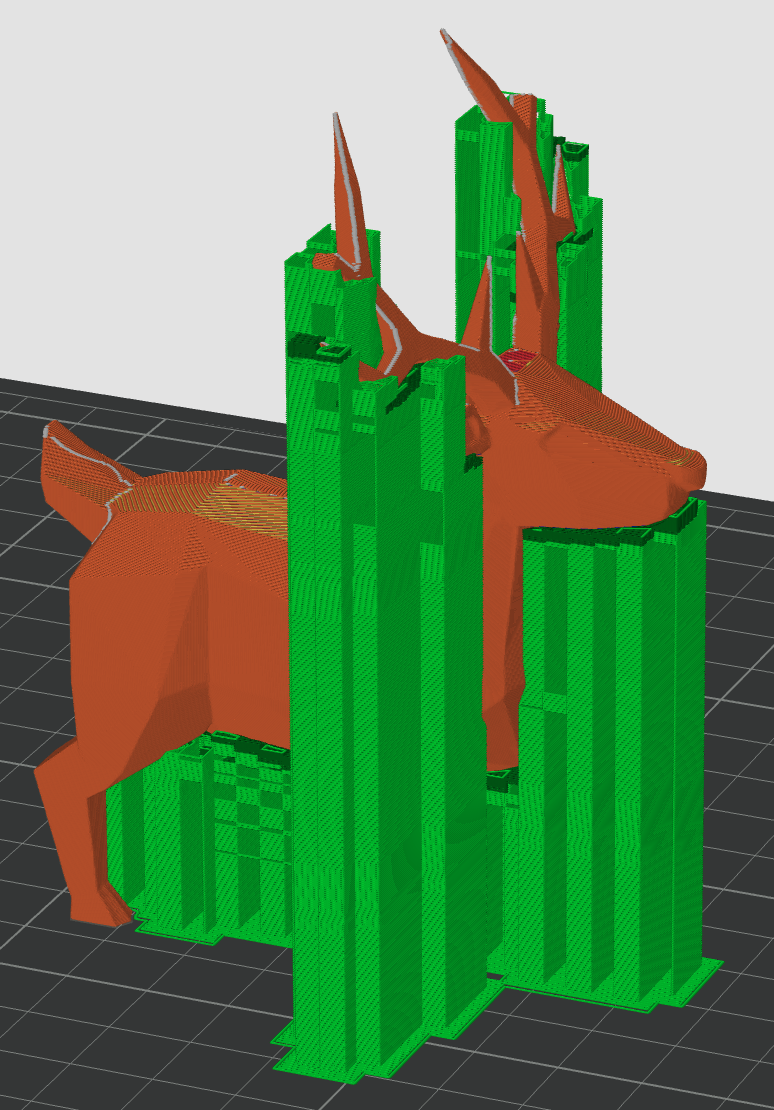
For models with complex structures, small overhangs, and uneven surfaces, tree support offers better support effectiveness while saving filament and print time.
 |
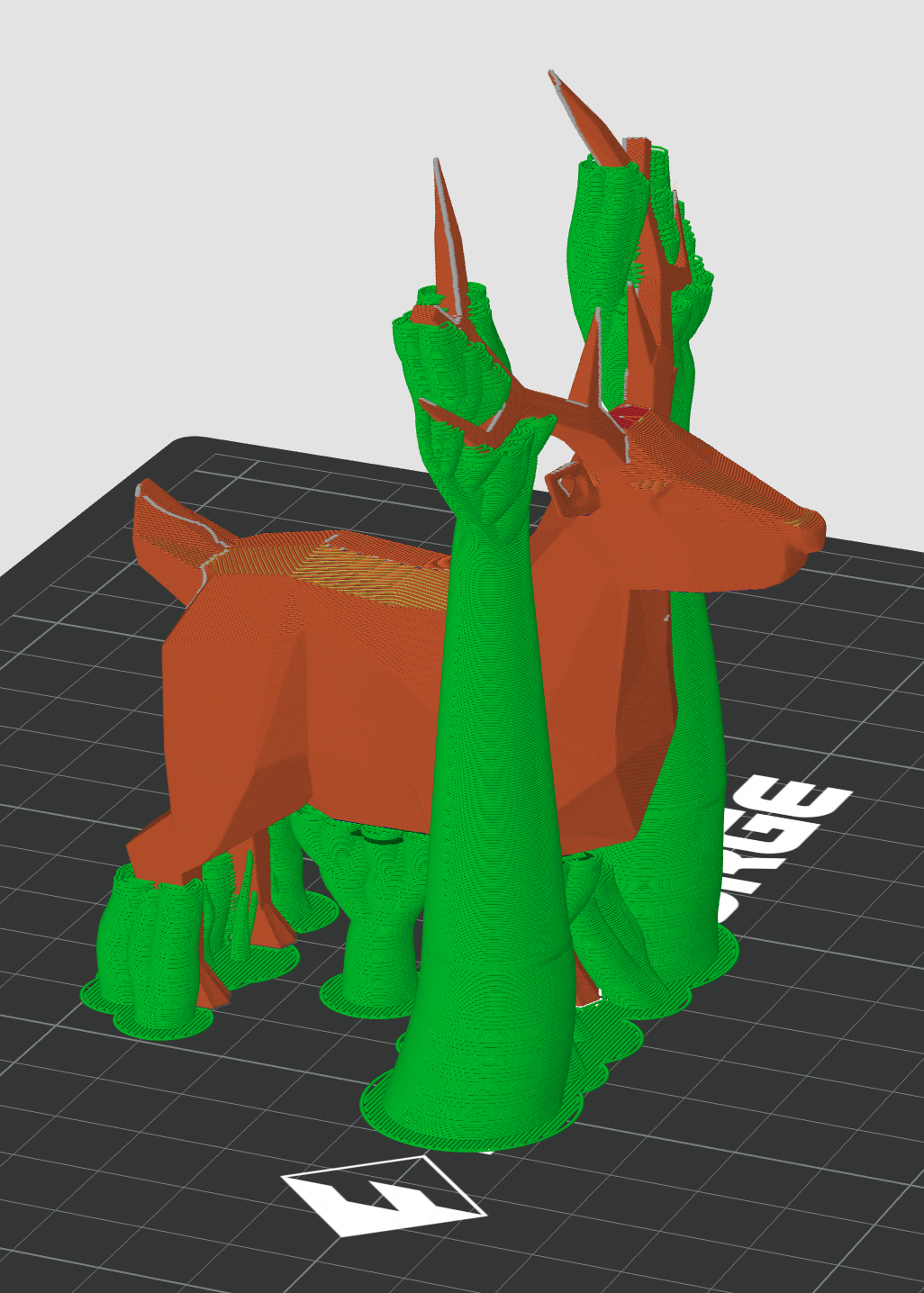 |
Comparison of filament path types between Normal and Tree supports
Recommendation
For daily printing, prioritize using Tree Support (Auto) to achieve a good balance between support effectiveness and filament usage.To facilitate quick support removal, appropriately increase the Support/Model XY Spacing and Top Z Distance.