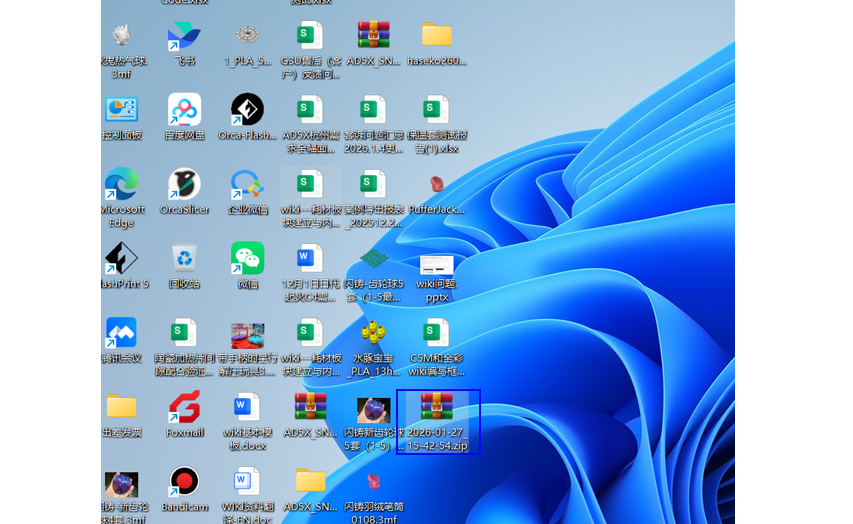
When encountering issues in the software, sometimes the surface symptoms cannot reveal the root cause of the software malfunction. Software engineers need to review the logs for analysis. This section describes how to download software logs.
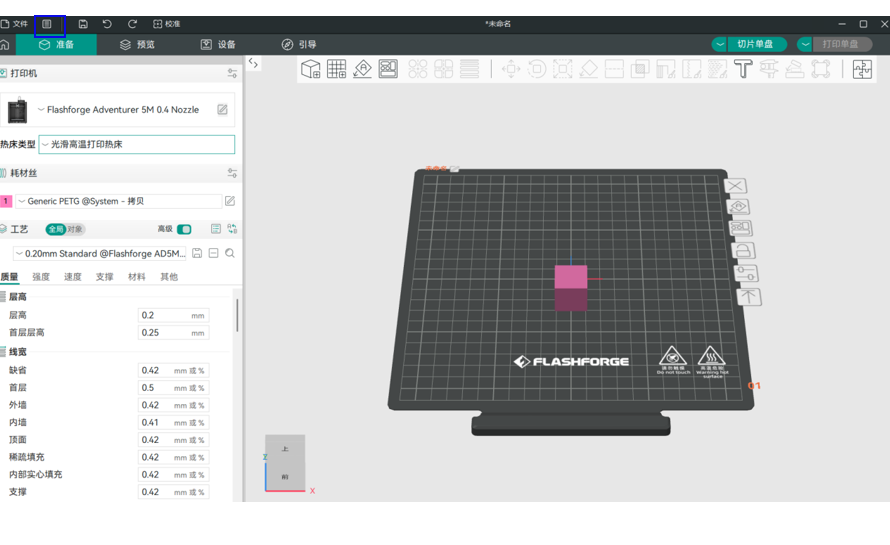
Step 1: Click the file icon marked in the blue box in the image below;
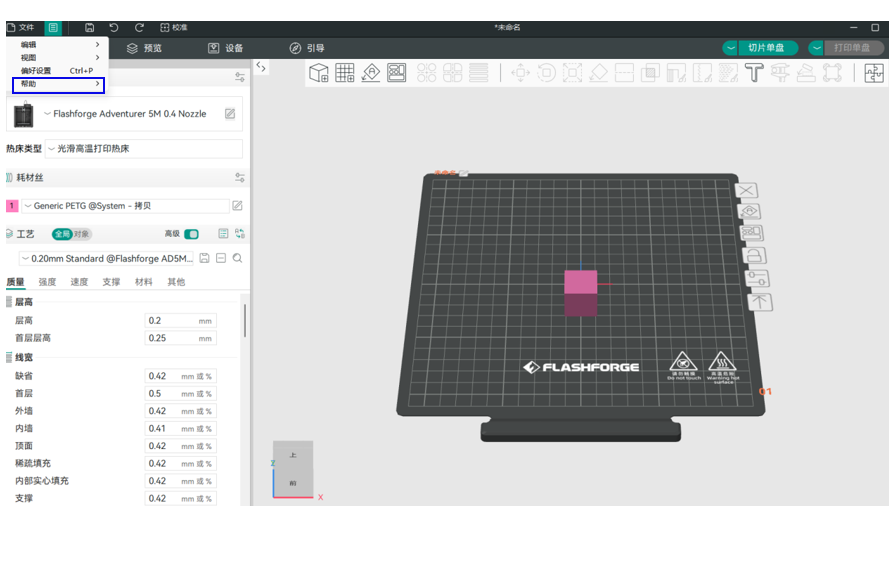
Step 2: Click the Help icon marked in the blue box in the image below;
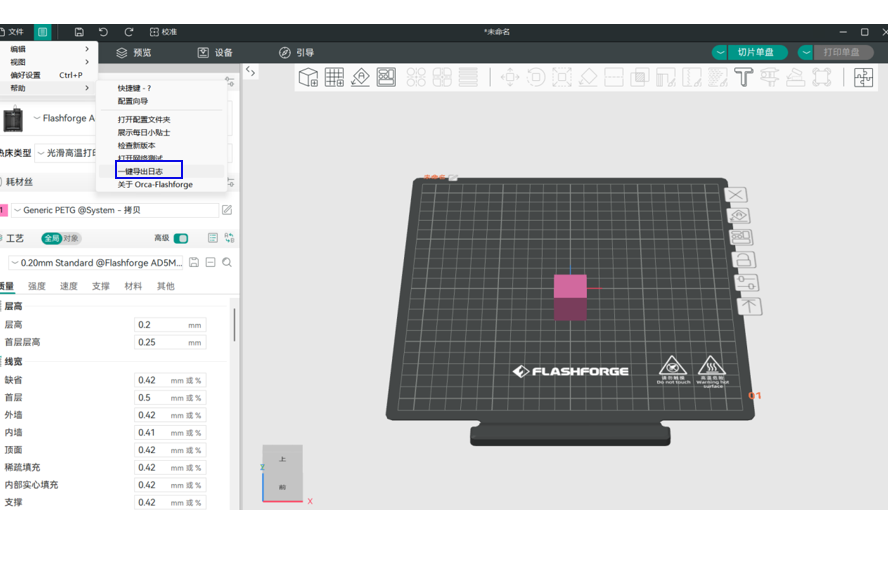
Step 3: Click the One-Click Export Logs icon marked in the blue box in the image below;
Step 4: Select the location to save the logs, then click Save;
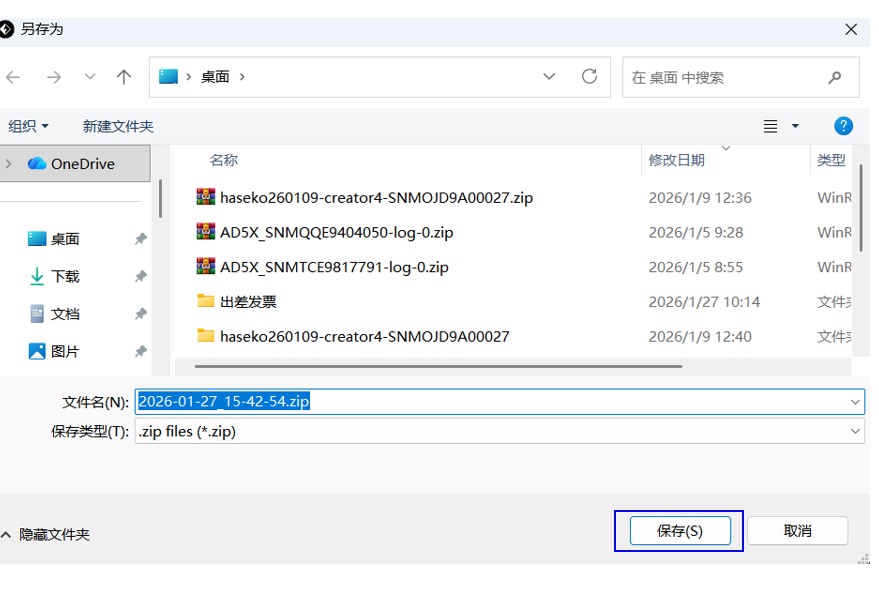
Step 5: After the file is saved, a confirmation dialog will pop up. Click Confirm;
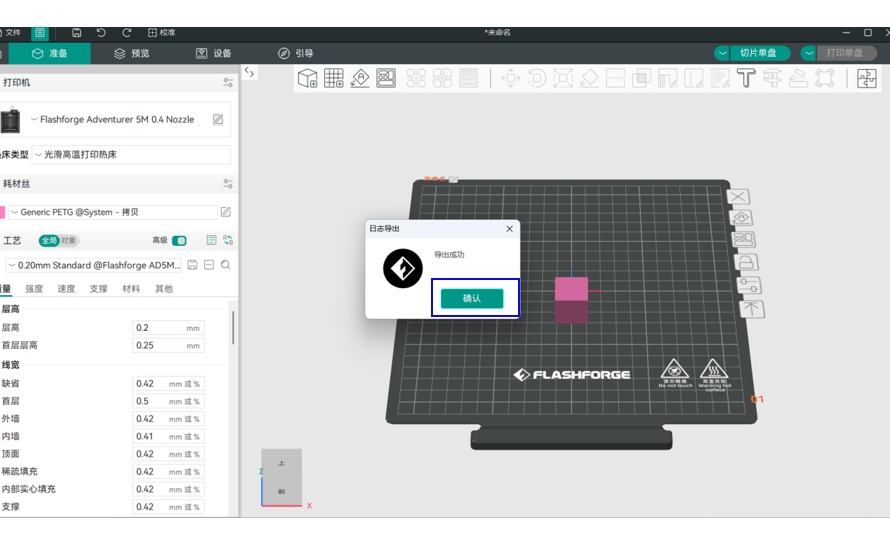
Step 6: Send the saved file on your desktop to the after-sales support staff.